请我喝杯咖啡☕
*备忘录:
- 我的帖子解释了cocodetection()使用train2017与captions_train2017.json,instances_train2017.json和person_keypoints_train2017.json,val2017与captions_val2017.json,instances_val2017.json和person_keypoints_val2017.json和test2017与image_info_test2017.json和image_info_test-dev2017.json.
- 我的帖子解释了 ms coco。
cocodetection() 可以使用 ms coco 数据集,如下所示。 *这适用于带有captions_train2014.json、instances_train2014.json和person_keypoints_train2014.json的train2014,带有captions_val2014.json、instances_val2014.json和person_keypoints_val2014.json的val2014以及带有image_info_test2014.json、image_info_test2015.json和的test2017 image_info_test-dev2015.json:
*备忘录:
- 第一个参数是root(必需类型:str或pathlib.path):
*备注:
- 这是图像的路径。
- 绝对或相对路径都是可能的。
- 第二个参数是 annfile(必需类型:str 或 pathlib.path):
*备注:
- 这是注释的路径。
- 绝对或相对路径都是可能的。
- 第三个参数是transform(optional-default:none-type:callable)。
- 第四个参数是 target_transform(optional-default:none-type:callable)。
- 第五个参数是transforms(optional-default:none-type:callable)。
from torchvision.datasets import CocoDetection

cap_train2014_data = CocoDetection(
    root="data/coco/imgs/train2014",
    annFile="data/coco/anns/trainval2014/captions_train2014.json"
)

cap_train2014_data = CocoDetection(
    root="data/coco/imgs/train2014",
    annFile="data/coco/anns/trainval2014/captions_train2014.json",
    transform=None,
    target_transform=None,
    transforms=None
)

ins_train2014_data = CocoDetection(
    root="data/coco/imgs/train2014",
    annFile="data/coco/anns/trainval2014/instances_train2014.json"
)

pk_train2014_data = CocoDetection(
    root="data/coco/imgs/train2014",
    annFile="data/coco/anns/trainval2014/person_keypoints_train2014.json"
)

len(cap_train2014_data), len(ins_train2014_data), len(pk_train2014_data)
# (82783, 82783, 82783)

cap_val2014_data = CocoDetection(
    root="data/coco/imgs/val2014",
    annFile="data/coco/anns/trainval2014/captions_val2014.json"
)

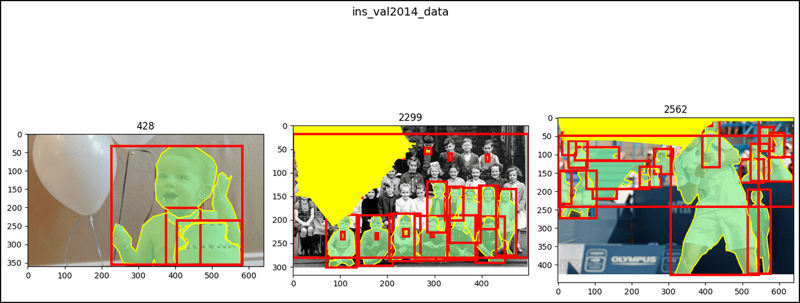
ins_val2014_data = CocoDetection(
    root="data/coco/imgs/val2014",
    annFile="data/coco/anns/trainval2014/instances_val2014.json"
)

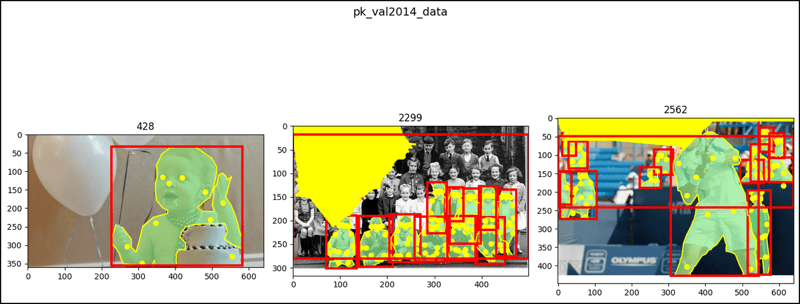
pk_val2014_data = CocoDetection(
    root="data/coco/imgs/val2014",
    annFile="data/coco/anns/trainval2014/person_keypoints_val2014.json"
)

len(cap_val2014_data), len(ins_val2014_data), len(pk_val2014_data)
# (40504, 40504, 40504)

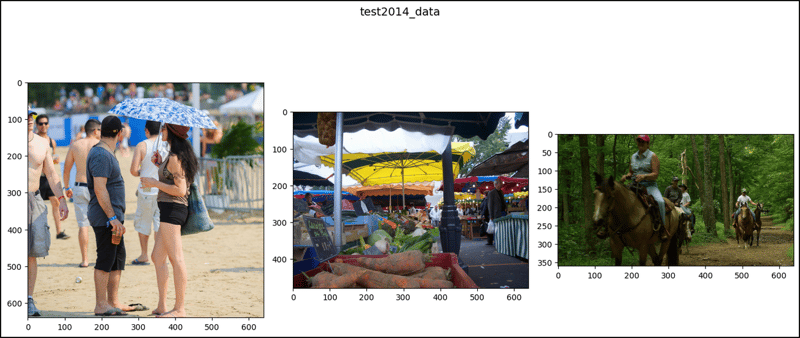
test2014_data = CocoDetection(
    root="data/coco/imgs/test2014",
    annFile="data/coco/anns/test2014/image_info_test2014.json"
)

test2015_data = CocoDetection(
    root="data/coco/imgs/test2015",
    annFile="data/coco/anns/test2015/image_info_test2015.json"
)

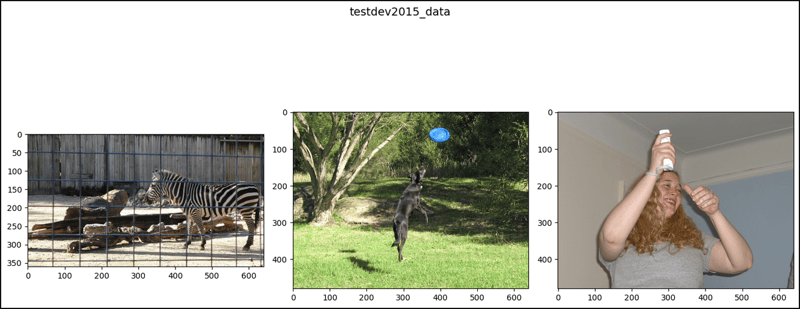
testdev2015_data = CocoDetection(
    root="data/coco/imgs/test2015",
    annFile="data/coco/anns/test2015/image_info_test-dev2015.json"
)

len(test2014_data), len(test2015_data), len(testdev2015_data)
# (40775, 81434, 20288)

cap_train2014_data
# Dataset CocoDetection
#     Number of datapoints: 82783
#     Root location: data/coco/imgs/train2014

cap_train2014_data.root
# 'data/coco/imgs/train2014'

print(cap_train2014_data.transform)
# None

print(cap_train2014_data.target_transform)
# None

print(cap_train2014_data.transforms)
# None

cap_train2014_data.coco
# <pycocotools.coco.COCO at 0x7c8a5f09d4f0>

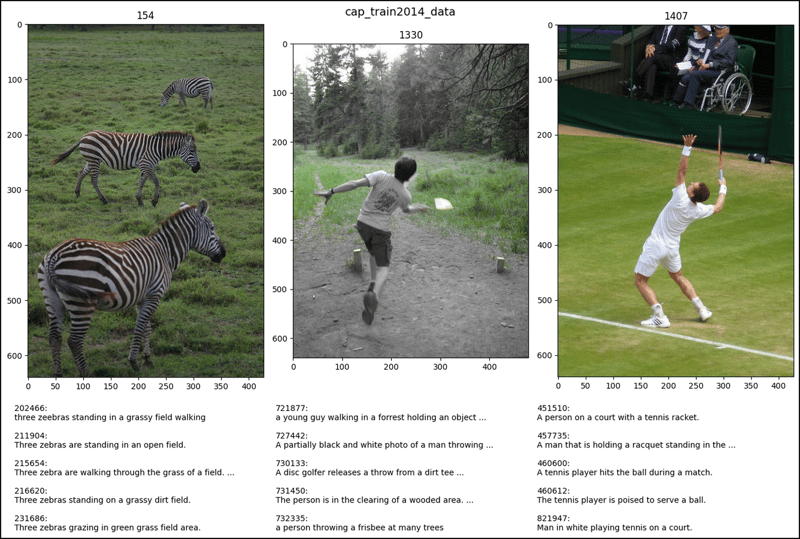
cap_train2014_data[26]
# (<PIL.Image.Image image mode=RGB size=427x640>,
#  [{'image_id': 154, 'id': 202466,
#    'caption': 'three zeebras standing in a grassy field walking'},
#   {'image_id': 154, 'id': 211904,
#    'caption': 'Three zebras are standing in an open field.'},
#   {'image_id': 154, 'id': 215654,
#    'caption': 'Three zebra are walking through the grass of a field.'},
#   {'image_id': 154, 'id': 216620,
#    'caption': 'Three zebras standing on a grassy dirt field.'},
#   {'image_id': 154, 'id': 231686,
#    'caption': 'Three zebras grazing in green grass field area.'}])

cap_train2014_data[179]
# (<PIL.Image.Image image mode=RGB size=480x640>,
#  [{'image_id': 1330, 'id': 721877,
#    'caption': 'a young guy walking in a forrest holding ... his hand'},
#   {'image_id': 1330, 'id': 727442,
#    'caption': 'A partially black and white photo of a ... the woods.'},
#   {'image_id': 1330, 'id': 730133,
#    'caption': 'A disc golfer releases a throw ... wooded course.'},
#   {'image_id': 1330, 'id': 731450,
#    'caption': 'The person is in the clearing of a wooded area. '},
#   {'image_id': 1330, 'id': 732335,
#    'caption': 'a person throwing a frisbee at many trees '}])

cap_train2014_data[194]
# (<PIL.Image.Image image mode=RGB size=428x640>,
#  [{'image_id': 1407, 'id': 451510,
#    'caption': 'A person on a court with a tennis racket.'},
#   {'image_id': 1407, 'id': 457735,
#    'caption': 'A man that is holding a racquet ... the grass.'},
#   {'image_id': 1407, 'id': 460600,
#    'caption': 'A tennis player hits the ball during a match.'},
#   {'image_id': 1407, 'id': 460612,
#    'caption': 'The tennis player is poised to serve a ball.'},
#   {'image_id': 1407, 'id': 821947,
#    'caption': 'Man in white playing tennis on a court.'}])

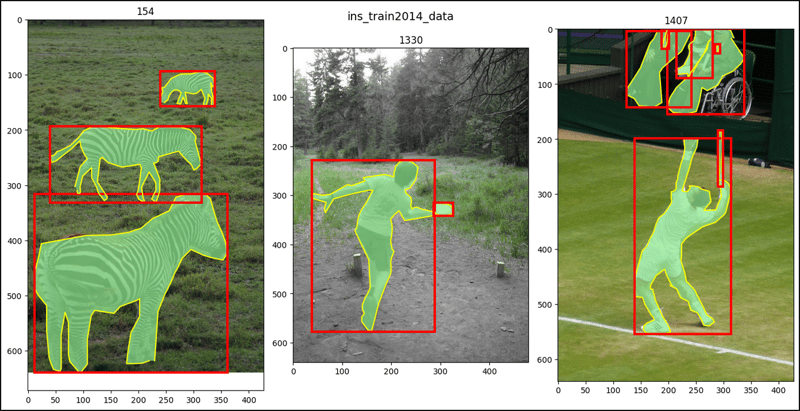
ins_train2014_data[26]
# (<PIL.Image.Image image mode=RGB size=427x640>,
#  [{'segmentation': [[229.5, 618.18, 235.64, ..., 219.85, 618.18]],
#    'area': 53702.50415, 'iscrowd': 0, 'image_id': 154,
#    'bbox': [11.98, 315.59, 349.08, 324.41], 'category_id': 24,
#    'id': 590410},
#   {'segmentation': ..., 'category_id': 24, 'id': 590623},
#   {'segmentation': ..., 'category_id': 24, 'id': 593205}])

ins_train2014_data[179]
# (<PIL.Image.Image image mode=RGB size=480x640>,
#  [{'segmentation': [[160.87, 574.0, 174.15, ..., 162.77, 577.6]],
#    'area': 21922.32225, 'iscrowd': 0, 'image_id': 1330,
#    'bbox': [38.47, 228.02, 249.55, 349.58], 'category_id': 1,
#    'id': 497247},
#   {'segmentation': ..., 'category_id': 34, 'id': 604179}])

ins_train2014_data[194]
# (<PIL.Image.Image image mode=RGB size=428x640>,
#  [{'segmentation': [[203.26, 465.95, 215.13, ..., 207.22, 466.94]],
#    'area': 20449.62315, 'iscrowd': 0, 'image_id': 1407,
#    'bbox': [138.97, 198.88, 175.08, 355.11], 'category_id': 1,
#    'id': 434962},
#   {'segmentation': ..., 'category_id': 43, 'id': 658155},
#   ...
#   {'segmentation': ..., 'category_id': 1, 'id': 2000535}])

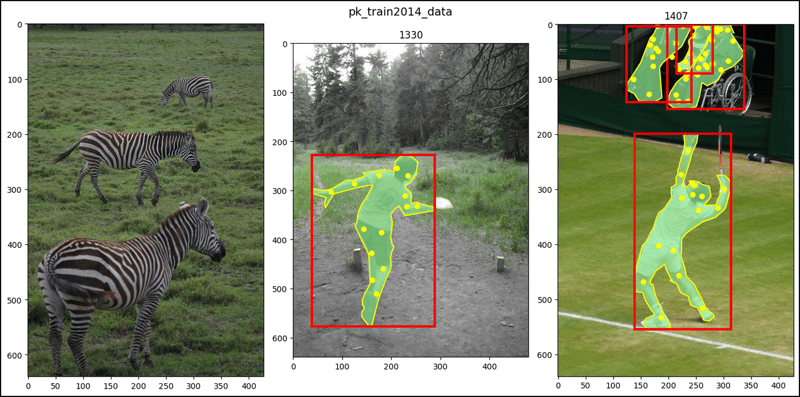
pk_train2014_data[26]
# (<PIL.Image.Image image mode=RGB size=427x640>, [])

pk_train2014_data[179]
# (<PIL.Image.Image image mode=RGB size=480x640>,
#  [{'segmentation': [[160.87, 574, 174.15, ..., 162.77, 577.6]],
#    'num_keypoints': 14, 'area': 21922.32225, 'iscrowd': 0,
#    'keypoints': [0, 0, 0, 0, ..., 510, 2], 'image_id': 1330,
#    'bbox': [38.47, 228.02, 249.55, 349.58], 'category_id': 1,
#    'id': 497247}])

pk_train2014_data[194]
# (<PIL.Image.Image image mode=RGB size=428x640>,
#  [{'segmentation': [[203.26, 465.95, 215.13, ..., 207.22, 466.94]],
#    'num_keypoints': 16, 'area': 20449.62315, 'iscrowd': 0,
#    'keypoints': [243, 289, 2, 247, ..., 516, 2], 'image_id': 1407,
#    'bbox': [138.97, 198.88, 175.08, 355.11], 'category_id': 1,
#    'id': 434962},
#   {'segmentation': ..., 'category_id': 1, 'id': 1241246131},
#   ...
#   {'segmentation': ..., 'category_id': 1, 'id': 2000535}])

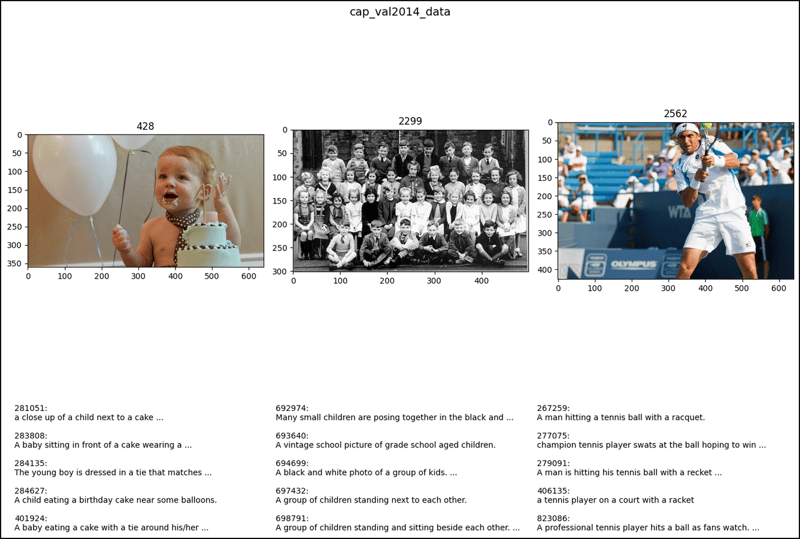
cap_val2014_data[26]
# (<PIL.Image.Image image mode=RGB size=640x360>,
#  [{'image_id': 428, 'id': 281051,
#    'caption': 'a close up of a child next to a cake with balloons'},
#   {'image_id': 428, 'id': 283808,
#    'caption': 'A baby sitting in front of a cake wearing a tie.'},
#   {'image_id': 428, 'id': 284135,
#    'caption': 'The young boy is dressed in a tie that ... his cake. '},
#  {'image_id': 428, 'id': 284627,
#   'caption': 'A child eating a birthday cake near some balloons.'},
#  {'image_id': 428, 'id': 401924,
#   'caption': 'A baby eating a cake with a tie ... the background.'}])

cap_val2014_data[179]
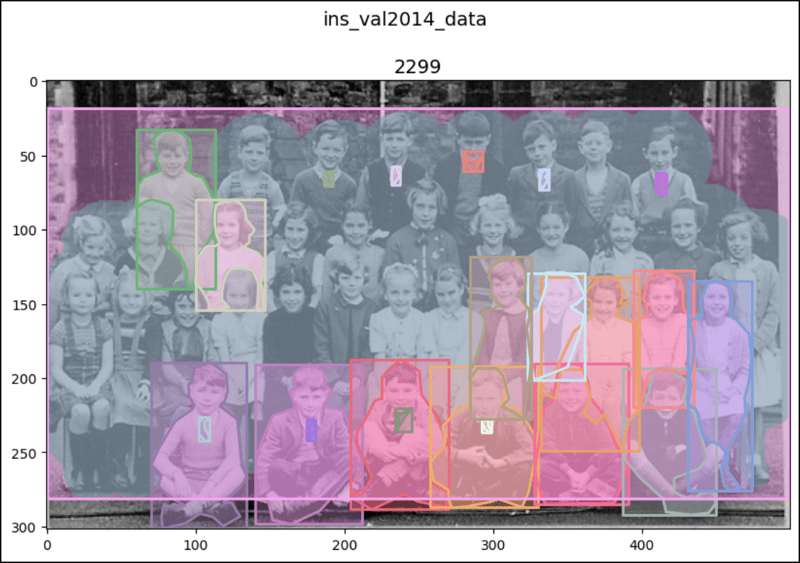
# (<PIL.Image.Image image mode=RGB size=500x302>,
#  [{'image_id': 2299, 'id': 692974,
#    'caption': 'Many small children are posing ... white photo. '},
#   {'image_id': 2299, 'id': 693640,
#    'caption': 'A vintage school picture of grade school aged children.'},
#   {'image_id': 2299, 'id': 694699,
#    'caption': 'A black and white photo of a group of kids.'},
#   {'image_id': 2299, 'id': 697432,
#    'caption': 'A group of children standing next to each other.'},
#   {'image_id': 2299, 'id': 698791,
#    'caption': 'A group of children standing and ... each other. '}])

cap_val2014_data[194]
# (<PIL.Image.Image image mode=RGB size=640x427>,
#  [{'image_id': 2562, 'id': 267259,
#    'caption': 'A man hitting a tennis ball with a racquet.'},
#   {'image_id': 2562, 'id': 277075,
#    'caption': 'champion tennis player swats at the ball ... to win'},
#   {'image_id': 2562, 'id': 279091,
#    'caption': 'A man is hitting his tennis ball with ... the court.'},
#   {'image_id': 2562, 'id': 406135,
#    'caption': 'a tennis player on a court with a racket'},
#   {'image_id': 2562, 'id': 823086,
#    'caption': 'A professional tennis player hits a ... fans watch.'}])

ins_val2014_data[26]
# (<PIL.Image.Image image mode=RGB size=640x360>,
#  [{'segmentation': [[378.61, 210.2, 409.35, ..., 374.56, 217.48]],
#    'area': 3573.3858000000005, 'iscrowd': 0, 'image_id': 428,
#    'bbox': [374.56, 200.49, 94.65, 154.52], 'category_id': 32,
#    'id': 293908},
#   {'segmentation': ..., 'category_id': 1, 'id': 487626},
#   {'segmentation': ..., 'category_id': 61, 'id': 1085469}])

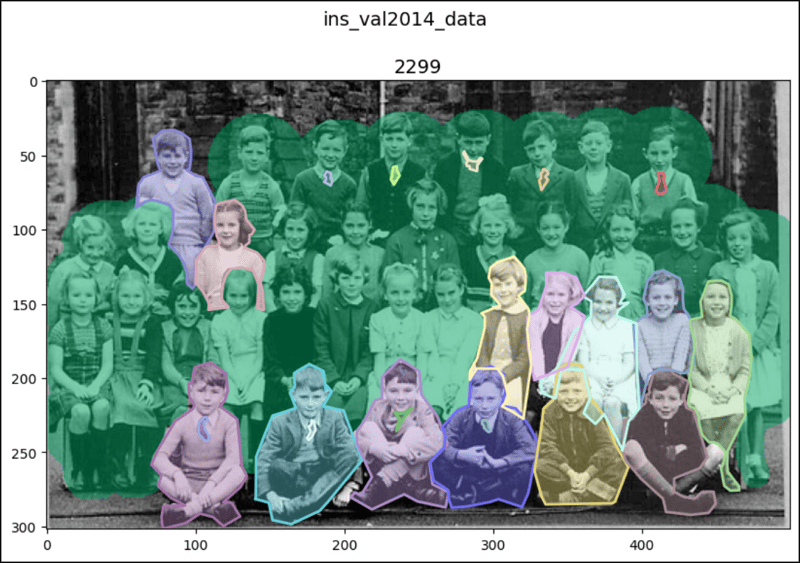
ins_val2014_data[179]
# (<PIL.Image.Image image mode=RGB size=500x302>,
#  [{'segmentation': [[107.49, 226.51, 108.17, ..., 105.8, 226.43]],
#    'area': 66.15510000000003, 'iscrowd': 0, 'image_id': 2299,
#    'bbox': [101.74, 226.43, 7.53, 15.83], 'category_id': 32,
#    'id': 295960},
#   {'segmentation': ..., 'category_id': 32, 'id': 298359},
#   ...
#   {'segmentation': {'counts': [152, 13, 263, 40, 2, ..., 132, 75],
#    'size': [302, 500]}, 'area': 87090, 'iscrowd': 1, 'image_id': 2299,
#    'bbox': [0, 18, 499, 263], 'category_id': 1, 'id': 900100002299}])

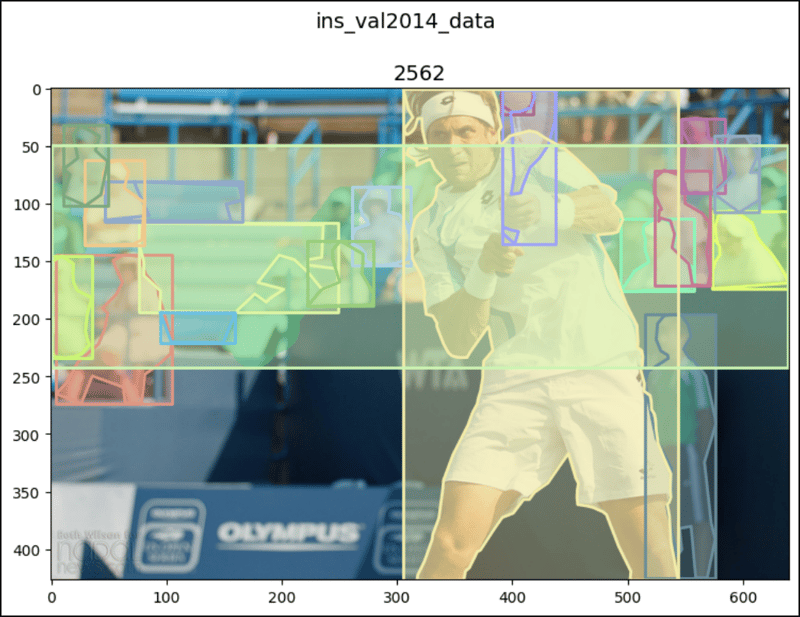
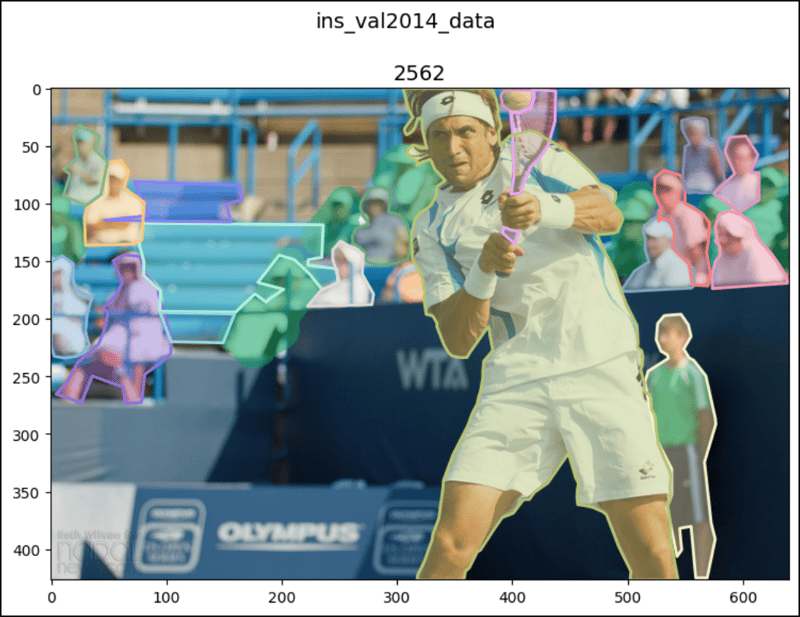
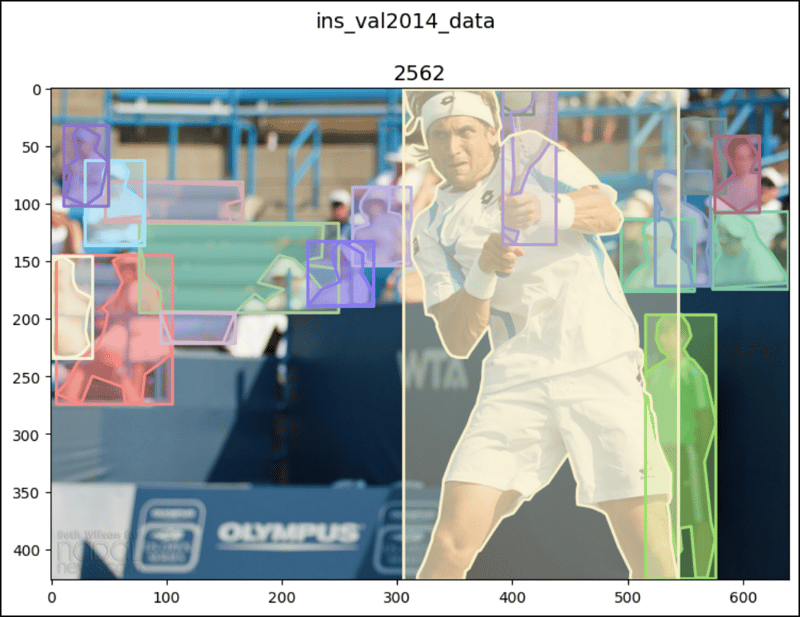
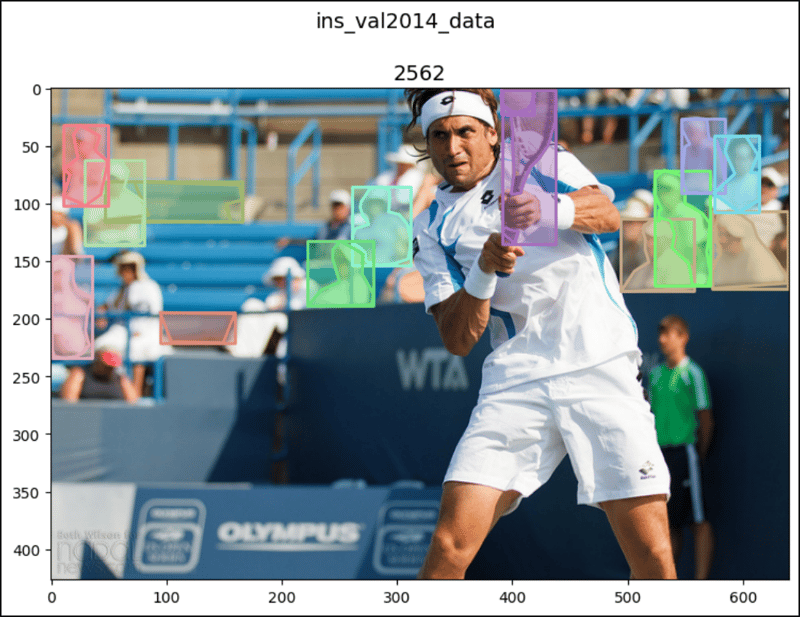
ins_val2014_data[194]
# (<PIL.Image.Image image mode=RGB size=640x427>,
#  [{'segmentation': [[389.92, 6.17, 391.48, ..., 393.57, 0.57]],
#    'area': 482.5815999999996, 'iscrowd': 0, 'image_id': 2562,
#    'bbox': [389.92, 0.57, 28.15, 21.38], 'category_id': 37,
#    'id': 302161},
#   {'segmentation': ..., 'category_id': 43, 'id': 659770},
#   ...
#   {'segmentation': {'counts': [132, 8, 370, 37, 3, ..., 82, 268],
#    'size': [427, 640]}, 'area': 19849, 'iscrowd': 1, 'image_id': 2562,
#    'bbox': [0, 49, 639, 193], 'category_id': 1, 'id': 900100002562}])

pk_val2014_data[26]
# (<PIL.Image.Image image mode=RGB size=640x360>,
#  [{'segmentation': [[239.18, 244.08, 229.39, ..., 256.33, 251.43]],
#    'num_keypoints': 10, 'area': 55007.0814, 'iscrowd': 0,
#    'keypoints': [383, 132, 2, 418, ..., 0, 0], 'image_id': 428,
#    'bbox': [226.94, 32.65, 355.92, 323.27], 'category_id': 1,
#    'id': 487626}])

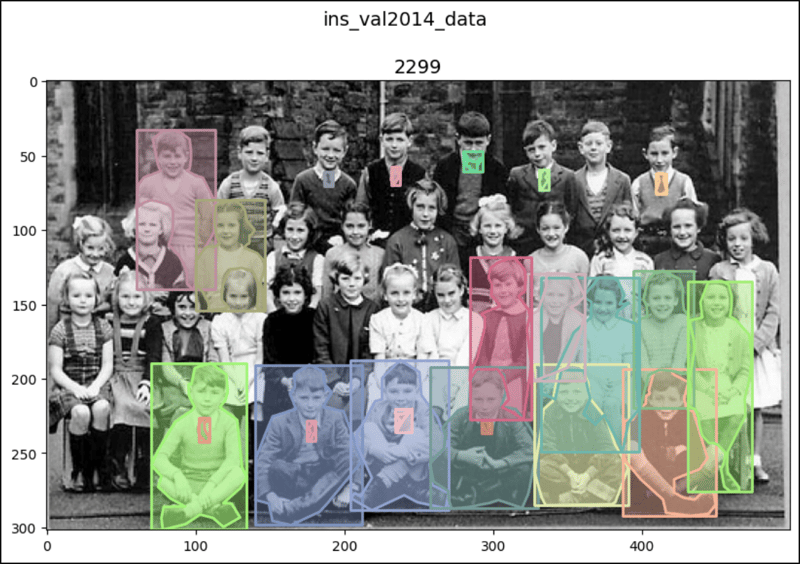
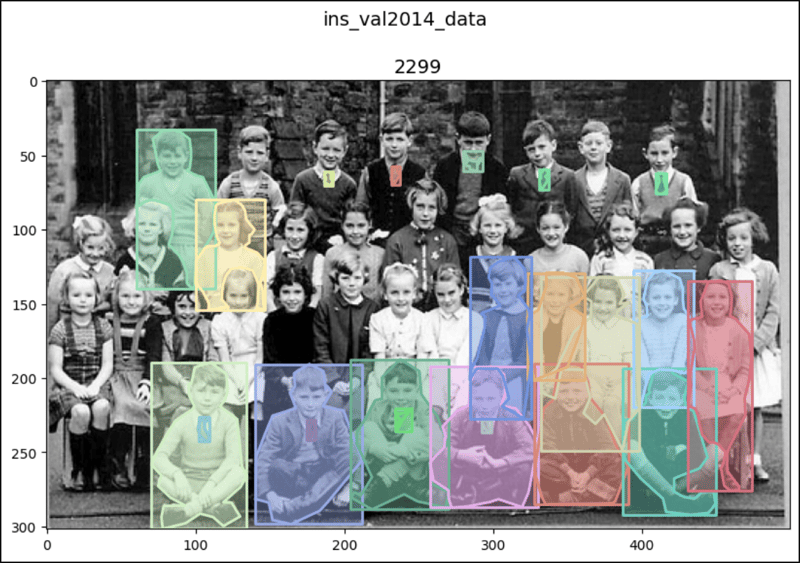
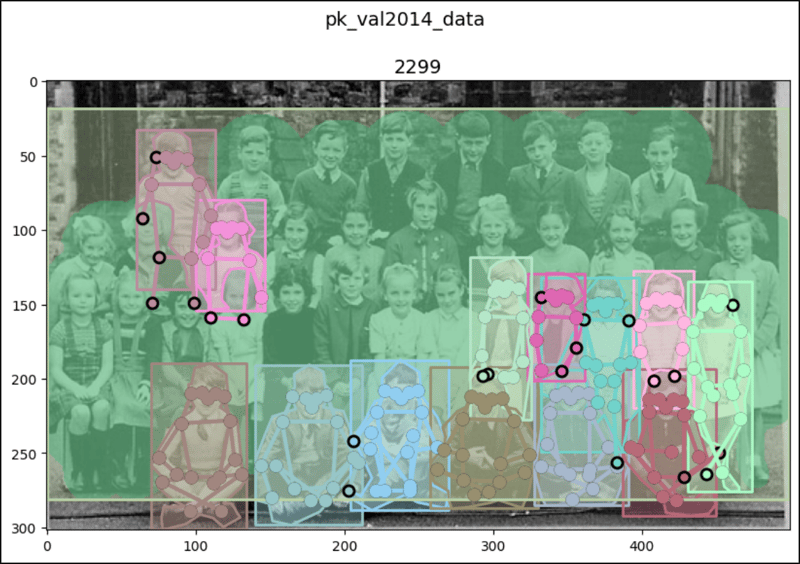
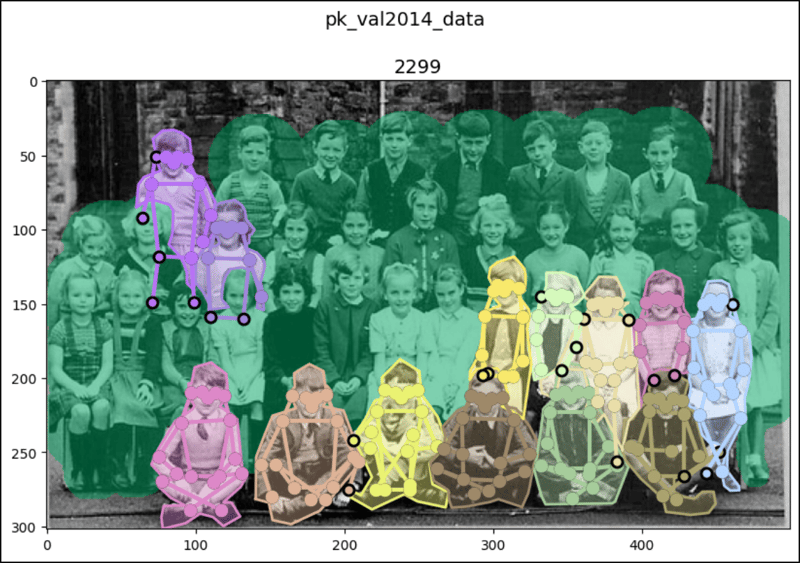
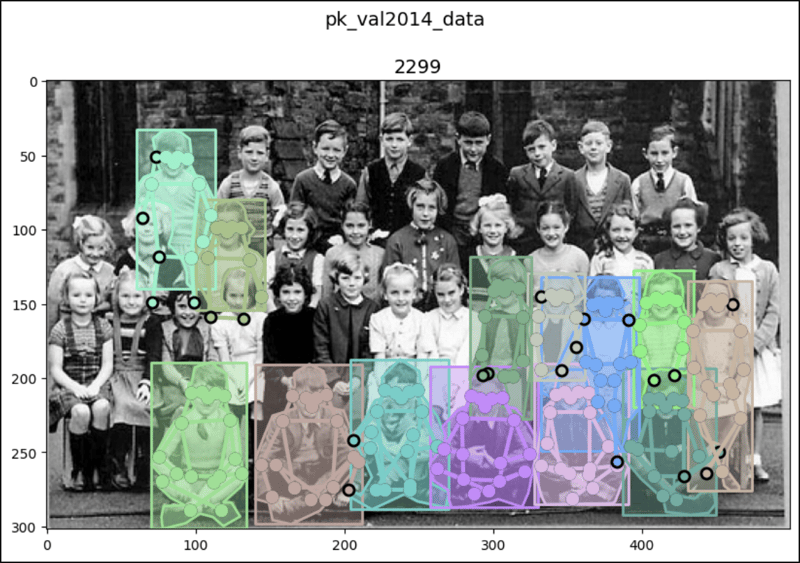
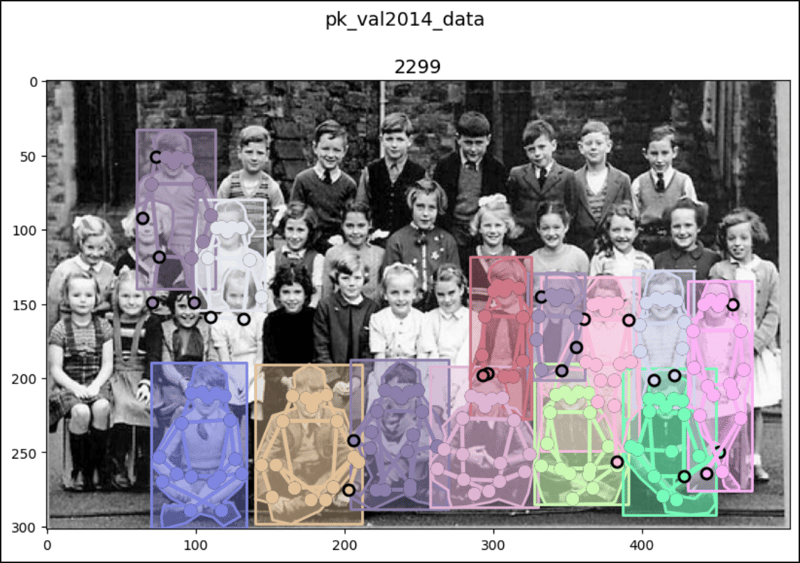
pk_val2014_data[179]
# (<PIL.Image.Image image mode=RGB size=500x302>,
#  [{'segmentation': [[75, 272.02, 76.92, ..., 74.67, 272.66]],
#    'num_keypoints': 17, 'area': 4357.5248, 'iscrowd': 0,
#    'keypoints': [108, 213, 2, 113, ..., 289, 2], 'image_id': 2299,
#    'bbox': [70.18, 189.51, 64.2, 112.04], 'category_id': 1,
#    'id': 1219726},
#   {'segmentation': ..., 'category_id': 1, 'id': 1226789},
#   ...
#   {'segmentation': {'counts': [152, 13, 263, 40, 2, ..., 132, 75],
#    'size': [302, 500]}, 'num_keypoints': 0, 'area': 87090,
#    'iscrowd': 1, 'keypoints': [0, 0, 0, 0, ..., 0, 0], 'image_id': 2299,
#    'bbox': [0, 18, 499, 263], 'category_id': 1, 'id': 900100002299}])

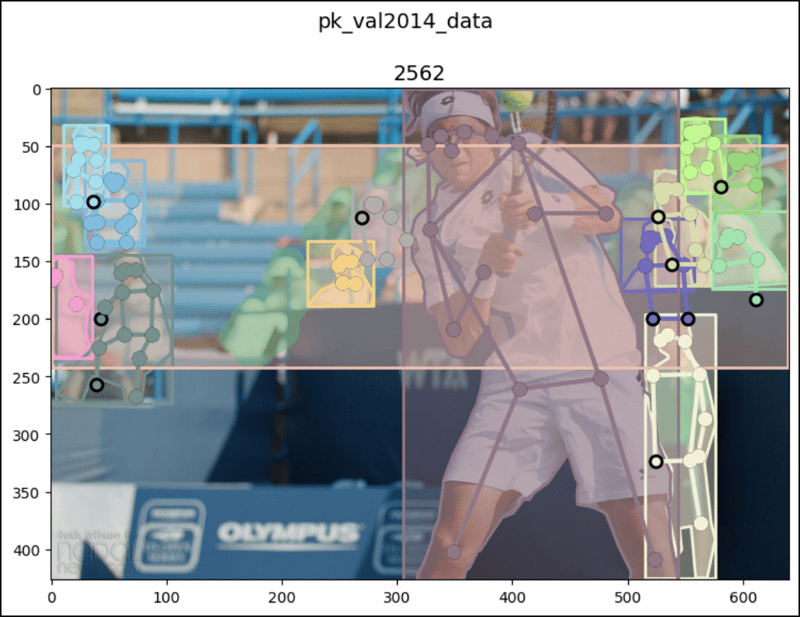
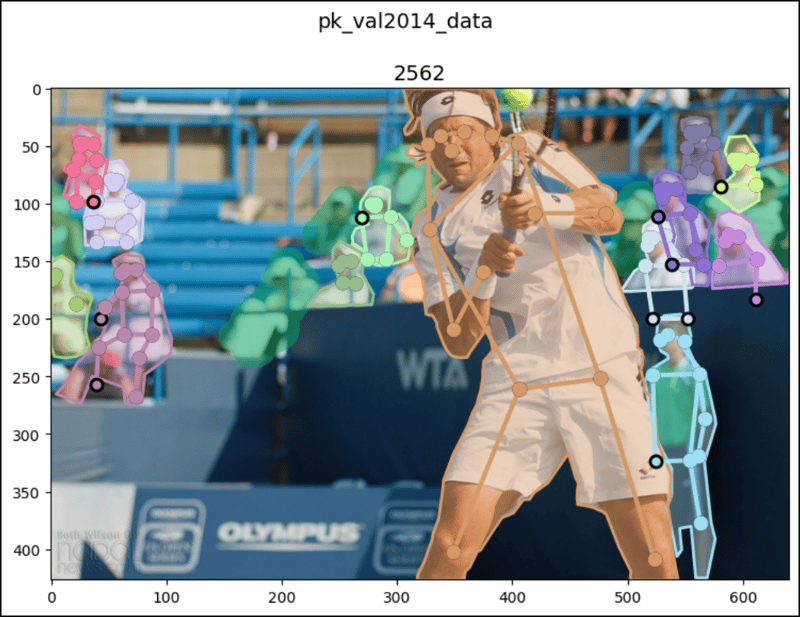
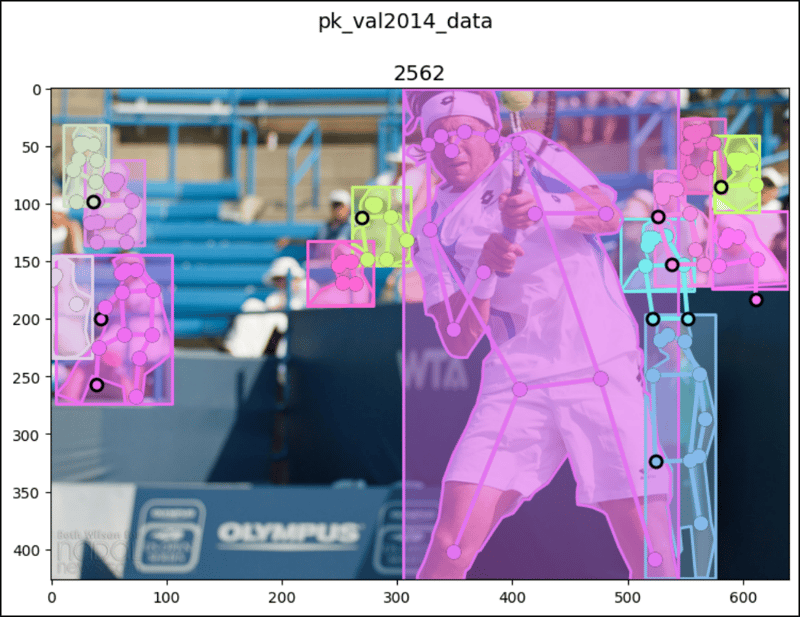
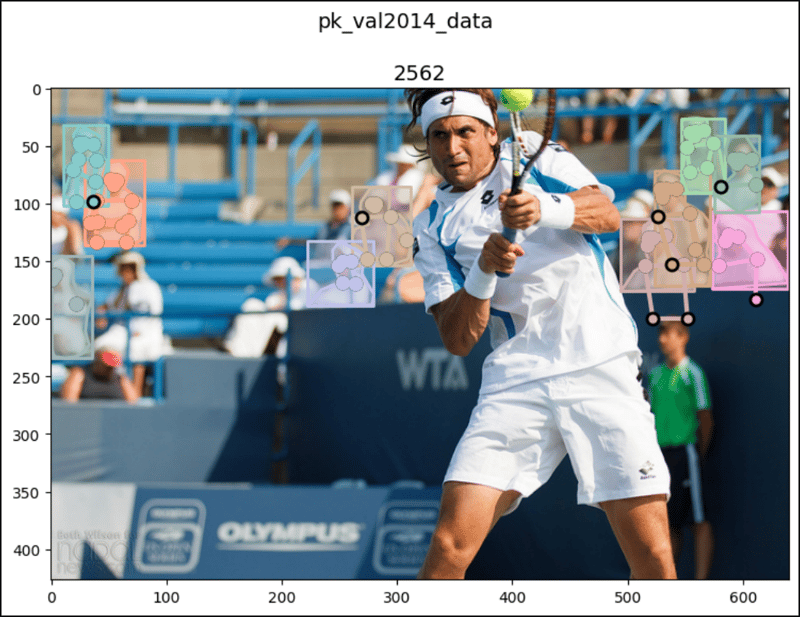
pk_val2014_data[194]
# (<PIL.Image.Image image mode=RGB size=640x427>,
#  [{'segmentation': [[19.26, 270.62, 4.3, ..., 25.98, 273.61]],
#    'num_keypoints': 13, 'area': 6008.95835, 'iscrowd': 0,
#    'keypoints': [60, 160, 2, 64, ..., 257, 1], 'image_id': 2562,
#    'bbox': [4.3, 144.26, 100.19, 129.35], 'category_id': 1,
#    'id': 1287168},
#   {'segmentation': ..., 'category_id': 1, 'id': 1294190},
#   ...
#   {'segmentation': {'counts': [132, 8, 370, 37, 3, ..., 82, 268],
#    'size': [427, 640]}, 'num_keypoints': 0, 'area': 19849, 'iscrowd': 1,
#    'keypoints': [0, 0, 0, 0, ..., 0, 0], 'image_id': 2562,
#    'bbox': [0, 49, 639, 193], 'category_id': 1, 'id': 900100002562}])

test2014_data[26]
# (<PIL.Image.Image image mode=RGB size=640x640>, [])

test2014_data[179]
# (<PIL.Image.Image image mode=RGB size=640x480>, [])

test2014_data[194]
# (<PIL.Image.Image image mode=RGB size=640x360>, [])

test2015_data[26]
# (<PIL.Image.Image image mode=RGB size=640x480>, [])

test2015_data[179]
# (<PIL.Image.Image image mode=RGB size=640x426>, [])

test2015_data[194]
# (<PIL.Image.Image image mode=RGB size=640x480>, [])

testdev2015_data[26]
# (<PIL.Image.Image image mode=RGB size=640x360>, [])

testdev2015_data[179]
# (<PIL.Image.Image image mode=RGB size=640x480>, [])

testdev2015_data[194]
# (<PIL.Image.Image image mode=RGB size=640x480>, [])

import matplotlib.pyplot as plt
from matplotlib.patches import Polygon, Rectangle
import numpy as np
from pycocotools import mask

# `show_images1()` doesn't work very well for the images with
# segmentations and keypoints so for them, use `show_images2()` which
# more uses the original coco functions.
def show_images1(data, ims, main_title=None):
    file = data.root.split('/')[-1]
    fig, axes = plt.subplots(nrows=1, ncols=3, figsize=(14, 8))
    fig.suptitle(t=main_title, y=0.9, fontsize=14)
    x_crd = 0.02
    for i, axis in zip(ims, axes.ravel()):
        if data[i][1] and "caption" in data[i][1][0]:
            im, anns = data[i]
            axis.imshow(X=im)
            axis.set_title(label=anns[0]["image_id"])
            y_crd = 0.0
            for ann in anns:
                text_list = ann["caption"].split()
                if len(text_list) > 9:
                    text = " ".join(text_list[0:10]) + " ..."
                else:
                    text = " ".join(text_list)
                plt.figtext(x=x_crd, y=y_crd, fontsize=10,
                            s=f'{ann["id"]}:\n{text}')
                y_crd -= 0.06
            x_crd += 0.325
            if i == 2 and file == "val2017":
                x_crd += 0.06
        if data[i][1] and "segmentation" in data[i][1][0]:
            im, anns = data[i]
            axis.imshow(X=im)
            axis.set_title(label=anns[0]["image_id"])
            for ann in anns:
                if "counts" in ann['segmentation']:
                    seg = ann['segmentation']

                    # rle is Run Length Encoding.
                    uncompressed_rle = [seg['counts']]
                    height, width = seg['size']
                    compressed_rle = mask.frPyObjects(pyobj=uncompressed_rle,
                                                      h=height, w=width)
                    # rld is Run Length Decoding.
                    compressed_rld = mask.decode(rleObjs=compressed_rle)
                    y_plts, x_plts = np.nonzero(a=np.squeeze(a=compressed_rld))
                    axis.plot(x_plts, y_plts, color='yellow')
                else:
                    for seg in ann['segmentation']:
                        seg_arrs = np.split(ary=np.array(seg),
                                            indices_or_sections=len(seg)/2)
                        poly = Polygon(xy=seg_arrs,
                                       facecolor="lightgreen", alpha=0.7)
                        axis.add_patch(p=poly)
                        x_plts = [seg_arr[0] for seg_arr in seg_arrs]
                        y_plts = [seg_arr[1] for seg_arr in seg_arrs]
                        axis.plot(x_plts, y_plts, color='yellow')
                x, y, w, h = ann['bbox']
                rect = Rectangle(xy=(x, y), width=w, height=h,
                                 linewidth=3, edgecolor='r',
                                 facecolor='none', zorder=2)
                axis.add_patch(p=rect)
                if data[i][1] and 'keypoints' in data[i][1][0]:
                    kps = ann['keypoints']
                    kps_arrs = np.split(ary=np.array(kps),
                                        indices_or_sections=len(kps)/3)
                    x_plts = [kps_arr[0] for kps_arr in kps_arrs]
                    y_plts = [kps_arr[1] for kps_arr in kps_arrs]
                    nonzeros_x_plts = []
                    nonzeros_y_plts = []
                    for x_plt, y_plt in zip(x_plts, y_plts):
                        if x_plt == 0 and y_plt == 0:
                            continue
                        nonzeros_x_plts.append(x_plt)
                        nonzeros_y_plts.append(y_plt)
                    axis.scatter(x=nonzeros_x_plts, y=nonzeros_y_plts,
                                 color='yellow')
                    # ↓ ↓ ↓ ↓ ↓ ↓ ↓ ↓ Bad result ↓ ↓ ↓ ↓ ↓ ↓ ↓ ↓
                    # axis.plot(nonzeros_x_plts, nonzeros_y_plts)
        if not data[i][1]:
            im, _ = data[i]
            axis.imshow(X=im)
    fig.tight_layout()
    plt.show()

ims = (26, 179, 194)

show_images1(data=cap_train2014_data, ims=ims,
             main_title="cap_train2014_data")
show_images1(data=ins_train2014_data, ims=ims,
             main_title="ins_train2014_data")
show_images1(data=pk_train2014_data, ims=ims,
             main_title="pk_train2014_data")
print()
show_images1(data=cap_val2014_data, ims=ims,
             main_title="cap_val2014_data")
show_images1(data=ins_val2014_data, ims=ims,
             main_title="ins_val2014_data")
show_images1(data=pk_val2014_data, ims=ims,
             main_title="pk_val2014_data")
print()
show_images1(data=test2014_data, ims=ims,
             main_title="test2014_data")
show_images1(data=test2015_data, ims=ims,
             main_title="test2015_data")
show_images1(data=testdev2015_data, ims=ims,
             main_title="testdev2015_data")

# `show_images2()` works very well for the images with segmentations and
# keypoints.
def show_images2(data, index, main_title=None):
    img_set = data[index]
    img, img_anns = img_set

    if img_anns and "segmentation" in img_anns[0]:
        img_id = img_anns[0]['image_id']
        coco = data.coco
        def show_image(imgIds, areaRng=[],
                       iscrowd=None, draw_bbox=False):
            plt.figure(figsize=(11, 6))
            plt.imshow(X=img)
            plt.suptitle(t=main_title, y=1, fontsize=14)
            plt.title(label=img_id, fontsize=14)
            anns_ids = coco.getAnnIds(imgIds=img_id,
                                      areaRng=areaRng, iscrowd=iscrowd)
            anns = coco.loadAnns(ids=anns_ids)
            coco.showAnns(anns=anns, draw_bbox=draw_bbox)
            plt.show()
        show_image(imgIds=img_id, draw_bbox=True)
        show_image(imgIds=img_id, draw_bbox=False)
        show_image(imgIds=img_id, iscrowd=False, draw_bbox=True)
        show_image(imgIds=img_id, areaRng=[0, 5000], draw_bbox=True)
    elif img_anns and not "segmentation" in img_anns[0]:
        plt.figure(figsize=(11, 6))
        img_id = img_anns[0]['image_id']
        plt.imshow(X=img)
        plt.suptitle(t=main_title, y=1, fontsize=14)
        plt.title(label=img_id, fontsize=14)
        plt.show()
    elif not img_anns:
        plt.figure(figsize=(11, 6))
        plt.imshow(X=img)
        plt.suptitle(t=main_title, y=1, fontsize=14)
        plt.show()
show_images2(data=ins_val2014_data, index=179,
             main_title="ins_val2014_data")
print()
show_images2(data=pk_val2014_data, index=179,
             main_title="pk_val2014_data")
print()
show_images2(data=ins_val2014_data, index=194,
             main_title="ins_val2014_data")
print()
show_images2(data=pk_val2014_data, index=194,
             main_title="pk_val2014_data")
显示_图像1():

显示图像2():