css 中选择器的类型:
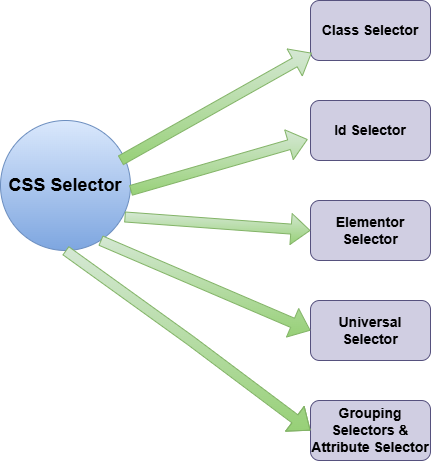
类别选择器:
代码:
<body>
    <p class="heighlight">class of "heighlight".</p>
    <p>does not have any specific class.</p>
    <p class="heighlight">a class of "heighlight".</p>
</body>
<style>
.heighlight {
    color: red;
    font-weight: bold;
}
</style>
代码:
<body>
    <h1 id="main-heading">this h1 has an id</h1>
    <p>this paragraph does not have an id</p>
    <p id="intro-paragraph">this paragraph has an id</p>
</body>
<style>
#main-heading {
    color: blue;
    font-size: 24px;

}

#intro-paragraph {
    background-color: yellow;
    padding: 10px;

}
</style>
元素选择器:
<body>
    <h1>welcome to my website</h1>
    <p>this is a paragraph</p>
    <p>this is another paragraph</p><p><span>立即学习</span>“<a href="https://pan.quark.cn/s/cb6835dc7db1" style="text-decoration: underline !important; color: blue; font-weight: bolder;" rel="nofollow" target="_blank">前端免费学习笔记(深入)</a>”;</p><div class="aritcle_card flexRow">
                                                        <div class="artcardd flexRow">
                                                                <a class="aritcle_card_img" href="/xiazai/code/11194" title="良精商城网店购物系统"><img
                                                                                src="https://img.php.cn/upload/webcode/000/000/013/176527260248495.png" alt="良精商城网店购物系统"  onerror="this.onerror='';this.src='/static/lhimages/moren/morentu.png'" ></a>
                                                                <div class="aritcle_card_info flexColumn">
                                                                        <a href="/xiazai/code/11194" title="良精商城网店购物系统">良精商城网店购物系统</a>
                                                                        <p>良精商城网店购物系统是一套能够适合不同类型商品、超强灵活的多功能在线商店系统,三级分销 PC+移动端+微网站,为您提供了一个完整的在线开店解决方案。良精网店购物系统除了拥有一般网上商店系统所具有的所有功能,还拥有着其它网店系统没有的许多超强功能。多种独创的技术使得系统能满足各行业广大用户的各种各样的需求,是一个经过完善设计并适用于各种服务器环境的高效、全新、快速和优秀的网上购物软件解决方案。</p>
                                                                </div>
                                                                <a href="/xiazai/code/11194" title="良精商城网店购物系统" class="aritcle_card_btn flexRow flexcenter"><b></b><span>下载</span> </a>
                                                        </div>
                                                </div>
    <a href="https:///www.google.com">visit example website</a>
</body>
<style>
    h1 {
        color: blue;
    }
    p {
      font-size: 16px;

    }
    a {
        text-decoration: none;
        color: red;
    }
</style>
通用选择器
代码:
<body>
    <h1>welcome to my website</h1>
    <p>this is a paragraph</p>
    <div>
        <h2>about us</h2>
        <p>this is another paragraph</p><p><span>立即学习</span>“<a href="https://pan.quark.cn/s/cb6835dc7db1" style="text-decoration: underline !important; color: blue; font-weight: bolder;" rel="nofollow" target="_blank">前端免费学习笔记(深入)</a>”;</p>
    </div>
</body>
<style>
*{
    margin: 0;
    padding: 0;
    border: 1 px solid;
}
</style>
分组选择器:
代码:
<body>
    <h1>welcome to my website</h1>
    <p>this is a paragraph.</p>
    <a href="#">click me</a>
    <button>submit</button>
</body>
<style>
    h1,p {
        color: blue;
    }
    a,button {
        background-color: yellow;
        padding: 10px;
    }
</style>
代码:
<form>
    <label for="name">name:</label>
    <input type="text" id="name" required />
    <input type="submit" value="submit" />
</form>
<style>
    input[type="submit"] {
        background-color: #4caf50;
        color: white;
    }
    input[required] {
        border: 1px solid red;
    }
</style>







