



在日常工作中,我们有时需要定时运行某个程序。例如,某个表格每天会更新,我们需要定时查看以获取最新的数据。下面介绍两种方法来实现程序的定时运行。
1. 使用 while True 和 sleep() 实现定时任务
time 模块中的 sleep(secs) 函数可以使当前执行的线程暂停 secs 秒后再继续执行。暂停意味着当前线程进入阻塞状态,直到达到 sleep() 函数设定的时间后,线程从阻塞状态转为就绪状态,等待 CPU 调度。
利用这种特性,我们可以通过 while 死循环结合 sleep() 来实现简单的定时任务。
下面的代码块实现的功能是:每5秒打印一次当前时间。

from datetime import datetime
import time
<h1>每n秒执行一次</h1><p>def timer(n):
while True:
print(datetime.now().strftime("%Y-%m-%d %H:%M:%S"))
time.sleep(n)</p><h1>主程序</h1><p>timer(5)注:strftime() 方法返回一个表示日期和时间的字符串,使用日期、时间或日期时间对象。
立即学习“Python免费学习笔记(深入)”;
上述代码块的运行效果:

这种方法的缺点是,只能执行固定间隔时间的任务,并且 sleep() 是一个阻塞函数,意味着在 sleep() 这一段时间内,当前程序无法执行其他任务。
2. 使用 threading 模块中的 Timer
threading 模块中的 Timer 是一个非阻塞函数,这一点比 sleep() 稍好一些。然而,它的缺点同样是只能执行固定间隔时间的任务。
Timer 函数的第一个参数是时间间隔(单位是秒),第二个参数是要调用的函数名,第三个参数是调用函数的位置参数(可以使用元组或列表)。
threading.Timer(interval, function, args=None, kwargs=None)
创建一个定时器,在经过 interval 秒后运行 function 函数,并传递参数 args 和关键字参数 kwargs。如果 args 为 None(默认值),则使用一个空列表。如果 kwargs 为 None(默认值),则使用一个空字典。
下面的代码块实现的功能是:每5秒打印一次当前时间。
from datetime import datetime
from threading import Timer</p><h1>打印时间函数</h1><p>def print_time(inc):
print(datetime.now().strftime("%Y-%m-%d %H:%M:%S"))
t = Timer(inc, print_time, (inc,))
t.start()</p><h1>5秒</h1><p>print_time(5)
运行效果:
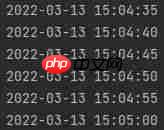
上述代码块中运用了递归的思想。在 print_time 函数中,当打印出当前时间后,又设置了一个定时器线程 Timer,这就完成了一个递归操作,间隔5秒重复执行定时任务。
下面的代码块实现类似的功能:每5秒打印一次当前时间。
import time
import threading</p><p>def create_timer(inc):
t = threading.Timer(inc, repeat, [inc])
t.start()</p><p>def repeat(inc):
print('Now:', time.strftime('%H:%M:%S', time.localtime()))
create_timer(inc)</p><p>create_timer(5)
运行效果:

参考资料:
[1] Python 实现定时任务的八种方案(https://www.php.cn/link/69a439a315090bb3660bf73909829363)
[2] Python: 定时任务的实现方式(https://www.php.cn/link/945beadd1794ee1affd8a65dad8b844e)
[3] Python strftime()(https://www.php.cn/link/16db7db24367bf438df20ad57112c8e0)
[4] threading(https://www.php.cn/link/2a3eac42d756ec782ecca7dcd94259d7)
[5] python 线程定时器Timer(https://www.php.cn/link/e0367289ec0a27a321e4c726d00984eb)
[6] time(https://www.php.cn/link/2e99e68e7c01590f28bf0b64e645f856)




