



大家好,欢迎再次相聚,我是你们的朋友全栈君。
Ubuntu软件源的原始配置文件路径是/etc/apt/sources.list,其内容如下:
# See http://help.ubuntu.com/community/UpgradeNotes for how to upgrade to# newer versions of the distribution.deb http://archive.ubuntu.com/ubuntu/ focal main restricted# deb-src http://archive.ubuntu.com/ubuntu/ focal main restricted## Major bug fix updates produced after the final release of the## distribution.deb http://archive.ubuntu.com/ubuntu/ focal-updates main restricted# deb-src http://archive.ubuntu.com/ubuntu/ focal-updates main restricted## N.B. software from this repository is ENTIRELY UNSUPPORTED by the Ubuntu## team. Also, please note that software in universe WILL NOT receive any## review or updates from the Ubuntu security team.deb http://archive.ubuntu.com/ubuntu/ focal universe# deb-src http://archive.ubuntu.com/ubuntu/ focal universedeb http://archive.ubuntu.com/ubuntu/ focal-updates universe# deb-src http://archive.ubuntu.com/ubuntu/ focal-updates universe## N.B. software from this repository is ENTIRELY UNSUPPORTED by the Ubuntu## team, and may not be under a free licence. Please satisfy yourself as to## your rights to use the software. Also, please note that software in## multiverse WILL NOT receive any review or updates from the Ubuntu## security team.deb http://archive.ubuntu.com/ubuntu/ focal multiverse# deb-src http://archive.ubuntu.com/ubuntu/ focal multiversedeb http://archive.ubuntu.com/ubuntu/ focal-updates multiverse# deb-src http://archive.ubuntu.com/ubuntu/ focal-updates multiverse## N.B. software from this repository may not have been tested as## extensively as that contained in the main release, although it includes## newer versions of some applications which may provide useful features.## Also, please note that software in backports WILL NOT receive any review## or updates from the Ubuntu security team.deb http://archive.ubuntu.com/ubuntu/ focal-backports main restricted universe multiverse# deb-src http://archive.ubuntu.com/ubuntu/ focal-backports main restricted universe multiverse## Uncomment the following two lines to add software from Canonical's## 'partner' repository.## This software is not part of Ubuntu, but is offered by Canonical and the## respective vendors as a service to Ubuntu users.# deb http://archive.canonical.com/ubuntu focal partner# deb-src http://archive.canonical.com/ubuntu focal partnerdeb http://security.ubuntu.com/ubuntu/ focal-security main restricted# deb-src http://security.ubuntu.com/ubuntu/ focal-security main restricteddeb http://security.ubuntu.com/ubuntu/ focal-security universe# deb-src http://security.ubuntu.com/ubuntu/ focal-security universedeb http://security.ubuntu.com/ubuntu/ focal-security multiverse# deb-src http://security.ubuntu.com/ubuntu/ focal-security multiverse
要备份原有的软件源,可以使用以下命令:
cp /etc/apt/sources.list /etc/apt/sources.list.bak
接下来,您需要修改sources.list文件的内容。可以使用以下指令进行编辑:
vi /etc/apt/sources.list
将sources.list的内容修改为以下内容:
# 清华源deb http://mirrors.tuna.tsinghua.edu.cn/ubuntu/ xenial main restricteddeb http://mirrors.tuna.tsinghua.edu.cn/ubuntu/ xenial-updates main restricteddeb http://mirrors.tuna.tsinghua.edu.cn/ubuntu/ xenial universedeb http://mirrors.tuna.tsinghua.edu.cn/ubuntu/ xenial-updates universedeb http://mirrors.tuna.tsinghua.edu.cn/ubuntu/ xenial multiversedeb http://mirrors.tuna.tsinghua.edu.cn/ubuntu/ xenial-updates multiversedeb http://mirrors.tuna.tsinghua.edu.cn/ubuntu/ xenial-backports main restricted universe multiversedeb http://mirrors.tuna.tsinghua.edu.cn/ubuntu/ xenial-security main restricteddeb http://mirrors.tuna.tsinghua.edu.cn/ubuntu/ xenial-security universedeb http://mirrors.tuna.tsinghua.edu.cn/ubuntu/ xenial-security multiverse# 阿里源deb http://mirrors.aliyun.com/ubuntu/ bionic main restricted universe multiversedeb http://mirrors.aliyun.com/ubuntu/ bionic-security main restricted universe multiversedeb http://mirrors.aliyun.com/ubuntu/ bionic-updates main restricted universe multiversedeb http://mirrors.aliyun.com/ubuntu/ bionic-proposed main restricted universe multiversedeb http://mirrors.aliyun.com/ubuntu/ bionic-backports main restricted universe multiversedeb-src http://mirrors.aliyun.com/ubuntu/ bionic main restricted universe multiversedeb-src http://mirrors.aliyun.com/ubuntu/ bionic-security main restricted universe multiversedeb-src http://mirrors.aliyun.com/ubuntu/ bionic-updates main restricted universe multiversedeb-src http://mirrors.aliyun.com/ubuntu/ bionic-proposed main restricted universe multiversedeb-src http://mirrors.aliyun.com/ubuntu/ bionic-backports main restricted universe multiverse
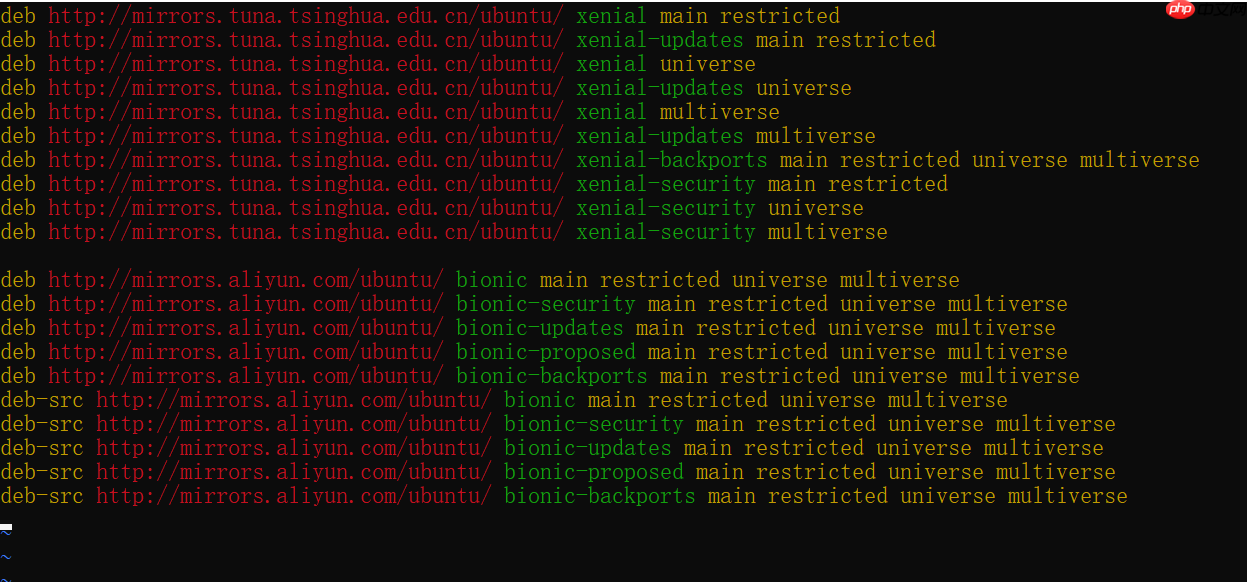
修改后的sources.list内容如下:
deb http://mirrors.tuna.tsinghua.edu.cn/ubuntu/ xenial main restricteddeb http://mirrors.tuna.tsinghua.edu.cn/ubuntu/ xenial-updates main restricteddeb http://mirrors.tuna.tsinghua.edu.cn/ubuntu/ xenial universedeb http://mirrors.tuna.tsinghua.edu.cn/ubuntu/ xenial-updates universedeb http://mirrors.tuna.tsinghua.edu.cn/ubuntu/ xenial multiversedeb http://mirrors.tuna.tsinghua.edu.cn/ubuntu/ xenial-updates multiversedeb http://mirrors.tuna.tsinghua.edu.cn/ubuntu/ xenial-backports main restricted universe multiversedeb http://mirrors.tuna.tsinghua.edu.cn/ubuntu/ xenial-security main restricteddeb http://mirrors.tuna.tsinghua.edu.cn/ubuntu/ xenial-security universedeb http://mirrors.tuna.tsinghua.edu.cn/ubuntu/ xenial-security multiversedeb http://mirrors.aliyun.com/ubuntu/ bionic main restricted universe multiversedeb http://mirrors.aliyun.com/ubuntu/ bionic-security main restricted universe multiversedeb http://mirrors.aliyun.com/ubuntu/ bionic-updates main restricted universe multiversedeb http://mirrors.aliyun.com/ubuntu/ bionic-proposed main restricted universe multiversedeb http://mirrors.aliyun.com/ubuntu/ bionic-backports main restricted universe multiversedeb-src http://mirrors.aliyun.com/ubuntu/ bionic main restricted universe multiversedeb-src http://mirrors.aliyun.com/ubuntu/ bionic-security main restricted universe multiversedeb-src http://mirrors.aliyun.com/ubuntu/ bionic-updates main restricted universe multiversedeb-src http://mirrors.aliyun.com/ubuntu/ bionic-proposed main restricted universe multiversedeb-src http://mirrors.aliyun.com/ubuntu/ bionic-backports main restricted universe multiverse
完成sources.list的更新后,使用以下命令进行更新:
apt-get update
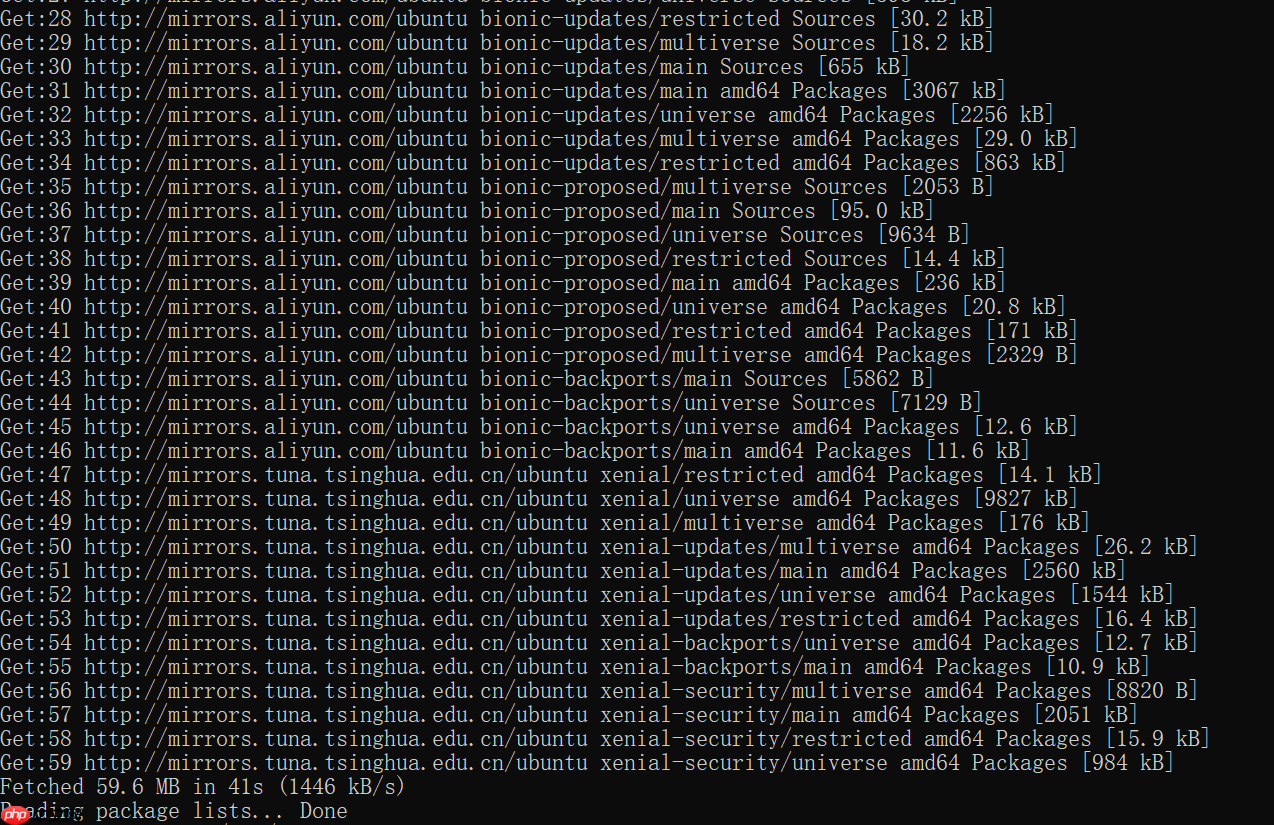
更新的结果显示如下:
# 显示结果Get:1 http://mirrors.aliyun.com/ubuntu bionic InRelease [242 kB]Get:2 http://mirrors.aliyun.com/ubuntu bionic-security InRelease [88.7 kB]Get:3 http://mirrors.aliyun.com/ubuntu bionic-updates InRelease [88.7 kB]Get:4 http://mirrors.aliyun.com/ubuntu bionic-proposed InRelease [242 kB]Get:5 http://mirrors.aliyun.com/ubuntu bionic-backports InRelease [74.6 kB]Get:6 http://mirrors.aliyun.com/ubuntu bionic/multiverse Sources [216 kB]Get:7 http://mirrors.aliyun.com/ubuntu bionic/restricted Sources [5823 B]Get:8 http://mirrors.aliyun.com/ubuntu bionic/main Sources [1063 kB]Get:9 http://mirrors.aliyun.com/ubuntu bionic/universe Sources [11.5 MB]Get:10 http://mirrors.tuna.tsinghua.edu.cn/ubuntu xenial InRelease [247 kB]Get:11 http://mirrors.tuna.tsinghua.edu.cn/ubuntu xenial-updates InRelease [99.8 kB]Get:12 http://mirrors.tuna.tsinghua.edu.cn/ubuntu xenial-backports InRelease [97.4 kB]Get:13 http://mirrors.aliyun.com/ubuntu bionic/multiverse amd64 Packages [186 kB]Get:14 http://mirrors.aliyun.com/ubuntu bionic/restricted amd64 Packages [13.5 kB]Get:15 http://mirrors.aliyun.com/ubuntu bionic/main amd64 Packages [1344 kB]Get:16 http://mirrors.aliyun.com/ubuntu bionic/universe amd64 Packages [11.3 MB]Get:17 http://mirrors.tuna.tsinghua.edu.cn/ubuntu xenial-security InRelease [99.8 kB]Get:18 http://mirrors.tuna.tsinghua.edu.cn/ubuntu xenial/main amd64 Packages [1558 kB]Get:19 http://mirrors.aliyun.com/ubuntu bionic-security/multiverse Sources [8784 B]Get:20 http://mirrors.aliyun.com/ubuntu bionic-security/universe Sources [365 kB]Get:21 http://mirrors.aliyun.com/ubuntu bionic-security/main Sources [331 kB]Get:22 http://mirrors.aliyun.com/ubuntu bionic-security/restricted Sources [26.8 kB]Get:23 http://mirrors.aliyun.com/ubuntu bionic-security/main amd64 Packages [2628 kB]Get:24 http://mirrors.aliyun.com/ubuntu bionic-security/multiverse amd64 Packages [21.1 kB]Get:25 http://mirrors.aliyun.com/ubuntu bionic-security/restricted amd64 Packages [829 kB]Get:26 http://mirrors.aliyun.com/ubuntu bionic-security/universe amd64 Packages [1478 kB]Get:27 http://mirrors.aliyun.com/ubuntu bionic-updates/universe Sources [598 kB]Get:28 http://mirrors.aliyun.com/ubuntu bionic-updates/restricted Sources [30.2 kB]Get:29 http://mirrors.aliyun.com/ubuntu bionic-updates/multiverse Sources [18.2 kB]Get:30 http://mirrors.aliyun.com/ubuntu bionic-updates/main Sources [655 kB]Get:31 http://mirrors.aliyun.com/ubuntu bionic-updates/main amd64 Packages [3067 kB]Get:32 http://mirrors.aliyun.com/ubuntu bionic-updates/universe amd64 Packages [2256 kB]Get:33 http://mirrors.aliyun.com/ubuntu bionic-updates/multiverse amd64 Packages [29.0 kB]Get:34 http://mirrors.aliyun.com/ubuntu bionic-updates/restricted amd64 Packages [863 kB]Get:35 http://mirrors.aliyun.com/ubuntu bionic-proposed/multiverse Sources [2053 B]Get:36 http://mirrors.aliyun.com/ubuntu bionic-proposed/main Sources [95.0 kB]Get:37 http://mirrors.aliyun.com/ubuntu bionic-proposed/universe Sources [9634 B]Get:38 http://mirrors.aliyun.com/ubuntu bionic-proposed/restricted Sources [14.4 kB]Get:39 http://mirrors.aliyun.com/ubuntu bionic-proposed/main amd64 Packages [236 kB]Get:40 http://mirrors.aliyun.com/ubuntu bionic-proposed/universe amd64 Packages [20.8 kB]Get:41 http://mirrors.aliyun.com/ubuntu bionic-proposed/restricted amd64 Packages [171 kB]Get:42 http://mirrors.aliyun.com/ubuntu bionic-proposed/multiverse amd64 Packages [2329 B]Get:43 http://mirrors.aliyun.com/ubuntu bionic-backports/main Sources [5862 B]Get:44 http://mirrors.aliyun.com/ubuntu bionic-backports/universe Sources [7129 B]Get:45 http://mirrors.aliyun.com/ubuntu bionic-backports/universe amd64 Packages [12.6 kB]Get:46 http://mirrors.aliyun.com/ubuntu bionic-backports/main amd64 Packages [11.6 kB]Get:47 http://mirrors.tuna.tsinghua.edu.cn/ubuntu xenial/restricted amd64 Packages [14.1 kB]Get:48 http://mirrors.tuna.tsinghua.edu.cn/ubuntu xenial/universe amd64 Packages [9827 kB]Get:49 http://mirrors.tuna.tsinghua.edu.cn/ubuntu xenial/multiverse amd64 Packages [176 kB]Get:50 http://mirrors.tuna.tsinghua.edu.cn/ubuntu xenial-updates/multiverse amd64 Packages [26.2 kB]Get:51 http://mirrors.tuna.tsinghua.edu.cn/ubuntu xenial-updates/main amd64 Packages [2560 kB]Get:52 http://mirrors.tuna.tsinghua.edu.cn/ubuntu xenial-updates/universe amd64 Packages [1544 kB]Get:53 http://mirrors.tuna.tsinghua.edu.cn/ubuntu xenial-updates/restricted amd64 Packages [16.4 kB]Get:54 http://mirrors.tuna.tsinghua.edu.cn/ubuntu xenial-backports/universe amd64 Packages [12.7 kB]Get:55 http://mirrors.tuna.tsinghua.edu.cn/ubuntu xenial-backports/main amd64 Packages [10.9 kB]Get:56 http://mirrors.tuna.tsinghua.edu.cn/ubuntu xenial-security/multiverse amd64 Packages [8820 B]Get:57 http://mirrors.tuna.tsinghua.edu.cn/ubuntu xenial-security/main amd64 Packages [2051 kB]Get:58 http://mirrors.tuna.tsinghua.edu.cn/ubuntu xenial-security/restricted amd64 Packages [15.9 kB]Get:59 http://mirrors.tuna.tsinghua.edu.cn/ubuntu xenial-security/universe amd64 Packages [984 kB]Fetched 59.6 MB in 41s (1446 kB/s)Reading package lists... Done
完成Ubuntu软件源的更换操作。如果您在Docker中更换源(不使用vim),可以使用以下命令:
echo "">/etc/apt/sources.listecho "deb http://mirrors.tuna.tsinghua.edu.cn/ubuntu/ xenial main restricted">>/etc/apt/sources.listecho "deb http://mirrors.tuna.tsinghua.edu.cn/ubuntu/ xenial-updates main restricted">>/etc/apt/sources.listecho "deb http://mirrors.tuna.tsinghua.edu.cn/ubuntu/ xenial universe">>/etc/apt/sources.listecho "deb http://mirrors.tuna.tsinghua.edu.cn/ubuntu/ xenial-updates universe">>/etc/apt/sources.listecho "deb http://mirrors.tuna.tsinghua.edu.cn/ubuntu/ xenial multiverse">>/etc/apt/sources.listecho "deb http://mirrors.tuna.tsinghua.edu.cn/ubuntu/ xenial-updates multiverse">>/etc/apt/sources.listecho "deb http://mirrors.tuna.tsinghua.edu.cn/ubuntu/ xenial-backports main restricted universe multiverse">>/etc/apt/sources.listecho "deb http://mirrors.tuna.tsinghua.edu.cn/ubuntu/ xenial-security main restricted">>/etc/apt/sources.listecho "deb http://mirrors.tuna.tsinghua.edu.cn/ubuntu/ xenial-security universe">>/etc/apt/sources.listecho "deb http://mirrors.tuna.tsinghua.edu.cn/ubuntu/ xenial-security multiverse">>/etc/apt/sources.listecho "deb http://mirrors.aliyun.com/ubuntu/ bionic main restricted universe multiverse">>/etc/apt/sources.listecho "deb http://mirrors.aliyun.com/ubuntu/ bionic-security main restricted universe multiverse">>/etc/apt/sources.listecho "deb http://mirrors.aliyun.com/ubuntu/ bionic-updates main restricted universe multiverse">>/etc/apt/sources.listecho "deb http://mirrors.aliyun.com/ubuntu/ bionic-proposed main restricted universe multiverse">>/etc/apt/sources.listecho "deb http://mirrors.aliyun.com/ubuntu/ bionic-backports main restricted universe multiverse">>/etc/apt/sources.listecho "deb-src http://mirrors.aliyun.com/ubuntu/ bionic main restricted universe multiverse">>/etc/apt/sources.listecho "deb-src http://mirrors.aliyun.com/ubuntu/ bionic-security main restricted universe multiverse">>/etc/apt/sources.listecho "deb-src http://mirrors.aliyun.com/ubuntu/ bionic-updates main restricted universe multiverse">>/etc/apt/sources.listecho "deb-src http://mirrors.aliyun.com/ubuntu/ bionic-proposed main restricted universe multiverse">>/etc/apt/sources.listecho "deb-src http://mirrors.aliyun.com/ubuntu/ bionic-backports main restricted universe multiverse">>/etc/apt/sources.list
发布者:全栈程序员栈长,转载请注明出处:https://www.php.cn/link/a97c37ca1941f04c8822733923adb673




