



windows sysinternals 提供了许多微软的实用工具,比如
process explorer、
process monitor、
tcpview、
autoruns、
dbgview等,这些工具通常是独立的 exe 文件。为了更新这些工具,我之前总是手动去 windows sysinternals 网站下载并覆盖旧版本,每次都要检查每个文件的版本号,过程十分繁琐。后来我在网上找到一个 powershell 脚本,可以自动下载并更新这些工具到指定目录,非常方便,这里分享给大家。
运行后的效果如下:
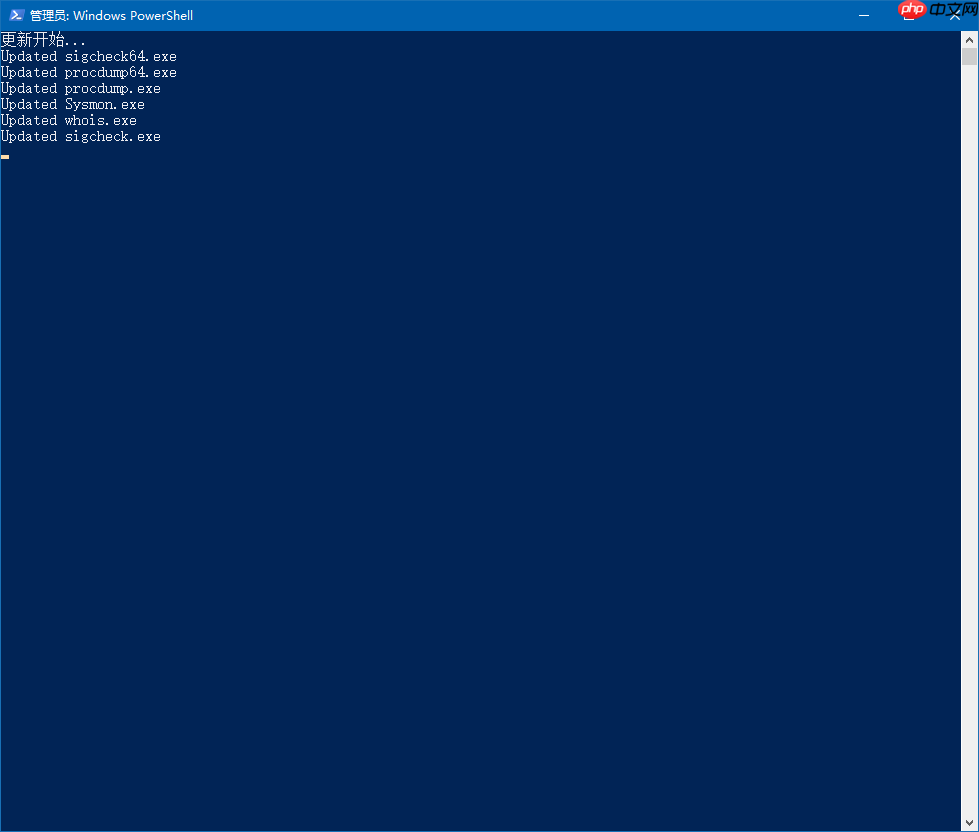
PowerShell 代码如下:

function Update-SysinternalsHTTP ($ToolsLocalDir = "c:\temp\sys")  {
    if (Test-Path $ToolsLocalDir){
        cd $ToolsLocalDir
        $DebugPreference = "SilentlyContinue"
        $wc = new-object System.Net.WebClient
        $userAgent = "Mozilla/4.0 (compatible; MSIE 6.0; Windows NT 5.2;)"
        $wc.Headers.Add("user-agent", $userAgent)
        $ToolsUrl = "https://www.php.cn/link/72e88ee102cc8afc75cbbb182cca9306"
        $toolsBlock=".*"
        $WebPageCulture = New-Object System.Globalization.CultureInfo("en-us")
        $Tools = @{}
        $ToolsPage = $wc.DownloadString($ToolsUrl)
        $matches=[string] $ToolsPage select-string -pattern  "$ToolsBlock" -AllMatches
        foreach($match in $matches.Matches) {
            $txt = ( ($match.Value  -replace "<br></br>", "`r`n") -replace  "]*?>","")
            foreach($lines in $txt.Split("`r`n")){
                $line=$linesselect-string  -NotMatch -Pattern "To Parent^$<dir>"
                if ($line -ne $null){
                    $date=(([string]$line).substring(0,38)).trimstart(" ") -replace "  "," "
                    $file=([string]$line).substring(52,(([string]$line).length-52))
                    $Tools["$file"]= [datetime]::ParseExact($date,"f",$WebPageCulture)
                }
            }
        }
        $Tools.keys
        ForEach-Object {
            $NeedUpdate=$false
            if (Test-Path $_)
            {
                $SubtractSeconds = New-Object System.TimeSpan 0, 0, 0, ((dir $_).lastWriteTime).second, 0
                $LocalFileDate= ( (dir $_).lastWriteTime ).Subtract( $SubtractSeconds )
                $needupdate=(($tools[$_]).touniversaltime() -lt $LocalFileDate.touniversaltime())
            } else {$NeedUpdate=$true}
            if ( $NeedUpdate )
            {
                Try {
                    $wc.DownloadFile("$ToolsUrl/$_","$ToolsLocalDir\$_" )
                    $f=dir "$ToolsLocalDir\$_"
                    $f.lastWriteTime=($tools[$_])
                    "Updated $_"
                }
                catch { Write-debug "发生错误: $_" }
            }
        }
    }
}
cls
"更新开始..."
Update-Sysinternalshttp -ToolsLocalDir "D:\Tools"
"更新结束"
将上述脚本保存为
.ps1文件后,使用 PowerShell 运行即可。请注意,代码最后的路径
D:\Tools可以根据需要修改为其他路径。该脚本会从 https://www.php.cn/link/72e88ee102cc8afc75cbbb182cca9306 下载最新的文件,并根据文件信息进行更新。如果你有兴趣,可以自己编写脚本来实现类似的功能!




