在本系列中,我们将探讨如何使用python操作excel文件,具体使用openpyxl模块。本文将详细介绍如何设置单元格的背景颜色。
Part 1:代码

代码语言:Python 代码运行次数:0
运行 复制from openpyxl import load_workbook
from openpyxl.styles import PatternFill, colors
excel_address = r"E:\Coding\E_PythonWriting\Excel\openpyxl示例_4.xlsx"
wb = load_workbook(excel_address)
sht = wb.worksheets[0]
sht["A1"] = "测试"
sht["A3"] = "测试"
sht["A5"] = "测试"
sht["A7"] = "测试"
fill_1 = PatternFill("solid", fgColor="1874CD")
fill_2 = PatternFill("solid", fgColor="BCEE68")
fill_3 = PatternFill("solid", fgColor=colors.RED)
fill_4 = PatternFill("lightVertical", fgColor=colors.GREEN)
sht["A1"].fill = fill_1
sht["A3"].fill = fill_2
sht["A5"].fill = fill_3
sht["A7"].fill = fill_4
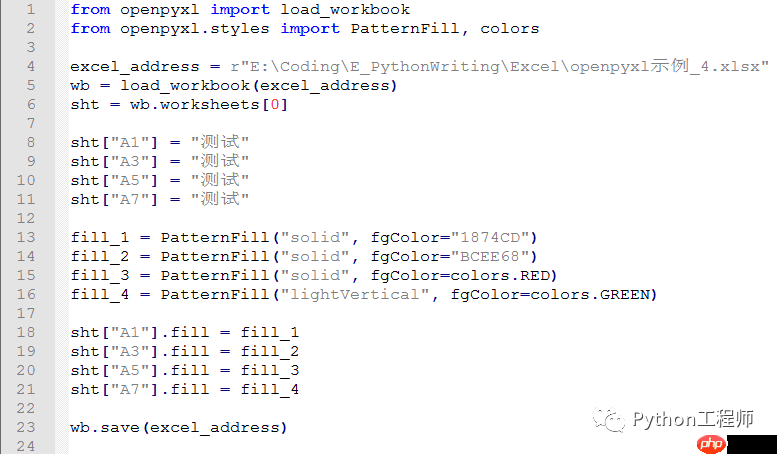
wb.save(excel_address)代码截图
立即学习“Python免费学习笔记(深入)”;
执行结果

Part 2:部分代码解读

与之前关于字体和对齐的文章类似,设置背景色使用的是
PatternFill类。单元格的
fill属性用于设置背景色。颜色可以使用
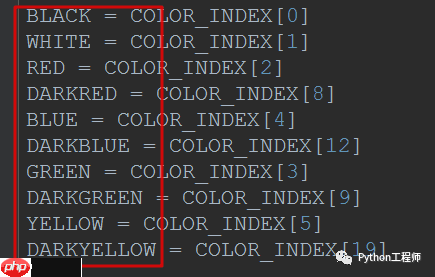
colors.RED这样的预定义颜色,也可以使用16进制颜色码(如"1874CD")。每种颜色的编码可以在网上查找。
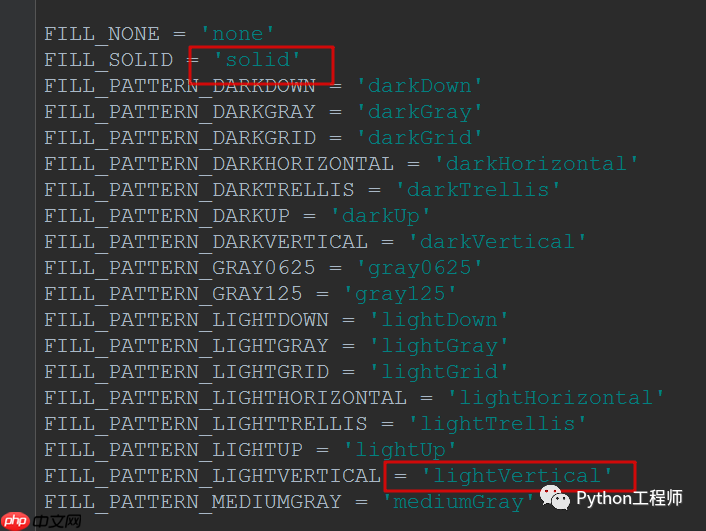
背景填充方式有多种,本文使用了
solid和
lightVertical两种。通常情况下,
solid填充方式就足够了。
颜色的取值
背景填充方式