



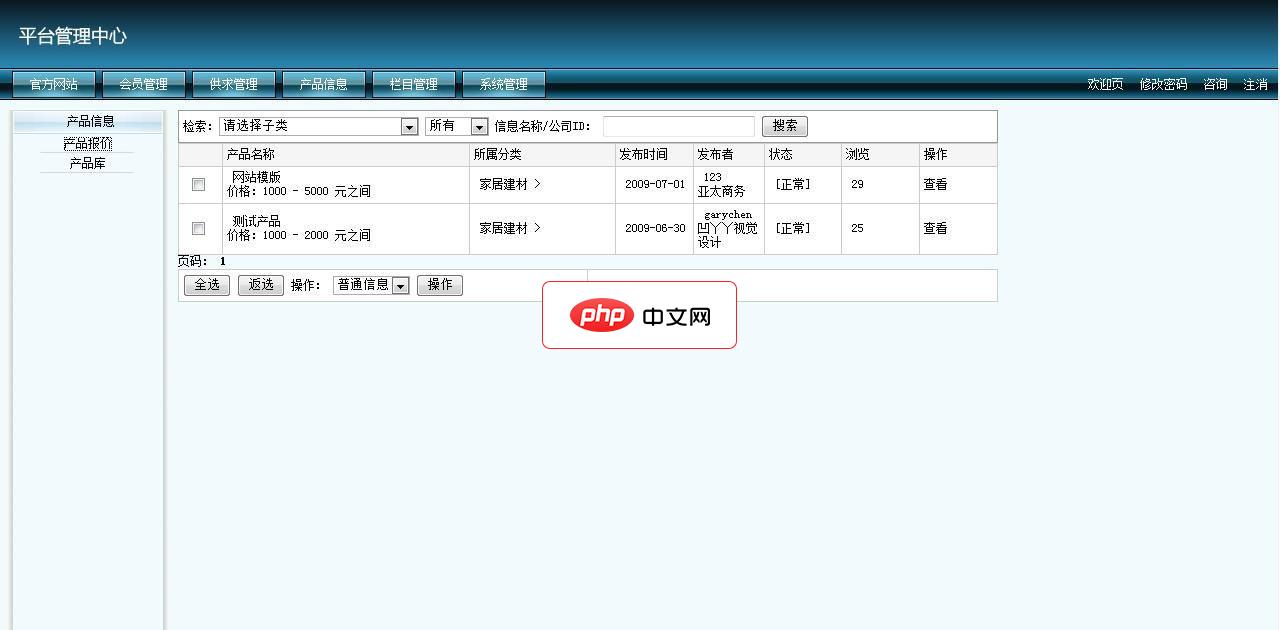
凹丫丫企业名片网站管理系统 beta 1
下载
本系统基于VS2005+SQL2005开发, 基本功能模块:供求信息、展会信息、企业商铺、产品库、企业目录信息评论会员服务在线申请在线留言,留言可直接发送到用户邮箱后台数据库备份登陆日志操作日志管理员分级管理权限后台路径 http://你的网站地址/sitemanage用户名:oyaya 密码 123456数据库存放地址 /App_Data 文件夹下oyaya_mingpian.rar
在这里需要记录分发日志, 来分析后端每台WEB服务器处理的请求数目.
<pre name="code" class="python">http {
log_format  main
  ' $remote_user [$time_local]  $http_x_Forwarded_for $remote_addr  $request '
 '$http_x_forwarded_for '
 '$upstream_addr '
 'ups_resp_time: $upstream_response_time '
 'request_time: $request_time';

access_log  logs/access.log  main;

server{}
...
}
在日志显示的信息为:- [31/May/2013:00:01:03 -0700] - xxx.ip.addr.xxx GET /portal/index.html HTTP/1.1 - 192.168.100.15:8188 ups_resp_time: 0.010 request_time: 0.011 - [31/May/2013:00:01:03 -0700] - xxx.ip.addr.xxx GET /portal/index.html HTTP/1.1 - 192.168.100.16:8188 ups_resp_time: 0.006 request_time: 0.006 - [31/May/2013:00:01:03 -0700] - xxx.ip.addr.xxx GET /portal/index.html HTTP/1.1 - 192.168.100.15:8188 ups_resp_time: 0.013 request_time: 0.013 - [31/May/2013:00:01:03 -0700] - xxx.ip.addr.xxx GET /portal/index.html HTTP/1.1 - 192.168.100.17:8188 ups_resp_time: 0.003 request_time: 0.003 - [31/May/2013:00:01:03 -0700] - xxx.ip.addr.xxx GET /portal/index.html HTTP/1.1 - 192.168.100.18:8188 ups_resp_time: 0.004 request_time: 0.004 - [31/May/2013:00:01:03 -0700] - xxx.ip.addr.xxx GET /portal/index.html HTTP/1.1 - 192.168.100.15:8188 ups_resp_time: 0.012 request_time: 0.013 - [31/May/2013:00:01:03 -0700] - xxx.ip.addr.xxx GET /portal/index.html HTTP/1.1 - 192.168.100.18:8188 ups_resp_time: 0.005 request_time: 0.005 - [31/May/2013:00:01:03 -0700] - xxx.ip.addr.xxx GET /portal/index.html HTTP/1.1 - 192.168.100.16:8188 ups_resp_time: 0.011 request_time: 0.011 - [31/May/2013:00:01:03 -0700] - xxx.ip.addr.xxx GET /portal/index.html HTTP/1.1 - 192.168.100.15:8188 ups_resp_time: 0.447 request_time: 0.759
全部配置文件nginx.conf.
# greatwqs@163.com Install on 2012-08-11 linux
# user  devwqs;

# 2 intel(R) xeon(R) CPU
worker_processes  4;

worker_cpu_affinity 00000001 00000010 00000100 00001000;

# error_log  logs/error.log;
# error_log  logs/error.log  notice;
error_log   logs/error.log  error;

pid        logs/nginx.pid;

# allow openning file nums
worker_rlimit_nofile 25600;

events {
    # linux 2.6 upper version.
    use epoll;
    worker_connections  51200;
}

http {
    include       mime.types;
    default_type  application/octet-stream;

    # log_format  main  '$remote_addr - $remote_user [$time_local] "$request" '
    #                   '$status $body_bytes_sent "$http_referer" '
    #                   '"$http_user_agent" "$http_x_forwarded_for"'
    #                   '"$upstream_addr"' '"$upstream_response_time"';
    log_format  main  ' $remote_user [$time_local]  $http_x_Forwarded_for $remote_addr  $request '
                      '$http_x_forwarded_for '
                      '$upstream_addr '
                      'ups_resp_time: $upstream_response_time '
                      'request_time: $request_time';

    access_log  logs/access.log  main;

    sendfile                     on;
    # tcp_nopush                 on;

    keepalive_requests           200;
    keepalive_timeout            20;
    gzip  on;
    client_body_buffer_size      128k;
    client_body_timeout          60s;
    client_max_body_size         10m;
    # proxy_buffer_size          8k;
    # proxy_busy_buffers_size    64k;
    proxy_temp_file_write_size   64k;

    # portal-cluster
    upstream portal-cluster {
        # http://192.168.100.15:8188/portal/
        server 192.168.100.15:8188 weight=5 max_fails=5 fail_timeout=30s;

        # http://192.168.100.16:8188/portal/
        server 192.168.100.16:8188 weight=5 max_fails=5 fail_timeout=30s;

        # http://192.168.100.17:8188/portal/
        server 192.168.100.17:8188 weight=5 max_fails=5 fail_timeout=30s;

        # http://192.168.100.18:8188/portal/
        server 192.168.100.18:8188 weight=5 max_fails=5 fail_timeout=30s;
    }

    # manage-cluster
    upstream manage-cluster {
        # http://192.168.100.25:8189/manage/
        server 192.168.100.25:8189 weight=4 max_fails=5 fail_timeout=30s;

        # http://192.168.100.26:8189/manage/
        server 192.168.100.26:8189 weight=6 max_fails=5 fail_timeout=30s;
    }

    # External Internet.
    server {
        listen       80;
        server_name  www.huaxixiang.com;
        access_log   logs/host.access.log  main;

        location /portal/ {
            # root   html;
            # index  index.html index.htm;
            # nginx http header send to tomcat app.
            # proxy_set_header Host  $host;
            # proxy_set_header X-Forwarded-For  $remote_addr;
            proxy_set_header Host $host;
            proxy_set_header X-Real-Ip $remote_addr;
            proxy_set_header X-Forwarded-For $remote_addr;

            proxy_pass http://portal-cluster;
        }

        # nginx status
        location /nginx_status {
            # copied from http://blog.kovyrin.net/2006/04/29/monitoring-nginx-with-rrdtool/
            stub_status  on;
            access_log   off;
            allow        192.168.100.100;
            #deny all;
        }

        location / {
            root   html;
            index  index.html index.htm;
        }
        error_page  404              /404.html;

        # redirect server error pages to the static page /50x.html
        error_page   500 502 503 504  /50x.html;
        location = /50x.html {
            root   html;
        }
    }

    # External Internet.
    server {
        listen       80;
        server_name  manage.huaxixiang.com;

        access_log  logs/host.access.log  main;

        location /manage/ {
            proxy_pass http://manage-cluster;
        }

        location / {
            root   html;
            index  index.html index.htm;
        }

        error_page  404              /404.html;

        # redirect server error pages to the static page /50x.html
        error_page   500 502 503 504  /50x.html;
        location = /50x.html {
            root   html;
        }
    }
}
nginx status查看:

以上就介绍了Nginx 记录请求分发日志设置,包括了方面的内容,希望对PHP教程有兴趣的朋友有所帮助。




