



结论:可以
验证demo如下:
using System;
using System.Collections.Generic;
using System.ComponentModel;
using System.Data;
using System.Drawing;
using System.Linq;
using System.Text;
using System.Windows.Forms;

namespace IconTest
{
    public partial class Form2 : Form
    {
        public Form2()
        {
            InitializeComponent();
            ReflectTest rt = new ReflectTest();
            rt.GetType().GetProperty("ID").SetValue(rt, "Guid", null);
            MessageBox.Show(rt.ID);
        }

    }
    public class ReflectTest
    {
        private string id;
        [ReadOnly(true)]
        public string ID
        {
            get
            {
                return id;
            }
            set
            {
                id = value;
            }
        }
    }
}
运行winform程序输出:

小注:
TypeDescriptor.GetProperties用来setvalue这没有作用:
TypeDescriptor.GetProperties(rt)["ID"].SetValue(rt, "Guid");
那么为什么TypeDescriptor.GetProperties用来setvalue没有效果呢?
将上面的代码拆成如下两句:
PropertyDescriptor prop = TypeDescriptor.GetProperties(rt)["ID"];
prop.SetValue(rt, "Guid");
单点跟踪进去,可以发现:
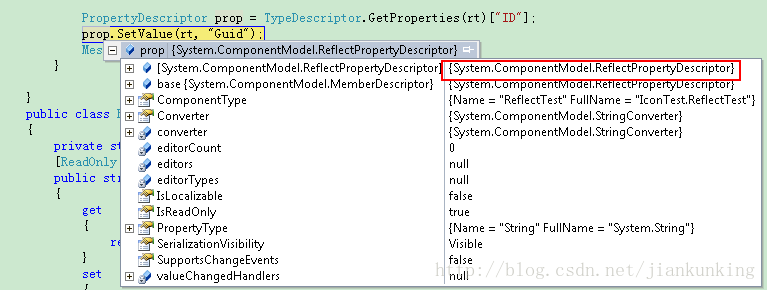
在获取到PropertyDescriptor这个抽象类的实例后,在调用SetValue方法的时候,是从其子类ReflectPropertyDescriptor调用的。

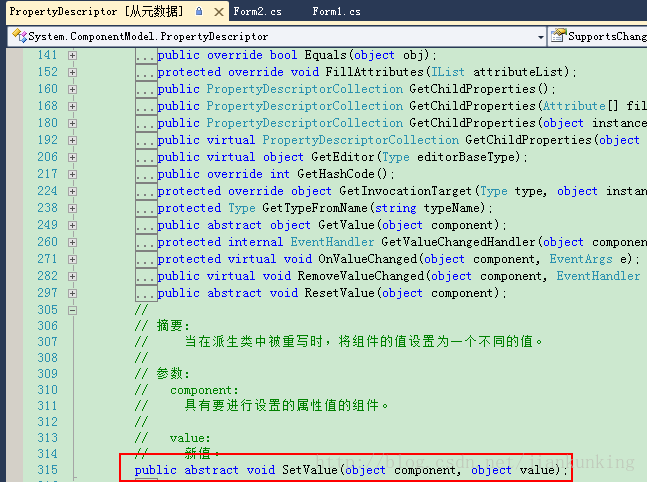

而具体的实现是在子类:ReflectPropertyDescriptor中,从微软源码中找到ReflectPropertyDescriptor及SetValue
 public override void SetValue(object component, object value) {
#if DEBUG
            if (PropDescUsageSwitch.TraceVerbose) {
                string compName = "(null)";
                string valName  = "(null)";

                if (component != null)
                    compName = component.ToString();
                if (value != null)
                    valName = value.ToString();

                Debug.WriteLine("[" + Name + "]: SetValue(" + compName + ", " + valName + ")");
            }
#endif
            if (component != null) {
                ISite site = GetSite(component);
                IComponentChangeService changeService = null;
                object oldValue = null;

                object invokee = GetInvocationTarget(componentClass, component);

                Debug.Assert(!IsReadOnly, "SetValue attempted on read-only property [" + Name + "]");
                if (!IsReadOnly) {

                    // Announce that we are about to change this component
                    //
                    if (site != null) {
                        changeService = (IComponentChangeService)site.GetService(typeof(IComponentChangeService));
                        Debug.Assert(!CompModSwitches.CommonDesignerServices.Enabled || changeService != null, "IComponentChangeService not found");
                    }


                    // Make sure that it is ok to send the onchange events
                    //
                    if (changeService != null) {
                        oldValue = SecurityUtils.MethodInfoInvoke(GetMethodValue, invokee, (object[])null);
                        try {
                            changeService.OnComponentChanging(component, this);
                        }
                        catch (CheckoutException coEx) {
                            if (coEx == CheckoutException.Canceled) {
                                return;
                            }
                            throw coEx;
                        }
                    }

                    try {
                        try {
                            SecurityUtils.MethodInfoInvoke(SetMethodValue, invokee, new object[] { value });
                            OnValueChanged(invokee, EventArgs.Empty);
                        }
                        catch (Exception t) {
                            // Give ourselves a chance to unwind properly before rethrowing the exception.
                            //
                            value = oldValue;

                            // If there was a problem setting the controls property then we get:
                            // ArgumentException (from properties set method)
                            // ==> Becomes inner exception of TargetInvocationException
                            // ==> caught here

                            if (t is TargetInvocationException && t.InnerException != null) {
                                // Propagate the original exception up
                                throw t.InnerException;
                            }
                            else {
                                throw t;
                            }
                        }
                    }
                    finally {
                        // Now notify the change service that the change was successful.
                        //
                        if (changeService != null) {
                            changeService.OnComponentChanged(component, this, oldValue, value);
                        }
                    }
                }
            }
        }
从代码中可以看出来,只读属性直接被跳过去了。。。。。。
那么PropertyInfo有没有什么限制呢?
PropertyInfo调用的SetValue如下所示:
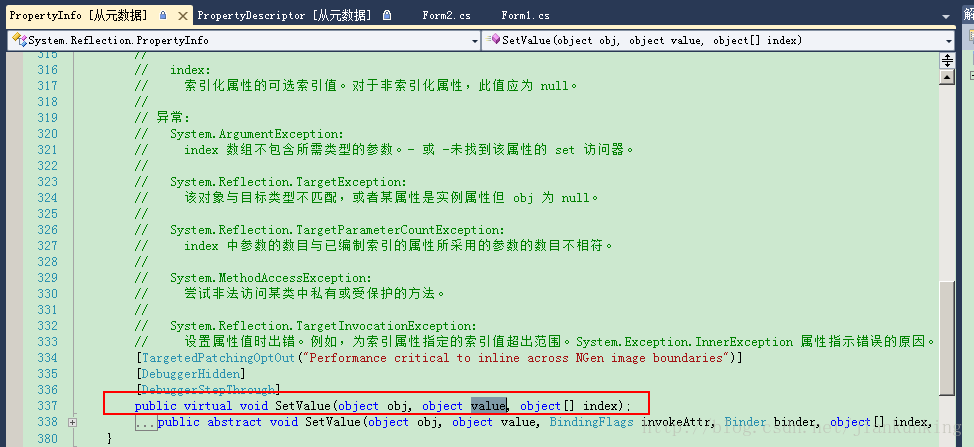
在微软开源的代码中可以找到其具体实现如下:
[DebuggerStepThroughAttribute]
[Diagnostics.DebuggerHidden]
#if !FEATURE_CORECLR
[TargetedPatchingOptOut("Performance critical to inline across NGen image boundaries")]
#endif
public override void SetValue(Object obj, Object value, Object[] index)
{
SetValue(obj,
value,
BindingFlags.Public | BindingFlags.NonPublic | BindingFlags.Instance | BindingFlags.Static,
null,
index,
null);
}
[DebuggerStepThroughAttribute]
[Diagnostics.DebuggerHidden]
public override void SetValue(Object obj, Object value, BindingFlags invokeAttr, Binder binder, Object[] index, CultureInfo culture)
{
MethodInfo m = GetSetMethod(true);
if (m == null)
throw new ArgumentException(System.Environment.GetResourceString("Arg_SetMethNotFnd"));
Object[] args = null;
if (index != null)
{
args = new Object[index.Length + 1];
for(int i=0;i暂时没有看到PropertyInfo调用的SetValue有什么限制
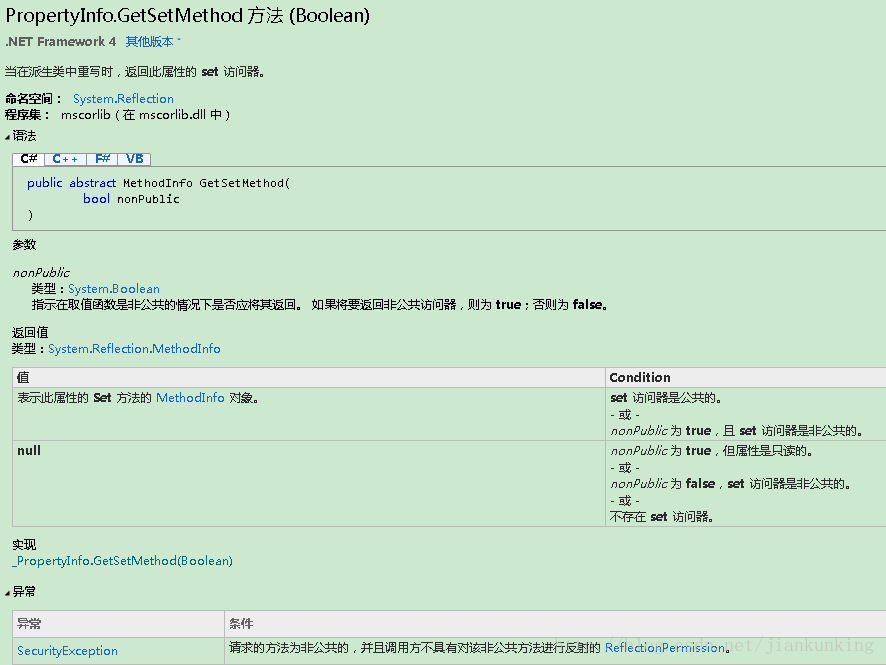
PropertyInfo.GetSetMethod 方法 (Boolean)
以上就是C# 可以利用反射给只读属性赋值吗?的内容,更多相关内容请关注PHP中文网(www.php.cn)!




