



关于系统的自动更新。近日有一情况是需要将java端后台最新版本的系统文件覆盖本地客户端,简称自动更新了。
本地会获取当前系统的版本号去请求后台java的接口数据。返回给我的是后台压缩包转的base64字节流。
客户端拿到新版本需要更新本地程序。
    if (UpdateSystem(Path.Combine(Application.StartupPath, "Version.txt"), Path.Combine(Application.StartupPath, "u.zip")))
            {
                Application.Exit();
            }
/// <summary>
/// 读取本地版本请求更新
/// </summary>
/// <param name="document">读取的文件信息</param>
/// <param name="zipPath">返回zip包本地路径</param>
/// <returns></returns>
private bool UpdateSystem(string document, string zipPath)
{
try
{
Dictionary<string, string> postDic = new Dictionary<string, string>();
//获取文件内的版本号
if(File.Exists(document))
{
postDic.Add("version", File.ReadAllText(document).Trim());
}
else
{
postDic.Add("version", "0");
}
string postJson = JsonConvert.SerializeObject(postDic);
string url = GetAppSettingValue("serverUrl") + "parkClient/parkClientUpdate";
//返回的json数据
JObject obj = (JObject)JsonConvert.DeserializeObject(PostData(postJson, url));
string newVersion = obj["version"].ToString();
if (!String.IsNullOrWhiteSpace(newVersion))
{
byte[] bytesFile = Convert.FromBase64String(obj["byteArray"].ToString());
if (obj["clientMD5"].ToString() == BitConverter.ToString(
new System.Security.Cryptography.MD5CryptoServiceProvider().ComputeHash(bytesFile)).Replace("-", ""))
{
ZipCoverage(bytesFile, zipPath);
File.WriteAllText(document, newVersion);
}
}
return true;
}
catch (Exception ex)
{
MessageBox.Show(ex.Message);
return false;
}
}
/// <summary>
/// 解压zip包覆盖更新
/// </summary>
/// <param name="bytes">接受更新包的字节信息</param>
/// <param name="zpath">覆盖的路径</param>
private void ZipCoverage(byte[] bytes, string zpath)
{
File.WriteAllBytes(zpath, bytes);
using (ZipArchive archive = ZipFile.OpenRead(zpath))
{
string file = null;
foreach (ZipArchiveEntry entry in archive.Entries)
{
if (!entry.FullName.EndsWith("/"))
{
file = Path.Combine(Application.StartupPath, entry.FullName);
if (File.Exists(file))
{
File.Delete(file);
}
}
}
}
ZipFile.ExtractToDirectory(zpath, Application.StartupPath);
}
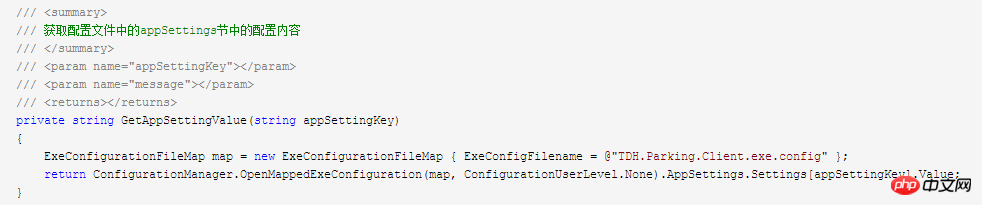
/// <summary>
/// 获取配置文件中的appSettings节中的配置内容
/// </summary>
/// <param name="appSettingKey"></param>
/// <param name="message"></param>
/// <returns></returns>
private string GetAppSettingValue(string appSettingKey)
{
ExeConfigurationFileMap map = new ExeConfigurationFileMap { ExeConfigFilename = @"TDH.Parking.Client.exe.config" };
return ConfigurationManager.OpenMappedExeConfiguration(map, ConfigurationUserLevel.None).AppSettings.Settings[appSettingKey].Value;
}
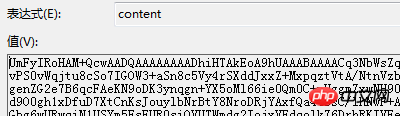
byte[] bytesFile = Convert.FromBase64String(obj["byteArray"].ToString());
这里是拿到的字节流了。
新视窗CMS企业管理程序 5.1
下载
新视窗企业管理系统是一款小巧、实用、利于后续开发的ASP程序。适合大中小型企业的网站建设。1、新闻管理 2、产品管理 3、订单管理 4、广告管理 5、下载管理 6、留言管理 8、单页栏目(如企业简介,资质荣誉)9、人才招聘等等。 新视窗企业管理系统 5.1 更新日志:1、修改产品列表的图片自动缩略,防止图片变形.2、修改后台添加产品分类时,排序ID不写入数据库的错误.3、修改首页企业简介的链接地址
这个方法可以解决在同一个解决方案中有多个项目可以读取到同一个项目下的App.config文件。
注意:其中有引用到的类库, 这是是用来操作压缩包的。
说下思路:第一步其实就是拿到压缩包的字节流再保存到本地,第二步就是循环读取压缩包的文件替换本地的文件,完成本地系统的版本更新。
无论简单与复杂,都需一步步向前方迈进。




