本篇文章给大家分享的内容是三种代码实现微博、微信分享 ,有着一定的参考价值,有需要的朋友可以参考一下
html
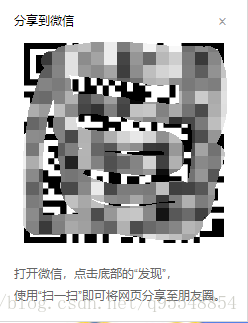
分享到微信 ×
打开微信,点击底部的“发现”,
使用“扫一扫”即可将网页分享至朋友圈。
css
/* share */
.shareSina,
.shareWX{
  display: inline-block;
  height: 25px;
  z-index: 1;
  cursor: pointer;
  vertical-align: middle;
}
.share-icon{
  display: inline-block;
  width: 22px;
  height: 22px;
  z-index: 1;
  cursor: pointer;
  text-indent: -9999px;
  vertical-align: middle;
}
.shareSina .share-icon{
  background: url(/img/share-sina.png) no-repeat;
  background-size:100%;
}
.shareWX .share-icon{
  background: url(/img/share-wx.png) no-repeat;
  background-size:100%;
}
.share-text{
  vertical-align: middle;
}
.wx-box{
  left: 3rem;
  top: 1rem;
  position: absolute;
  margin: 0;
  z-index: 1001;
  background: #fff;
  border: solid 1px #d8d8d8;
  font-size: 0.12rem;
  padding: 0.15rem;
  display: none;
}
.wx-box .wx-box-head{
  font-size: 0.12rem;
  text-align: left;
  line-height: 0.16rem;
  height: 0.16rem;
  position: relative;
  color: #000;
}
.wx-box .wx-box-close{
  width: 0.16rem;
  height: 0.16rem;
  position: absolute;
  right: 0;
  top: 0;
  color: #999;
  text-decoration: none;
  font-size: 0.16rem;
}
.wx-box .wx-box-main{
  padding: 0.15rem 0.1rem;
  min-height: 2rem;
  text-align: center;
}
.wx-box .wx-box-foot{
  font-size: 12px;
  text-align: left;
  line-height: 22px;
  color: #666;
}
js
图片可以自己去选择下载,我用的是阿里巴巴矢量图标库中下载的png
效果图: