



本篇文章主要介绍php实现在服务器端完成图片大小的调整,感兴趣的朋友参考下,希望对大家有所帮助。
本文实例讲述了php实现在服务器端调整图片大小的方法。具体分析如下:
在服务器端完成图片大小的调整,会比在浏览器的处理有很多的好处。
本文介绍了PHP如何在服务器端调整图片大小。
代码包括两部分:
① imageResizer() is used to process the image
② loadimage() inserts the image url in a simpler format
立即学习“PHP免费学习笔记(深入)”;
 $ratio_orig) {
   $width = $height*$ratio_orig;
  } else {
   $height = $width/$ratio_orig;
  }
  // This resamples the image
  $image_p = imagecreatetruecolor($width, $height);
  $image = imagecreatefromjpeg($url);
  imagecopyresampled($image_p, $image, 0, 0, 0, 0, $width, $height, $width_orig, $height_orig);
  // Output the image
  imagejpeg($image_p, null, 100);
 }
 //works with both POST and GET
 $method = $_SERVER['REQUEST_METHOD'];
 if ($method == 'GET') {
  imageResize($_GET['url'], $_GET['w'], $_GET['h']);
  } elseif ($method == 'POST') {
  imageResize($_POST['url'], $_POST['w'], $_POST['h']);
  }
 // makes the process simpler
 function loadImage($url, $width, $height){
  echo 'image.php?url=', urlencode($url) ,
  '&w=',$width,
  '&h=',$height;
 }
?>
用法:
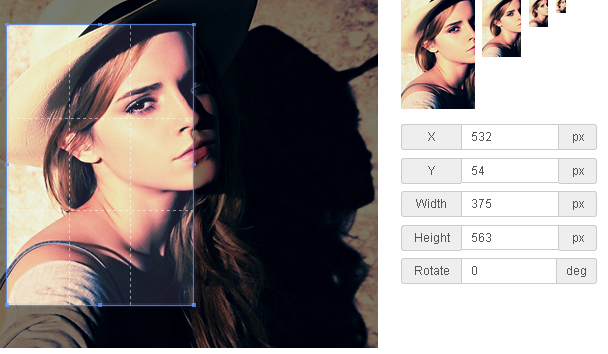
基于HTML5的图片裁剪插件
下载
基于HTML5的图片裁剪插件,所见即所得的裁剪方式,可生成多张缩略图大小图片,基于HTML5 canvas 绘图实现,支持各种效果的裁剪,当然你如果需要保存图片还是需要后端服务程序裁剪图片,裁剪页面是基于Bootstrap框架实现。
//Above code would be in a file called image.php.
//Images would be displayed like this:
@@##@@" alt="" />
总结:以上就是本篇文的全部内容,希望能对大家的学习有所帮助。
相关推荐:




