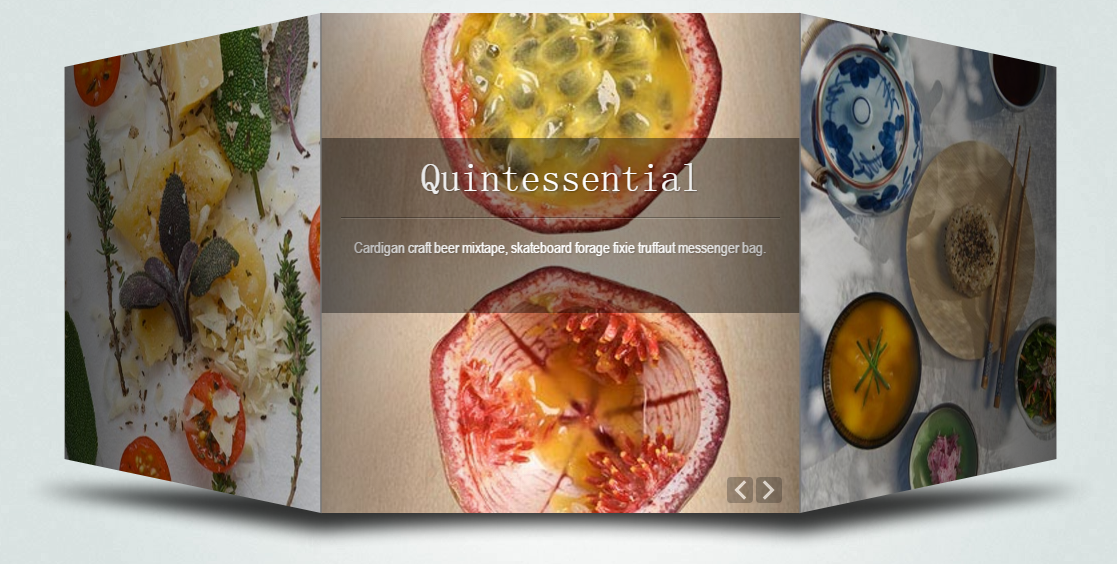
本篇文章给大家带来的内容是关于js实现图片轮播的代码实例(详细代码),有一定的参考价值,有需要的朋友可以参考一下,希望对你有所帮助。
broadcast.js
var CarouselFigure = new Object();
//轮播图初始化定义函数
CarouselFigure.init = function(tmpobj){
    //定义动画帧数(默认为:30)
    this.frameNum = tmpobj.frameNum !=undefined ?  tmpobj.frameNum : 30;
    //定义一次轮播的时间(默认为:0.2s)
    this.comsumeTime = tmpobj.comsumeTime !=undefined ?  tmpobj.comsumeTime : 200;
    //定义轮播图的宽高(默认宽高为:700px * 250px)
    this.CFWidth = tmpobj.CFWidth !=undefined ?  tmpobj.CFWidth : 700;
    this.CFHeight = tmpobj.CFHeight !=undefined ?  tmpobj.CFHeight : 250;
    //定义轮播的风格
    this.type = tmpobj.type == "small" ? 'small' : 'big';
    //轮播图的按钮大小的宽高
    this.AssowWidth = tmpobj.AssowWidth !=undefined ?  tmpobj.AssowWidth : 76;
    this.AssowHeight = tmpobj.AssowHeight !=undefined ?  tmpobj.AssowHeight : 112;
    //判断用户是否初始化
    this.initFlag = true;
    //是否允许轮播图运行
    this.applicationflag = true;
}
CarouselFigure.start = function(){
/**
    第一部分类容:初始化整个轮播图和其运行数据
*/
(function(){
    //1. 判断用户是否进行初始化
    if(CarouselFigure.initFlag == undefined){
        CarouselFigure.init({});
    }

    //2.1 初始化整个轮播图的div的基本大小
    $("#CarouselFigure").width(CarouselFigure.CFWidth).height(CarouselFigure.CFHeight).css("position","relative");

    //2.2 最中央的大图实际大小为:
    CarouselFigure.ImgWidth = CarouselFigure.CFWidth * 2/3;
    CarouselFigure.ImgHeight =  CarouselFigure.CFHeight - 6;

    //3. 初始化轮播图按钮数据
    CarouselFigure.setAssowdata = {
    prev:{
          top:(CarouselFigure.CFHeight - CarouselFigure.AssowHeight)/2 +"px",
          left:CarouselFigure.CFWidth/6 - CarouselFigure.AssowWidth + 6 + "px",
          originUrl:$("#CarouselFigure > img:eq(0)").attr("src"),
          hoverUrl:$("#CarouselFigure > img:eq(1)").attr("src"),
          },
    next:{
          top:(CarouselFigure.CFHeight - CarouselFigure.AssowHeight)/2 +"px",
          left:CarouselFigure.CFWidth*5/6 + "px",
          originUrl:$("#CarouselFigure > img:eq(2)").attr("src"),
          hoverUrl:$("#CarouselFigure > img:eq(3)").attr("src"),
          }
    };

    //4.1 初始化轮播图的url和src信息,存放到一个容器中
    CarouselFigure.imageContains = [];
    $("#CarouselFigure ul li img").each(function(){
        var tmpobj = {src:$(this).attr("src"),href:$(this).attr("href")}
        CarouselFigure.imageContains.push(tmpobj);
    });
    //4.2 对轮播图容器数据进行处理,当轮播图的个数3<= x  <= 5 只能使用small风格类型。当轮播图的个数 x < 3 时, 停止运行
    if(CarouselFigure.imageContains.length < 3){
        CarouselFigure.applicationflag = false;
    }else if(CarouselFigure.imageContains.length < 6){
        CarouselFigure.type = 'small';
    }
    //4.3 对轮播容器数据按顺序进行增倍,保证有足够数据进行轮播
    var objstr = JSON.stringify(CarouselFigure.imageContains);
    CarouselFigure.imageContains = CarouselFigure.imageContains.concat(JSON.parse(objstr));
    //5.1 轮播图使用big风格时,页面七张图在静态页面中的属性值
    CarouselFigure.setViewPosData = new Object;
     CarouselFigure.setViewPosData.big = [
        {
            width:CarouselFigure.ImgWidth*3/8,        height:CarouselFigure.ImgHeight*3/8,
            left:0,                                    top:0,
            zIndex:1,            opacity:0.2,        borderSize:0
        },{
            width:CarouselFigure.ImgWidth*3/8,        height:CarouselFigure.ImgHeight*3/8,
            left:0,                                    top:CarouselFigure.CFHeight*5/16,
            zIndex:2,            opacity:0.7,        borderSize:0
        },{
            width:CarouselFigure.ImgWidth*3/4,        height:CarouselFigure.ImgHeight*3/4,
            left:CarouselFigure.CFWidth/18,            top:CarouselFigure.CFHeight/8,
            zIndex:3,            opacity:0.9,        borderSize:0
        },{
            width:CarouselFigure.ImgWidth,            height:CarouselFigure.ImgHeight,
            left:CarouselFigure.CFWidth/6,            top:0,
            zIndex:4,            opacity:1,            borderSize:3
        },{
            width:CarouselFigure.ImgWidth*3/4,        height:CarouselFigure.ImgHeight*3/4,
            left:CarouselFigure.CFWidth * 4/9,        top:CarouselFigure.CFHeight/8,
            zIndex:3,            opacity:0.9,        borderSize:0
        },{
            width:CarouselFigure.ImgWidth*3/8,        height:CarouselFigure.ImgHeight*3/8,
            left:CarouselFigure.CFWidth * 3/4,        top:CarouselFigure.CFHeight*5/16,
            zIndex:2,            opacity:0.7,        borderSize:0
        },{
            width:CarouselFigure.ImgWidth*3/8,        height:CarouselFigure.ImgHeight*3/8,
            left:CarouselFigure.CFWidth * 3/4,        top:0,
            zIndex:1,            opacity:0.2,        borderSize:0
        },];
    //5.2 轮播图使用small风格时,页面5张图在静态页面中的属性值
     CarouselFigure.setViewPosData.small = [
        {
            width:CarouselFigure.ImgWidth*3/8,        height:CarouselFigure.ImgHeight*3/8,
            left:0,                                    top:0,
            zIndex:1,            opacity:0.2,        borderSize:0
        },{
            width:CarouselFigure.ImgWidth*3/4,        height:CarouselFigure.ImgHeight*3/4,
            left:0,                                    top:CarouselFigure.CFHeight/8,
            zIndex:2,            opacity:0.9,        borderSize:0
        },{
            width:CarouselFigure.ImgWidth,            height:CarouselFigure.ImgHeight,
            left:CarouselFigure.CFWidth/6,            top:0,
            zIndex:3,            opacity:1,            borderSize:3
        },{
            width:CarouselFigure.ImgWidth*3/4,        height:CarouselFigure.ImgHeight*3/4,
            left:CarouselFigure.CFWidth * 1/2,        top:CarouselFigure.CFHeight/8,
            zIndex:2,            opacity:0.9,        borderSize:0
        },{
            width:CarouselFigure.ImgWidth*3/8,        height:CarouselFigure.ImgHeight*3/8,
            left:CarouselFigure.CFWidth * 3/4,        top:0,
            zIndex:1,            opacity:0.2,        borderSize:0
        }];
}());
//验证初始化是否成功,否则全部隐藏,结束进程
if(!CarouselFigure.applicationflag){
    $("#CarouselFigure").css("display","none");
    return false;
}
/**
    第二部分:
        对轮播图的箭头进行初始化(包括页面中的静态布局,和点击事件和悬浮事件)
*/
    CarouselFigure.InitAssow = function (Assow,direction){
        //实现轮播图箭头的静态样式、悬浮事件和点击事件
        Assow.css({
            position:"absolute",
            left:this.setAssowdata[direction].left,
            top:this.setAssowdata[direction].top,
            "z-index":4
        })
        .mouseover(function(){            //鼠标悬浮切换图片
            $(this).attr("src",CarouselFigure.setAssowdata[direction].hoverUrl);
        }).mouseout(function(){
            $(this).attr("src",CarouselFigure.setAssowdata[direction].originUrl);
        }).click(function(){
            //记录点击事件的次数
            CarouselFigure.clickArrowfun(direction);
        });
    }
    //调用初始化轮播图函数--实现左右箭头全部功能
    $("#CarouselFigure > img:odd").css("display","none");
    CarouselFigure.InitAssow($("#CarouselFigure > img:eq(0)"),"prev");
    CarouselFigure.InitAssow($("#CarouselFigure > img:eq(2)"),"next");
/**
    第三部分:
        对所有的轮播图进行页面静态布局
*/
    //初始化某张轮播图的方法
    CarouselFigure.InitImages =    function (i,setViewPosData,imageContains){
        $("#CarouselFigure ul img:eq("+i+")").css({
            position:"absolute",
            width:setViewPosData[i].width + "px",
            height:setViewPosData[i].height + "px",
            top:setViewPosData[i].top + "px",
            left:setViewPosData[i].left + "px",
            display:"block",
            "z-index":setViewPosData[i].zIndex,
            opacity:setViewPosData[i].opacity,
        }).attr({
            src:imageContains[i].src,
            href:imageContains[i].href
        }).click(function(){
            location.href = $(this).attr("href");    //绑定图片点击跳转事件
        });
        if( (i == 0 || i == 6) && this.type == 'big'){        //第1张图片和第7张图片不可见
            $("#CarouselFigure ul img:eq("+i+")").css("display","none");
        }else if(i == 3 && this.type == 'big'){                //为正中央图片加边框
            $("#CarouselFigure ul img:eq("+i+")").css("border","3px solid #fff");
        }else if( (i == 0 || i == 4)&&this.type == 'small'){//第1张图片和第5张图片不可见
            $("#CarouselFigure ul img:eq("+i+")").css("display","none");
        }else if(i == 2 && this.type == 'small'){            //为正中央图片加边框
            $("#CarouselFigure ul img:eq("+i+")").css("border","3px solid #fff");
        }
    }
    /**
        实现七张图片的静态样式:
清空原有的li标签,然后新建broadcast.html
轮播图实例


实现效果

相关推荐: