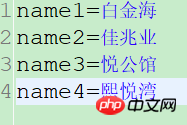
本篇文章给大家带来的内容是关于spring如何读取properties文件?(附代码),有一定的参考价值,有需要的朋友可以参考一下,希望对你有所帮助。
问题:
需要通过properties读取页面的所需楼盘的名称.为了以后便于修改.
解决:
可以通过spring的 PropertiesFactoryBean 读取properties属性,就不需要自己通过jdk的Properties类编写程序读取信息.
<!-- 第二种方式是使用注解的方式注入,主要用在java代码中使用注解注入properties文件中相应的value值 -->
     <bean id="prop" class="org.springframework.beans.factory.config.PropertiesFactoryBean">
         <property name="locations"><!-- 这里是PropertiesFactoryBean类,它也有个locations属性,也是接收一个数组,跟上面一样 -->
             <array>
                 <value>classpath:recommondHouse.properties</value>
             </array>
         </property>
          <!-- 设置编码格式 -->
        <property name="fileEncoding" value="UTF-8"></property>
     </bean>
注意: 需要设置fileEncoding,否则会出现乱码情况,在eclipse中也需要设置properties编码情况,否则页面会显示一堆字符和字母,无法显示汉字,eclipse中设置如下:


如图,修改3编码为utf-8,点击update即可.
随后通过@Value注解通过get,set方法注入数据.
package com.fyinqing.util;
import java.util.ArrayList;
import java.util.List;
import org.springframework.beans.factory.annotation.Value;
import org.springframework.stereotype.Component;
@Component("test")
public class PropertiesUtil {

    @Value("#{prop.name1}")
    private  String name1;

    @Value("#{prop.name2}")
    private String name2;

    @Value("#{prop.name3}")
    private String name3;

    @Value("#{prop.name4}")
    private String name4;

    public String getName2() {
        return name2;
    }
    public void setName2(String name2) {
        this.name2 = name2;
    }
    public String getName3() {
        return name3;
    }
    public void setName3(String name3) {
        this.name3 = name3;
    }
    public String getName4() {
        return name4;
    }
    public void setName4(String name4) {
        this.name4 = name4;
    }
    public String getName1() {
        return name1;
    }
    public void setName1(String name1) {
        this.name1 = name1;
    }
    public  List<String> getNameList(){
        List<String> list = new ArrayList<String>();
        list.add(name1);
        list.add(name2);
        list.add(name3);
        list.add(name4);
        return list;
    }
}
测试如下:(只写了关键代码)
@Autowired
    PropertiesUtil propUtil;
@Test
    public void test4() {
        System.out.println(propUtil.getNameList());
    }