json插件有两种使用方法:
一个是格式化JSON字符串,另一个是打开JSON查看器。(推荐学习:notepad使用)
格式化JSON字符串
插件(P) -> JSON Viewer -> Format JSON
格式化之前的JSON:
{"startIndex":0,"pageSize":25,"totalCount":1,"resultSize":1,"sortType":"asc","sortBy":"id","queryTimeMS":1553232540936,"vXGroups":[{"id":1,"createDate":"2018-12-12T06:59:53Z","updateDate":"2018-12-12T06:59:53Z","owner":"Admin","updatedBy":"Admin","name":"public","description":"public group","groupType":0,"groupSource":0,"isVisible":1}]}格式化之后的JSON:

{
    "startIndex": 0,
    "pageSize": 25,
    "totalCount": 1,
    "resultSize": 1,
    "sortType": "asc",
    "sortBy": "id",
    "queryTimeMS": 1553232540936,
    "vXGroups": [
        {
            "id": 1,
            "createDate": "2018-12-12T06:59:53Z",
            "updateDate": "2018-12-12T06:59:53Z",
            "owner": "Admin",
            "updatedBy": "Admin",
            "name": "public",
            "description": "public group",
            "groupType": 0,
            "groupSource": 0,
            "isVisible": 1
        }
    ]
}
打开JSON查看器
插件(P) -> JSON Viewer -> Show JSON Viewer
将JSON字符串复制到新建的文件中,
使用Show JSON Viewer可用查看其树形层次结构:
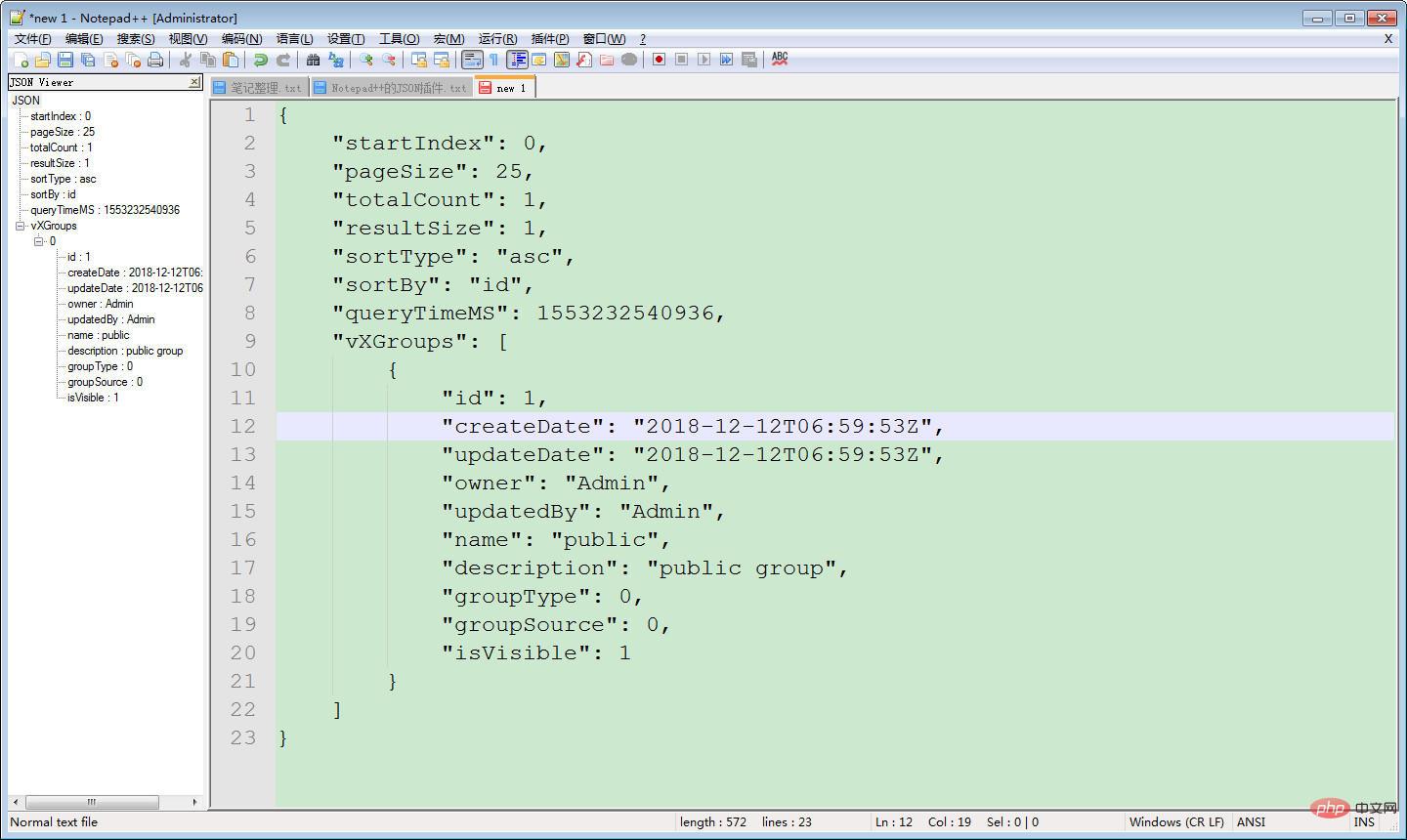 注意:新建的文件中不能有非JSON格式的文本,否则会导致JSON报错。