




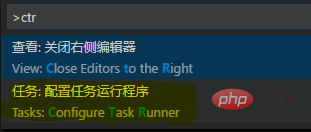
首先界面按下Ctrl+Shift+P显示命令面板,输入ctr,选择【任务:配置任务运行程序】
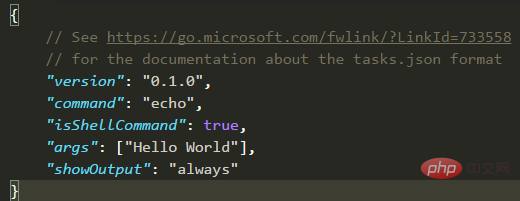
然后选择【Others】,可以看到默认配置
立即学习“前端免费学习笔记(深入)”;

最后修改如下(删除其中一行):
{
    "version": "0.1.0",
    "command": "Chrome",
    "windows": {
        "command": "C:/Program Files (x86)/Google/Chrome/Application/chrome.exe"
    },
    "isShellCommand": true,
    "args": ["${file}"],
    "showOutput": "never"
}保存后打开html文件,按下Ctrl+Shift+B就能打开浏览器了。
相关文章教程推荐:vscode教程




