




首先建议大家检查一下自己是否设置了一系列的安全账号,进入linux系统的命令终端,输入:sudo /opt/lampp/lampp security
然后就会出现一些列的账号设置,大家一路设置下去就行,总体设置如下所示:
XAMPP: Quick security check...XAMPP: Your XAMPP pages are NOT secured by a password.XAMPP: Do you want to set a password? [yes] yes (1)XAMPP: Password: ******XAMPP: Password (again): ******XAMPP: Password protection active. Please use 'lampp' as user name!XAMPP: MySQL is accessable via network.XAMPP: Normaly that's not recommended. Do you want me to turn it off? [yes] yesXAMPP: Turned off.XAMPP: Stopping MySQL...XAMPP: Starting MySQL...XAMPP: The MySQL/phpMyAdmin user pma has no password set!!!XAMPP: Do you want to set a password? [yes] yesXAMPP: Password: ******XAMPP: Password (again): ******XAMPP: Setting new MySQL pma password.XAMPP: Setting phpMyAdmin's pma password to the new one.XAMPP: MySQL has no root passwort set!!!XAMPP: Do you want to set a password? [yes] yesXAMPP: Write the passworde somewhere down to make sure you won't forget it!!!XAMPP: Password: ******XAMPP: Password (again): ******XAMPP: Setting new MySQL root password.XAMPP: Setting phpMyAdmin's root password to the new one.XAMPP: The FTP password for user 'nobody' is still set to 'lampp'.XAMPP: Do you want to change the password? [yes] yesXAMPP: Password: ******XAMPP: Password (again): ******XAMPP: Reload ProFTPD...XAMPP: Done.
如果设置完毕之后(最好先重启lampp服务),还是不能通过账号和密码访问phpmyadmin,那么需要修改一个文件。
打开phpMyAdmin根目录下的config.inc.php,按照以下行修改就可以了:
立即学习“PHP免费学习笔记(深入)”;
把$cfgServers[$i]['auth_type']= 'config';修改成:
Metafox企业内容管理系统0.9.1
下载
Metafox 是一个企业内容管理系统,使用一个特别的模板系统,你可通过一些特定的设计和代码来轻松创建 Web 网站,内容存储在 SQL 关系数据库,通过 Web 进行管理,简单、快速而且高效。 Metafox 0.9.1 发布,该版本改用一种更棒的 URL 风格,实现了 RSS 源(可包含远端网站内容到 Metafox 段中),重定向老的访问密钥到新的密钥,增加 RotateAntispam 技
$cfgServers[$i]['auth_type']= 'cookie';
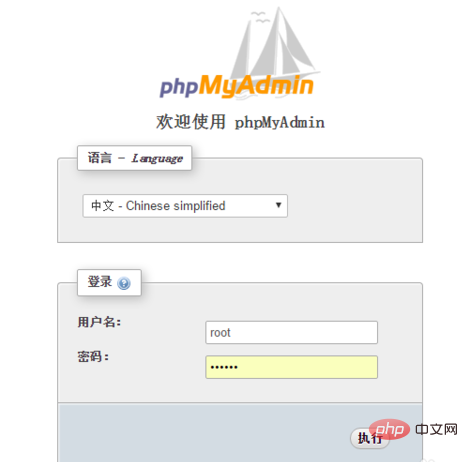
保存文件,重新访问phpmyadmin就可以使用账号的密码了。
如下图所示:
推荐学习:phpmyadmin教程




