




vscode怎么运行python代码
按下 Ctrl +Shift+B 运行python代码。
前提是得配置taske.json
1、按下Ctrl +Shift+B,点击
立即学习“Python免费学习笔记(深入)”;

2、点击创建


3、运行外部命令
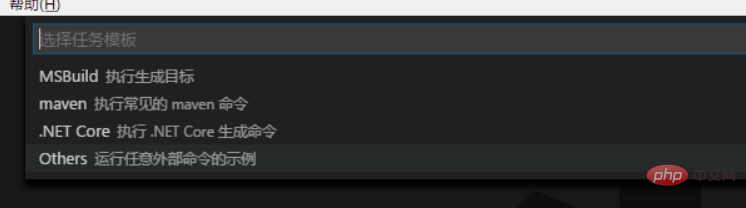
4、创建完,替换里面的内容为 (注意command的要改成你自己python的安装路径)
{
    // See https://go.microsoft.com/fwlink/?LinkId=733558
    // for the documentation about the tasks.json format
    "version": "2.0.0",
    "tasks": [
        {
            "label": "python",
            "type": "shell",
            "command": "C:/Users/FSITQD/AppData/Local/Programs/Python/Python36-32/python",
             "args": [
                "${file}"
            ],
            "group": {
                "kind": "build",
                "isDefault": true
            }
        }
    ]
}
然后Ctrl +Shift+B就运行了。
相关文章教程推荐:vscode教程





