php实现pdf转换成图片的方法:首先安装好“GhostScript”;然后使用imagick把PDF转成图片即可。

推荐:《PHP视频教程》
PHP中使用imagick实现把PDF转成图片
PHP Manual里,对imagick的描述,真的是简洁,每个成员函数,点击打开就看到如下文本:
Warning
This function is currently not documented; only its argument list is available.
刚才解决了PHP加载问题后,对图片的处理相当方便,网上随便找了一段:
立即学习“PHP免费学习笔记(深入)”;
<?php
Header("Content-type: image/jpeg");
/**
* 缩小图片尺寸.
*
* @param $image 待处理的二进制图片
* @param $width 处理后图片尺寸的宽度(px)
* @param $height 处理后图片尺寸的高度(px)
* @param $crop 是否裁剪图片
*
* @return 处理好的二进制图片
*/
function resize($image, $width, $height, $crop)
{
   $imagick = new Imagick($image);
   $w = $imagick->getImageWidth();
   $h = $imagick->getImageHeight();
   if ($w > $width || $h > $height)
   {
      if ($crop)
      {
         $imagick->cropThumbnailImage($width, $height);
      }
      else
      {
         $imagick->resizeImage($width, $height, Imagick::FILTER_LANCZOS, 1, true);
      }
   }
   $processed_image = $imagick->getImageBlob();
   return $processed_image;
}
$s=resize("123.jpg", 60, 40, 1);
echo $s;
?>
但我要用这个扩展做的,是将PDF转成PNG。PDF哦!

<?php
/**
* PDF2PNG
* @param $pdf  待处理的PDF文件
* @param $path 待保存的图片路径
* @param $page 待导出的页面 -1为全部 0为第一页 1为第二页
* @return      保存好的图片路径和文件名
*/
 function pdf2png($pdf,$path,$page=-1)
{
   if(!extension_loaded('imagick'))
   {
       return false;
   }
   if(!file_exists($pdf))
   {
       return false;
   }
   $im = new Imagick();
   $im->setResolution(120,120);
   $im->setCompressionQuality(100);
   if($page==-1)
      $im->readImage($pdf);
   else
      $im->readImage($pdf."[".$page."]");
   foreach ($im as $Key => $Var)
   {
       $Var->setImageFormat('png');
       $filename = $path."/". md5($Key.time()).'.png';
       if($Var->writeImage($filename) == true)
       {
           $Return[] = $filename;
       }
   }
   return $Return;
}
$path="images";//请确保当前目录下有这个文件夹,由于一直要用,所以就不加检测了
$s=pdf2png("test.pdf",$path);
$scount=count($s);
for($i=0;$i<$scount;$i++)
{
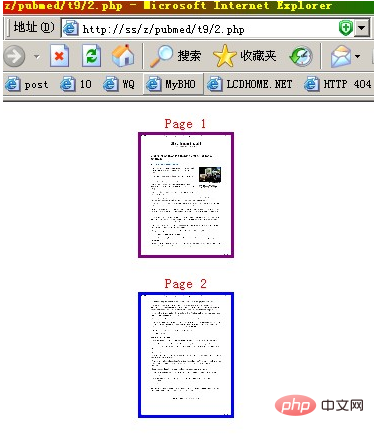
   echo "<div align=center><font color=red>Page ".($i+1)."</font><br><a href="".$s[$i]."" target=_blank><img border=3 height=120 width=90 src="".$s[$i].""></a></div><p>";
}
?>
跟上面的差不多吧?可是总是不成功,readImage那边异常了,查看错误输出:
PHP Fatal error: Uncaught exception 'ImagickException' with message 'PostscriptDelegateFailed `test.pdf': No such file or directory'
百度谷歌了好久,最后灵机一动,不是说Postscript么?我找,我装。
这个Postscript,其实是GhostScript。
装好后,一跑,OK啦!