



python视频教程栏目介绍使用Tkinter实现剪刀石头布
相关免费学习推荐:python视频教程
编写剪刀石头布游戏
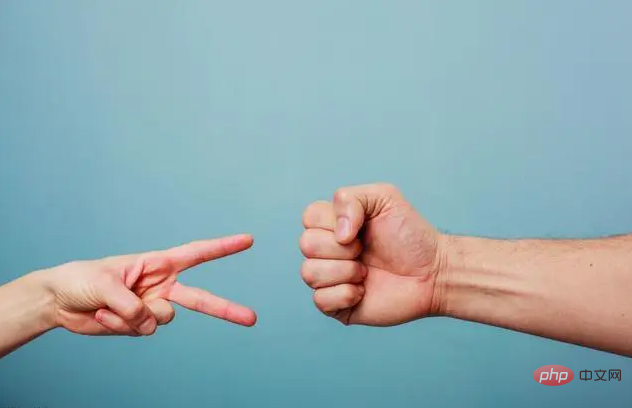
让我们使用Python 3和Tkinter开发相同的游戏。我们可以将游戏命名为Rock-Paper-Scissors-Lizard-Spock。
规则和玩法
Rock crushes Scissors
立即学习“Python免费学习笔记(深入)”;
Rock crushes Lizard
Paper covers Rock
Paper disproves Spock
Scissors cuts Paper
Scissors decapitates Lizard
Lizard poisons Spock
Lizard eats paper
Spock smashes Scissors
Spock vaporizes Rock
Two same objects is a draw
程序演练
当用户运行程序时,他们必须单击五个可用对象之一:
Rock
Paper
Scissors
Lizard
Spock
如果大家在学习中遇到困难,想找一个python学习交流环境,可以加入我们的python圈,裙号930900780,可领取python学习资料,会节约很多时间,减少很多遇到的难题。
当用户选择一个对象时,我们的程序将随机选择一个对象。然后,它将通过一组规则来声明用户是赢,输还是画游戏。结果将显示在应用程序的第二行。
当用户按下任何按钮时,游戏将重新开始。如果用户想要关闭游戏,则可以按关闭按钮。在游戏开始时,我们具有用于特定对象的手形符号。现在,当用户选择一个对象时,它将转换为图形图像。我们的程序还选择了一个对象,它将显示所选对象的图形图像。
用Python实现(10个步骤)
现在我们已经有了剪刀石头布游戏的意义,让我们逐步介绍Python的过程。
1.导入所需的库
#Import the required libraries :
from tkinter import *
import random
import simpleaudio as sa
tkinter:在我们的应用程序中添加小部件
random:生成一个随机数
simpleaudio:播放声音文件
2.创建tkinter主窗口
root = Tk()
root.configure(bg="#000000")
root.geometry('+0+0')
root.iconbitmap("Game.ico")
root.title("Rock-Paper-Scissor-Lizard-Spock")
root.resizable(width=False,height=False)
root = Tk( ):用于初始化我们的tkinter模块。
root.configure( ):我们使用它来指定应用程序的背景色。在我们的情况下,背景颜色为黑色。
root.geometry( ):我们使用它来指定我们的应用程序窗口将在哪个位置打开。它将在左上角打开。
root.iconbitmap( ):我们使用它来设置应用程序窗口标题栏中的图标。此功能仅接受.ico文件。
root.title( ):我们使用它来设置应用程序的标题。
root.resizable( ):在这里我们使用它来防止用户调整主窗口的大小。
3.导入声音文件
#To play sound files :
start = sa.WaveObject.from_wave_file("Start.wav")
Win = sa.WaveObject.from_wave_file("Win.wav")
Lose = sa.WaveObject.from_wave_file("Lose.wav")
Draw = sa.WaveObject.from_wave_file("Draw.wav")
start.play()
现在,我们将使用一些将在各种事件中播放的声音文件。当我们的程序启动时,它将播放开始文件。当用户赢得游戏,输掉游戏或绘制游戏时,我们将播放其他三个文件。
需要注意的一件事是它仅接受.wav文件。首先,我们需要将声音文件加载到对象中。然后我们可以.play( )在需要时使用方法播放它。

4.为我们的应用程序加载图像
我们将在应用程序中使用各种图像。要首先使用这些图像,我们需要加载这些图像。在这里,我们将使用PhotoImage类加载图像。
#Hand images :
rockHandPhoto = PhotoImage(file="Rock_1.png")
paperHandPhoto = PhotoImage(file="Paper_1.png")
scissorHandPhoto = PhotoImage(file="Scissor_1.png")
lizardHandPhoto = PhotoImage(file="Lizard_1.png")
spockHandPhoto = PhotoImage(file="Spock_1.png")
#Graphical images :
rockPhoto = PhotoImage(file="Rock_P.png")
paperPhoto = PhotoImage(file="Paper_P.png")
scissorPhoto = PhotoImage(file="Scissor_P.png")
lizardPhoto = PhotoImage(file="Lizard_P.png")
spockPhoto = PhotoImage(file="Spock_P.png")
#Decision image :
decisionPhoto = PhotoImage(file="Decision_Final.png")
#Result images :
winPhoto = PhotoImage(file="G_WIN.png")
losePhoto = PhotoImage(file="G_LOST.png")
tiePhoto = PhotoImage(file="G_DRAW.png")
首先,我们为物体准备了手部图像。游戏开始时将向用户显示所有五个图像。用户必须从那些图像中选择一个对象。
用户单击图像后,我们的程序将向我们显示该对象的图形图像。必须选择一个对象,我们的程序也将选择一个对象。我们的程序将仅显示这两个图形图像,然后其余图像将消失。
现在,我们显示一个简单的决策图像,当结果可用时,它将更改其图像。我们的结果有不同的图像。
如果用户获胜
如果用户输了
如果有平局
5.添加Tkinter小部件
#Initialize the button variables :
rockHandButton = " "
paperHandButton = " "
scissorHandButton = " "
lizardHandButton= " "
spockHandButton = " "
#Create the result button :
resultButton = Button(root,image=decisionPhoto)
#Set the variable to True
click = True
初始化五个按钮的变量。
在这里,我们创建了结果按钮,它将向我们显示最终结果。
我们将click变量设置为True,以便我们的程序继续运行直到将其设置为False。在接下来的几点中,我们将看到更多有关此的内容。
6. Play( )功能
def play():
    global rockHandButton,paperHandButton,scissorHandButton,lizardHandButton,spockHandButton
    #Set images and commands for buttons :
    rockHandButton = Button(root,image = rockHandPhoto, command=lambda:youPick("Rock"))
    paperHandButton = Button(root,image = paperHandPhoto, command=lambda:youPick("Paper"))
    scissorHandButton = Button(root,image = scissorHandPhoto, command=lambda:youPick("Scissor"))
    lizardHandButton = Button(root,image= lizardHandPhoto,command=lambda:youPick("Lizard"))
    spockHandButton = Button(root,image= spockHandPhoto,command=lambda:youPick("Spock"))
    #Place the buttons on window :
    rockHandButton.grid(row=0,column=0)
    paperHandButton.grid(row=0,column=1)
    scissorHandButton.grid(row=0,column=2)
    lizardHandButton.grid(row=0,column=3)
    spockHandButton.grid(row=0,column=4)
    #Add space :
    root.grid_rowconfigure(1, minsize=50)
    #Place result button on window :
    resultButton.grid(row=2,column=0,columnspan=5)
在这里,我们为对象创建按钮。我们将为按钮设置图像,当按下按钮时,它将youPick( )与单击的对象的字符串名称一起起作用。
然后,使用该.grid( )方法将按钮排列在主窗口上。在这里,我们在的第一行添加一个空格.grid_rowconfigure( )。然后,将结果按钮放在第二行。我们正在使用columnspan结果按钮居中。
7.轮到计算机了
我们的计算机将随机选择五个可用对象之一,并为此返回一个字符串值。
def computerPick():
    choice = random.choice(["Rock","Paper","Scissor","Lizard","Spock"])
    return choice
8.主要功能: youPick( )
在此功能中,我们的程序将显示所选对象的图形图像。它将删除其余的对象。它还将应用一组规则来生成结果。
def youPick(yourChoice):
    global click
        compPick = computerPick()
        if click==True:
我们将计算机的选择存储在compPick变量中。我们将使用它来确定结果。
用户选择Rock:
如果用户选择Rock,则使用此代码块。play( )函数中的命令沿字符串发送,该字符串代表用户选择的对象。我们将其存储在yourChoice变量中。现在,计算机有五种可能性。
现在我们必须为每个规则制定规则。现在注意,当用户和计算机选择一个对象时,不允许他们对其进行更改。因此,我们将click变量更改为False。
现在,由于用户已选择,Rock我们希望我们的第一张图像变成岩石的图形图像。现在,如果计算机选择Rock,那么我们希望我们的第二张图像变成图形图像。要更改按钮的图像,我们使用.configure( )方法。
我们希望其余三个图像消失。为了使它们消失,我们使用.grid_forget( )。它还将播放绘图音频。现在,我们为其余对象开发类似的规则。
def computerPick():choice = random.choice(["Rock","Paper","Scissor","Lizard","Spock"])return choice
用户选择纸张:
请参阅上面的规则,以了解用户选择“纸张”时的规则。查看下面的代码,该代码遵循与Rock相同的规则。
elif yourChoice == "Paper":rockHandButton.configure(image=paperPhoto)if compPick == "Rock":paperHandButton.configure(image=rockPhoto)resultButton.configure(image=losePhoto)scissorHandButton.grid_forget()lizardHandButton.grid_forget()spockHandButton.grid_forget()Lose.play()click = Falseelif compPick == "Paper":paperHandButton.configure(image=paperPhoto)resultButton.configure(image=tiePhoto)scissorHandButton.grid_forget()lizardHandButton.grid_forget()spockHandButton.grid_forget()Draw.play()click = Falseelif compPick == "Scissor":paperHandButton.configure(image=scissorPhoto)resultButton.configure(image=losePhoto)scissorHandButton.grid_forget()lizardHandButton.grid_forget()spockHandButton.grid_forget()Lose.play()click = Falseelif compPick =="Lizard":paperHandButton.configure(image=lizardPhoto)resultButton.configure(image=losePhoto)scissorHandButton.grid_forget()lizardHandButton.grid_forget()spockHandButton.grid_forget()Lose.play()click = Falseelse :paperHandButton.configure(image=spockPhoto)resultButton.configure(image=winPhoto)scissorHandButton.grid_forget()lizardHandButton.grid_forget()spockHandButton.grid_forget()Win.play()click = False
用户选择剪刀:
请从上方查看规则,以了解用户选择剪刀时的规则。查看下面的代码,该代码遵循与Rock and Paper相同的规则。
elif yourChoice=="Scissor":rockHandButton.configure(image=scissorPhoto)if compPick == "Rock":paperHandButton.configure(image=rockPhoto)resultButton.configure(image=losePhoto)scissorHandButton.grid_forget()lizardHandButton.grid_forget()spockHandButton.grid_forget()Lose.play()click = Falseelif compPick == "Paper":paperHandButton.configure(image=paperPhoto)resultButton.configure(image=winPhoto)scissorHandButton.grid_forget()lizardHandButton.grid_forget()spockHandButton.grid_forget()Win.play()click = Falseelif compPick=="Scissor":paperHandButton.configure(image=scissorPhoto)resultButton.configure(image=tiePhoto)scissorHandButton.grid_forget()lizardHandButton.grid_forget()spockHandButton.grid_forget()Draw.play()click = Falseelif compPick == "Lizard":paperHandButton.configure(image=lizardPhoto)resultButton.configure(image=winPhoto)scissorHandButton.grid_forget()lizardHandButton.grid_forget()spockHandButton.grid_forget()Win.play()click = Falseelse:paperHandButton.configure(image=spockPhoto)resultButton.configure(image=losePhoto)scissorHandButton.grid_forget()lizardHandButton.grid_forget()spockHandButton.grid_forget()Lose.play()click = False
用户选择"Lizard"
请从上方查看规则,以了解用户选择蜥蜴的规则。查看下面的代码,该代码遵循与其他代码相同的规则。
elif yourChoice=="Lizard":rockHandButton.configure(image=lizardPhoto)if compPick == "Rock":paperHandButton.configure(image=rockPhoto)resultButton.configure(image=losePhoto)scissorHandButton.grid_forget()lizardHandButton.grid_forget()spockHandButton.grid_forget()Lose.play()click = Falseelif compPick == "Paper":paperHandButton.configure(image=paperPhoto)resultButton.configure(image=winPhoto)scissorHandButton.grid_forget()lizardHandButton.grid_forget()spockHandButton.grid_forget()Win.play()click = Falseelif compPick=="Scissor":paperHandButton.configure(image=scissorPhoto)resultButton.configure(image=losePhoto)scissorHandButton.grid_forget()lizardHandButton.grid_forget()spockHandButton.grid_forget()Lose.play()click = Falseelif compPick == "Lizard":paperHandButton.configure(image=lizardPhoto)resultButton.configure(image=tiePhoto)scissorHandButton.grid_forget()lizardHandButton.grid_forget()spockHandButton.grid_forget()Draw.play()click = Falseelse:paperHandButton.configure(image=spockPhoto)resultButton.configure(image=winPhoto)scissorHandButton.grid_forget()lizardHandButton.grid_forget()spockHandButton.grid_forget()Win.play()click = False
用户选择Spock:
请从上方查看规则,以了解用户选择Spock的规则。查看下面的代码,该代码遵循与其他代码相同的规则。
elif yourChoice=="Spock":rockHandButton.configure(image=spockPhoto)if compPick == "Rock":paperHandButton.configure(image=rockPhoto)resultButton.configure(image=winPhoto)scissorHandButton.grid_forget()lizardHandButton.grid_forget()spockHandButton.grid_forget()Win.play()click = Falseelif compPick == "Paper":paperHandButton.configure(image=paperPhoto)resultButton.configure(image=losePhoto)scissorHandButton.grid_forget()lizardHandButton.grid_forget()spockHandButton.grid_forget()Lose.play()click = Falseelif compPick=="Scissor":paperHandButton.configure(image=scissorPhoto)resultButton.configure(image=winPhoto)scissorHandButton.grid_forget()lizardHandButton.grid_forget()spockHandButton.grid_forget()Win.play()click = Falseelif compPick == "Lizard":paperHandButton.configure(image=lizardPhoto)resultButton.configure(image=losePhoto)scissorHandButton.grid_forget()lizardHandButton.grid_forget()spockHandButton.grid_forget()Lose.play()click = Falseelse:paperHandButton.configure(image=spockPhoto)resultButton.configure(image=tiePhoto)scissorHandButton.grid_forget()lizardHandButton.grid_forget()spockHandButton.grid_forget()Draw.play()click = False
9.再玩一次
得到结果后,如果要再次播放,只需单击任何按钮。它将转换为原始的手部图像。现在,我们必须取回那些消失的图像。我们将click变量的值设置为True。然后,我们将播放开始声音文件,以便在用户进入新游戏时将播放音频。
else:
        #To reset the game :
        if yourChoice=="Rock" or yourChoice=="Paper" or yourChoice=="Scissor" or yourChoice=="Lizard" or yourChoice=="Spock":
            rockHandButton.configure(image=rockHandPhoto)
            paperHandButton.configure(image=paperHandPhoto)
            scissorHandButton.configure(image=scissorHandPhoto)
            lizardHandButton.configure(image=lizardHandPhoto)
            spockHandButton.configure(image=spockHandPhoto)
            resultButton.configure(image=decisionPhoto)
            #Get back the deleted buttons :
            scissorHandButton.grid(row=0,column=2)
            lizardHandButton.grid(row=0,column=3)
            spockHandButton.grid(row=0,column=4)
            #Set click = True :
            click=True
            #Play the sound file :
            start.play()
10.调用函数
现在我们调用play函数,它将在内部处理其余函数。要关闭该应用程序,请按标题栏上的关闭按钮。
#Calling the play function :
play()
#Enter the main loop :
root.mainloop()
放在一起
查看此Python Tkinter游戏的完整代码。
#Import the required libraries :
from tkinter import *
import random
import simpleaudio as sa
root = Tk()
root.configure(bg="#000000")
root.geometry('+0+0')
root.iconbitmap("Game.ico")
root.title("Rock-Paper-Scissor-Lizard-Spock")
root.resizable(width=False,height=False)
#To play sound files :
start = sa.WaveObject.from_wave_file("Start.wav")
Win = sa.WaveObject.from_wave_file("Win.wav")
Lose = sa.WaveObject.from_wave_file("Lose.wav")
Draw = sa.WaveObject.from_wave_file("Draw.wav")
start.play()
#Hand images :
rockHandPhoto = PhotoImage(file="Rock_1.png")
paperHandPhoto = PhotoImage(file="Paper_1.png")
scissorHandPhoto = PhotoImage(file="Scissor_1.png")
lizardHandPhoto = PhotoImage(file="Lizard_1.png")
spockHandPhoto = PhotoImage(file="Spock_1.png")
#Graphical images :
rockPhoto = PhotoImage(file="Rock_P.png")
paperPhoto = PhotoImage(file="Paper_P.png")
scissorPhoto = PhotoImage(file="Scissor_P.png")
lizardPhoto = PhotoImage(file="Lizard_P.png")
spockPhoto = PhotoImage(file="Spock_P.png")
#Decision image :
decisionPhoto = PhotoImage(file="Decision_Final.png")
#Result images :
winPhoto = PhotoImage(file="G_WIN.png")
losePhoto = PhotoImage(file="G_LOST.png")
tiePhoto = PhotoImage(file="G_DRAW.png")
#Initialize the button variables :
rockHandButton = " "
paperHandButton = " "
scissorHandButton = " "
lizardHandButton= " "
spockHandButton = " "
#Create the result button :
resultButton = Button(root,image=decisionPhoto)
#Set the variable to True
click = True
def play():
    global rockHandButton,paperHandButton,scissorHandButton,lizardHandButton,spockHandButton
    #Set images and commands for buttons :
    rockHandButton = Button(root,image = rockHandPhoto, command=lambda:youPick("Rock"))
    paperHandButton = Button(root,image = paperHandPhoto, command=lambda:youPick("Paper"))
    scissorHandButton = Button(root,image = scissorHandPhoto, command=lambda:youPick("Scissor"))
    lizardHandButton = Button(root,image= lizardHandPhoto,command=lambda:youPick("Lizard"))
    spockHandButton = Button(root,image= spockHandPhoto,command=lambda:youPick("Spock"))
    #Place the buttons on window :
    rockHandButton.grid(row=0,column=0)
    paperHandButton.grid(row=0,column=1)
    scissorHandButton.grid(row=0,column=2)
    lizardHandButton.grid(row=0,column=3)
    spockHandButton.grid(row=0,column=4)
    #Add space :
    root.grid_rowconfigure(1, minsize=50)
    #Place result button on window :
    resultButton.grid(row=2,column=0,columnspan=5)
def computerPick():
    choice = random.choice(["Rock","Paper","Scissor","Lizard","Spock"])
    return choice
def youPick(yourChoice):
    global click
    compPick = computerPick()
    if click==True:
        if yourChoice == "Rock":
            rockHandButton.configure(image=rockPhoto)
            if compPick == "Rock":
                paperHandButton.configure(image=rockPhoto)
                resultButton.configure(image=tiePhoto)
                scissorHandButton.grid_forget()
                lizardHandButton.grid_forget()
                spockHandButton.grid_forget()
                Draw.play()
                click = False
            elif compPick == "Paper":
                paperHandButton.configure(image=paperPhoto)
                scissorHandButton.grid_forget()
                resultButton.configure(image=losePhoto)
                lizardHandButton.grid_forget()
                spockHandButton.grid_forget()
                Lose.play()
                click = False
            elif compPick == "Scissor":
                paperHandButton.configure(image=scissorPhoto)
                scissorHandButton.grid_forget()
                resultButton.configure(image=winPhoto)
                lizardHandButton.grid_forget()
                spockHandButton.grid_forget()
                Win.play()
                click = False
            elif compPick =="Lizard":
                paperHandButton.configure(image=lizardPhoto)
                scissorHandButton.grid_forget()
                resultButton.configure(image=winPhoto)
                lizardHandButton.grid_forget()
                spockHandButton.grid_forget()
                Win.play()
                click = False
            else :
                paperHandButton.configure(image=spockPhoto)
                scissorHandButton.grid_forget()
                resultButton.configure(image=losePhoto)
                lizardHandButton.grid_forget()
                spockHandButton.grid_forget()
                Lose.play()
                click = False
        elif yourChoice == "Paper":
            rockHandButton.configure(image=paperPhoto)
            if compPick == "Rock":
                paperHandButton.configure(image=rockPhoto)
                resultButton.configure(image=losePhoto)
                scissorHandButton.grid_forget()
                lizardHandButton.grid_forget()
                spockHandButton.grid_forget()
                Lose.play()
                click = False
            elif compPick == "Paper":
                paperHandButton.configure(image=paperPhoto)
                resultButton.configure(image=tiePhoto)
                scissorHandButton.grid_forget()
                lizardHandButton.grid_forget()
                spockHandButton.grid_forget()
                Draw.play()
                click = False
            elif compPick == "Scissor":
                paperHandButton.configure(image=scissorPhoto)
                resultButton.configure(image=losePhoto)
                scissorHandButton.grid_forget()
                lizardHandButton.grid_forget()
                spockHandButton.grid_forget()
                Lose.play()
                click = False
            elif compPick =="Lizard":
                paperHandButton.configure(image=lizardPhoto)
                resultButton.configure(image=losePhoto)
                scissorHandButton.grid_forget()
                lizardHandButton.grid_forget()
                spockHandButton.grid_forget()
                Lose.play()
                click = False
            else :
                paperHandButton.configure(image=spockPhoto)
                resultButton.configure(image=winPhoto)
                scissorHandButton.grid_forget()
                lizardHandButton.grid_forget()
                spockHandButton.grid_forget()
                Win.play()
                click = False
        elif yourChoice=="Scissor":
            rockHandButton.configure(image=scissorPhoto)
            if compPick == "Rock":
                paperHandButton.configure(image=rockPhoto)
                resultButton.configure(image=losePhoto)
                scissorHandButton.grid_forget()
                lizardHandButton.grid_forget()
                spockHandButton.grid_forget()
                Lose.play()
                click = False
            elif compPick == "Paper":
                paperHandButton.configure(image=paperPhoto)
                resultButton.configure(image=winPhoto)
                scissorHandButton.grid_forget()
                lizardHandButton.grid_forget()
                spockHandButton.grid_forget()
                Win.play()
                click = False
            elif compPick=="Scissor":
                paperHandButton.configure(image=scissorPhoto)
                resultButton.configure(image=tiePhoto)
                scissorHandButton.grid_forget()
                lizardHandButton.grid_forget()
                spockHandButton.grid_forget()
                Draw.play()
                click = False
            elif compPick == "Lizard":
                paperHandButton.configure(image=lizardPhoto)
                resultButton.configure(image=winPhoto)
                scissorHandButton.grid_forget()
                lizardHandButton.grid_forget()
                spockHandButton.grid_forget()
                Win.play()
                click = False
            else:
                paperHandButton.configure(image=spockPhoto)
                resultButton.configure(image=losePhoto)
                scissorHandButton.grid_forget()
                lizardHandButton.grid_forget()
                spockHandButton.grid_forget()
                Lose.play()
                click = False
        elif yourChoice=="Lizard":
            rockHandButton.configure(image=lizardPhoto)
            if compPick == "Rock":
                paperHandButton.configure(image=rockPhoto)
                resultButton.configure(image=losePhoto)
                scissorHandButton.grid_forget()
                lizardHandButton.grid_forget()
                spockHandButton.grid_forget()
                Lose.play()
                click = False
            elif compPick == "Paper":
                paperHandButton.configure(image=paperPhoto)
                resultButton.configure(image=winPhoto)
                scissorHandButton.grid_forget()
                lizardHandButton.grid_forget()
                spockHandButton.grid_forget()
                Win.play()
                click = False
            elif compPick=="Scissor":
                paperHandButton.configure(image=scissorPhoto)
                resultButton.configure(image=losePhoto)
                scissorHandButton.grid_forget()
                lizardHandButton.grid_forget()
                spockHandButton.grid_forget()
                Lose.play()
                click = False
            elif compPick == "Lizard":
                paperHandButton.configure(image=lizardPhoto)
                resultButton.configure(image=tiePhoto)
                scissorHandButton.grid_forget()
                lizardHandButton.grid_forget()
                spockHandButton.grid_forget()
                Draw.play()
                click = False
            else:
                paperHandButton.configure(image=spockPhoto)
                resultButton.configure(image=winPhoto)
                scissorHandButton.grid_forget()
                lizardHandButton.grid_forget()
                spockHandButton.grid_forget()
                Win.play()
                click = False
        elif yourChoice=="Spock":
            rockHandButton.configure(image=spockPhoto)
            if compPick == "Rock":
                paperHandButton.configure(image=rockPhoto)
                resultButton.configure(image=winPhoto)
                scissorHandButton.grid_forget()
                lizardHandButton.grid_forget()
                spockHandButton.grid_forget()
                Win.play()
                click = False
            elif compPick == "Paper":
                paperHandButton.configure(image=paperPhoto)
                resultButton.configure(image=losePhoto)
                scissorHandButton.grid_forget()
                lizardHandButton.grid_forget()
                spockHandButton.grid_forget()
                Lose.play()
                click = False
            elif compPick=="Scissor":
                paperHandButton.configure(image=scissorPhoto)
                resultButton.configure(image=winPhoto)
                scissorHandButton.grid_forget()
                lizardHandButton.grid_forget()
                spockHandButton.grid_forget()
                Win.play()
                click = False
            elif compPick == "Lizard":
                paperHandButton.configure(image=lizardPhoto)
                resultButton.configure(image=losePhoto)
                scissorHandButton.grid_forget()
                lizardHandButton.grid_forget()
                spockHandButton.grid_forget()
                Lose.play()
                click = False
            else:
                paperHandButton.configure(image=spockPhoto)
                resultButton.configure(image=tiePhoto)
                scissorHandButton.grid_forget()
                lizardHandButton.grid_forget()
                spockHandButton.grid_forget()
                Draw.play()
                click = False
    else:
        #To reset the game :
        if yourChoice=="Rock" or yourChoice=="Paper" or yourChoice=="Scissor" or yourChoice=="Lizard" or yourChoice=="Spock":
            rockHandButton.configure(image=rockHandPhoto)
            paperHandButton.configure(image=paperHandPhoto)
            scissorHandButton.configure(image=scissorHandPhoto)
            lizardHandButton.configure(image=lizardHandPhoto)
            spockHandButton.configure(image=spockHandPhoto)
            resultButton.configure(image=decisionPhoto)
            #Get back the deleted buttons :
            scissorHandButton.grid(row=0,column=2)
            lizardHandButton.grid(row=0,column=3)
            spockHandButton.grid(row=0,column=4)
            #Set click = True :
            click=True
            #Play the sound file :
            start.play()
#Calling the play function :
play()
#Enter the main loop :
root.mainloop()想了解更多编程学习,敬请关注php培训栏目!




