



jquery让select不选中的实现方法:首先打开相应的代码文件;然后通过“attr()”方法设置disabled属性为disabled;最后运行代码即可查看select下拉框不选中的效果。

本教程操作环境:Windows7系统、jquery3.3.1版本,该方法适用于所有品牌电脑。
相关推荐:《jquery视频教程》
jquery让select不选中:
在jquery中,设置select下拉框不可选,不选中,主要是通过attr()方法设置disabled属性为disabled。
<!DOCTYPE html>
<html>
<head>
    <meta charset="UTF-8">
    <title>Title</title>
    <style>
        select{  /*为了看到效果这里添加了宽和高*/
            width:100%;
            height:100px;
            margin:100px 0;
        }
    </style>
    <script src="https://code.jquery.com/jquery-3.3.1.min.js"></script>
</head>
<body>
    <div id="div1">
        <select id="select1">
            <option value="1">我是第一个option</option>
            <option value="2">我是第二个option</option>
            <option value="3">我是第三个option</option>
            <option value="4">我是第四个option</option>
        </select>
    </div>
    <div id="select2">
        <select>
            <option value="1">我是第一个option</option>
            <option value="2">我是第二个option</option>
            <option value="3">我是第三个option</option>
            <option value="4">我是第四个option</option>
        </select>
    </div>
    <script>
        $(function(){
            $("select").each(function () {
                $(this).attr("disabled","disabled");
            });
        });
    </script>
</body>
</html>
效果图:

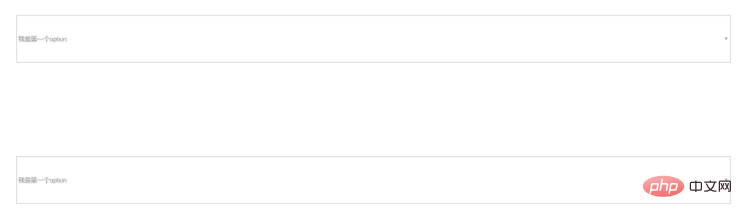
说明:
这样通过attr()方法直接在select标签上添加disabled="disabled"属性来禁用select,让select标签不能展开,也就不可选中了。




