
免费学习推荐:python视频教程
先上效果,视频敬上:
字符舞:
代码舞
立即学习“Python免费学习笔记(深入)”;
源代码:
video_2_code_video.py
import argparseimport osimport cv2import subprocessfrom cv2 import VideoWriter_fourccfrom PIL import Image, ImageFont, ImageDraw# 命令行输入参数处理# aparser = argparse.ArgumentParser()# aparser.add_argument('file')# aparser.add_argument('-o','--output')# aparser.add_argument('-f','--fps',type = float, default = 24)#帧# aparser.add_argument('-s','--save',type = bool, nargs='?', default = False, const = True)# 是否保留Cache文件,默认不保存class Video2CodeVideo:
    def __init__(self):
        self.config_dict = {
            # 原视频文件
            "input_file": "video/test.mp4",
            # 中间文件存放目录
            "cache_dir": "cache",
            # 是否保留过程文件。True--保留,False--不保留
            "save_cache_flag": False,
            # 使用使用的字符集
            "ascii_char_list": list("01B%8&WM#*oahkbdpqwmZO0QLCJUYXzcvunxrjft/\|()1{}[]?-_+~<>i!lI;:oa+>!:+. "),
        }

    # 第一步从函数,将像素转换为字符
    # 调用栈:video_2_txt_jpg -> txt_2_image -> rgb_2_char
    def rgb_2_char(self, r, g, b, alpha=256):
        if alpha == 0:
            return ''
        length = len(self.config_dict["ascii_char_list"])
        gray = int(0.2126 * r + 0.7152 * g + 0.0722 * b)
        unit = (256.0 + 1) / length        return self.config_dict["ascii_char_list"][int(gray / unit)]

    # 第一步从函数,将txt转换为图片
    # 调用栈:video_2_txt_jpg -> txt_2_image -> rgb_2_char
    def txt_2_image(self, file_name):
        im = Image.open(file_name).convert('RGB')
        # gif拆分后的图像,需要转换,否则报错,由于gif分割后保存的是索引颜色
        raw_width = im.width
        raw_height = im.height
        width = int(raw_width / 6)
        height = int(raw_height / 15)
        im = im.resize((width, height), Image.NEAREST)

        txt = ""
        colors = []
        for i in range(height):
            for j in range(width):
                pixel = im.getpixel((j, i))
                colors.append((pixel[0], pixel[1], pixel[2]))
                if (len(pixel) == 4):
                    txt += self.rgb_2_char(pixel[0], pixel[1], pixel[2], pixel[3])
                else:
                    txt += self.rgb_2_char(pixel[0], pixel[1], pixel[2])
            txt += '\n'
            colors.append((255, 255, 255))

        im_txt = Image.new("RGB", (raw_width, raw_height), (255, 255, 255))
        dr = ImageDraw.Draw(im_txt)
        # font = ImageFont.truetype(os.path.join("fonts","汉仪楷体简.ttf"),18)
        font = ImageFont.load_default().font
        x = y = 0
        # 获取字体的宽高
        font_w, font_h = font.getsize(txt[1])
        font_h *= 1.37  # 调整后更佳
        # ImageDraw为每个ascii码进行上色
        for i in range(len(txt)):
            if (txt[i] == '\n'):
                x += font_h
                y = -font_w            # self, xy, text, fill = None, font = None, anchor = None,
            # *args, ** kwargs
            dr.text((y, x), txt[i], fill=colors[i])
            # dr.text((y, x), txt[i], font=font, fill=colors[i])
            y += font_w

        name = file_name        # print(name + ' changed')
        im_txt.save(name)


    # 第一步,将原视频转成字符图片
    # 调用栈:video_2_txt_jpg -> txt_2_image -> rgb_2_char
    def video_2_txt_jpg(self, file_name):
        vc = cv2.VideoCapture(file_name)
        c = 1
        if vc.isOpened():
            r, frame = vc.read()
            if not os.path.exists(self.config_dict["cache_dir"]):
                os.mkdir(self.config_dict["cache_dir"])
            os.chdir(self.config_dict["cache_dir"])
        else:
            r = False
        while r:
            cv2.imwrite(str(c) + '.jpg', frame)
            self.txt_2_image(str(c) + '.jpg')  # 同时转换为ascii图
            r, frame = vc.read()
            c += 1
        os.chdir('..')
        return vc    # 第二步,将字符图片合成新视频
    def txt_jpg_2_video(self, outfile_name, fps):
        fourcc = VideoWriter_fourcc(*"MJPG")

        images = os.listdir(self.config_dict["cache_dir"])
        im = Image.open(self.config_dict["cache_dir"] + '/' + images[0])
        vw = cv2.VideoWriter(outfile_name + '.avi', fourcc, fps, im.size)

        os.chdir(self.config_dict["cache_dir"])
        for image in range(len(images)):
            # Image.open(str(image)+'.jpg').convert("RGB").save(str(image)+'.jpg')
            frame = cv2.imread(str(image + 1) + '.jpg')
            vw.write(frame)
            # print(str(image + 1) + '.jpg' + ' finished')
        os.chdir('..')
        vw.release()

    # 第三步,从原视频中提取出背景音乐
    def video_extract_mp3(self, file_name):
        outfile_name = file_name.split('.')[0] + '.mp3'
        subprocess.call('ffmpeg -i ' + file_name + ' -f mp3 -y ' + outfile_name, shell=True)

    # 第四步,将背景音乐添加到新视频中
    def video_add_mp3(self, file_name, mp3_file):
        outfile_name = file_name.split('.')[0] + '-txt.mp4'
        subprocess.call('ffmpeg -i ' + file_name + ' -i ' + mp3_file + ' -strict -2 -f mp4 -y ' + outfile_name, shell=True)

    # 第五步,如果没配置保留则清除过程文件
    def clean_cache_while_need(self):
        # 为了清晰+代码比较短,直接写成内部函数
        def remove_cache_dir(path):
            if os.path.exists(path):
                if os.path.isdir(path):
                    dirs = os.listdir(path)
                    for d in dirs:
                        if os.path.isdir(path + '/' + d):
                            remove_cache_dir(path + '/' + d)
                        elif os.path.isfile(path + '/' + d):
                            os.remove(path + '/' + d)
                    os.rmdir(path)
                    return
                elif os.path.isfile(path):
                    os.remove(path)
                return
        # 为了清晰+代码比较短,直接写成内部函数
        def delete_middle_media_file():
            os.remove(self.config_dict["input_file"].split('.')[0] + '.mp3')
            os.remove(self.config_dict["input_file"].split('.')[0] + '.avi')
        # 如果没配置保留则清除过程文件
        if not self.config_dict["save_cache_flag"]:
            remove_cache_dir(self.config_dict["cache_dir"])
            delete_middle_media_file()

    # 程序主要逻辑
    def main_logic(self):
        # 第一步,将原视频转成字符图片
        vc = self.video_2_txt_jpg(self.config_dict["input_file"])
        # 获取原视频帧率
        fps = vc.get(cv2.CAP_PROP_FPS)
        # print(fps)
        vc.release()
        # 第二步,将字符图片合成新视频
        self.txt_jpg_2_video(self.config_dict["input_file"].split('.')[0], fps)
        print(self.config_dict["input_file"], self.config_dict["input_file"].split('.')[0] + '.mp3')
        # 第三步,从原视频中提取出背景音乐
        self.video_extract_mp3(self.config_dict["input_file"])
        # 第四步,将背景音乐添加到新视频中
        self.video_add_mp3(self.config_dict["input_file"].split('.')[0] + '.avi', self.config_dict["input_file"].split('.')[0] + '.mp3')
        # 第五步,如果没配置保留则清除过程文件
        self.clean_cache_while_need()if __name__ == '__main__':
    obj = Video2CodeVideo()
    obj.main_logic()
运行环境:

操作系统:win10
版本:Python 3.8.4
依赖库:pip install opencv-python pillow
管理员权限安装,我的已安装过,显示这样:
依赖应用: ffpmeg(下载直接解压、将bin目录加到PATH环境变量)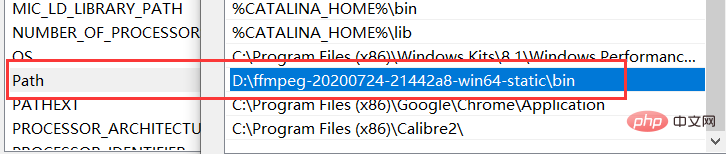
小白式运行(大佬请装瞎):
将上面的源代码命名video_2_code_video.py,在同一目录下新建文件夹video: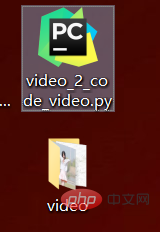
在video中放入要转换的原视频,命名test.mp4: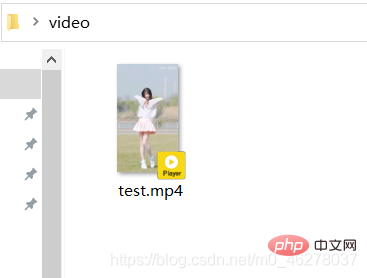
打开Python3.8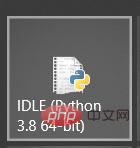
运行video_2_code_video.py,如下图显示表示正在运行: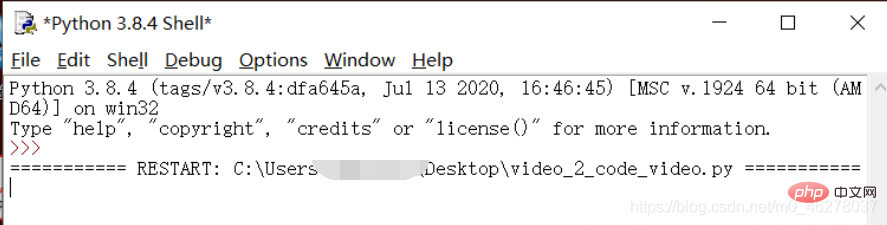
会产生一些中间文件诸如: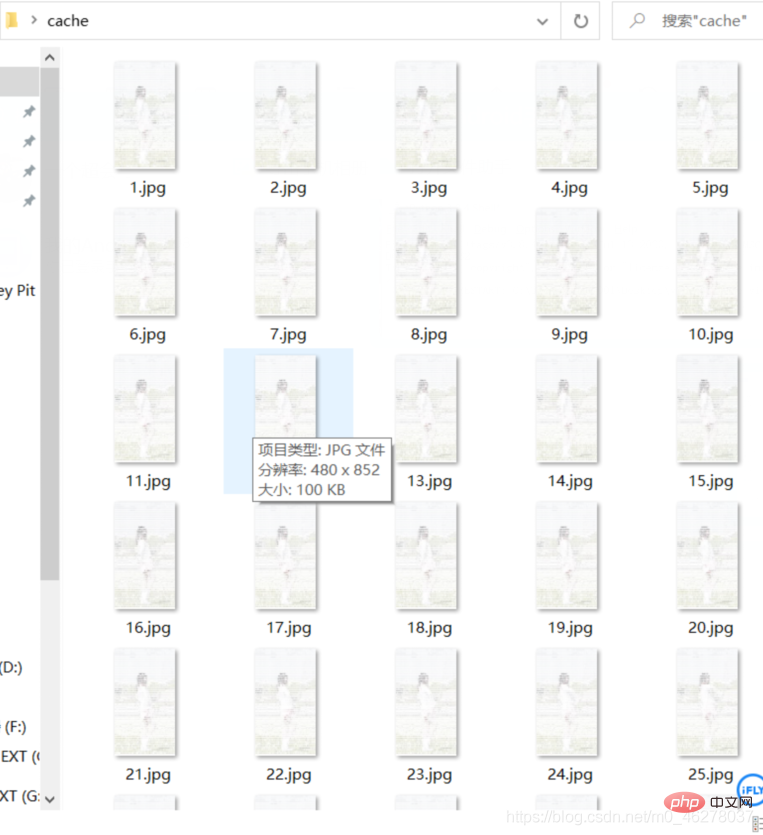
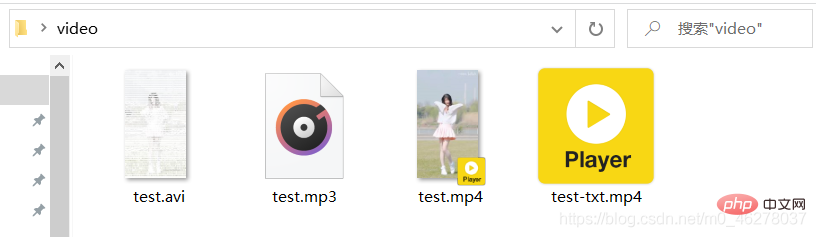
经过漫长的等待,终于得偿所愿: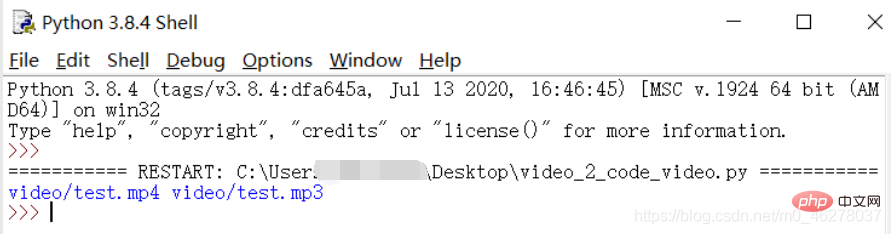
test-txt.mp4就是所要的代码舞啦: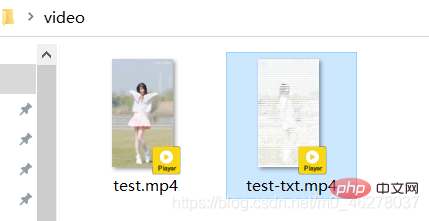
大量免费学习推荐,敬请访问python教程(视频)