



本篇文章给大家介绍一下angular路由中的路由守卫。有一定的参考价值,有需要的朋友可以参考一下,希望对大家有所帮助。

相关推荐:《angular教程》
一、路由守卫
当用户满足一定条件才被允许进入或者离开一个路由。
路由守卫场景:
只有当用户登录并拥有某些权限的时候才能进入某些路由。
一个由多个表单组成的向导,例如注册流程,用户只有在当前路由的组件中填写了满足要求的信息才可以导航到下一个路由。
当用户未执行保存操作而试图离开当前导航时提醒用户。
Angular提供了一些钩子帮助控制进入或离开路由。这些钩子就是路由守卫,可以通过这些钩子实现上面场景。
- CanActivate: 处理导航到某路由的情况。
- CanDeactivate: 处理从当前路由离开的情况。
- Resolve: 在路由激活之前获取路由数据。
配置路由时候用到一些属性,path, component, outlet, children, 路由守卫也是路由属性。
二、CanActivate
实例:只让登录用户进入产品信息路由。
新建guard目录。目录下新建login.guard.ts。
LoginGuard类实现CanActivate接口,返回true或false,Angular根据返回值判断请求通过或不通过。
import { CanActivate } from "@angular/router";

export class LoginGuard implements CanActivate{
    canActivate(){
        let loggedIn :boolean= Math.random()<0.5;
        if(!loggedIn){
            console.log("用户未登录");
        }
        return loggedIn;
    }
}
配置product路由。先把LoginGuard加入providers,在指定路由守卫。
canActivate可以指定多个守卫,值是一个数组。
const routes: Routes = [
  { path: '', redirectTo : 'home',pathMatch:'full' },
  { path: 'chat', component: ChatComponent, outlet: "aux"},//辅助路由
  { path: 'home', component: HomeComponent },
  { path: 'product/:id', component: ProductComponent, children:[
    { path: '', component : ProductDescComponent },
    { path: 'seller/:id', component : SellerInfoComponent }
  ] ,canActivate: [LoginGuard]},
  { path: '**', component: Code404Component }
];
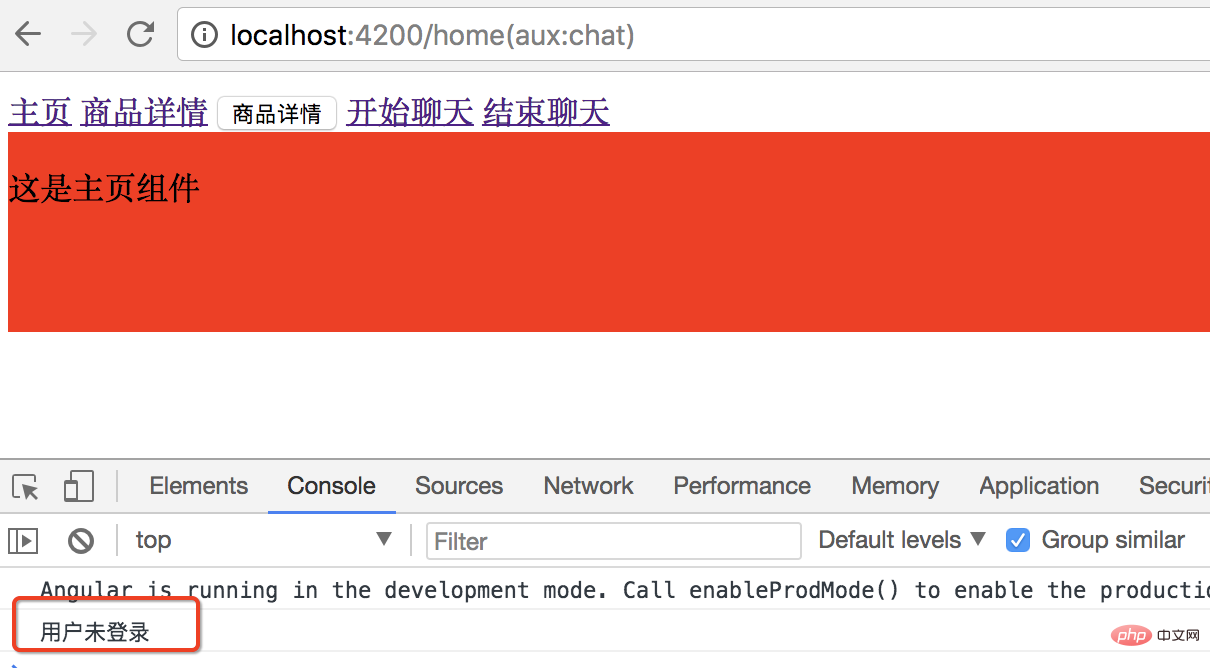
效果:点商品详情链接控制台会提醒用户未登录,不能进入商品详情路由。
三、CanDeactivate
离开时候的路由守卫。提醒用户执行保存操作后才能离开。
在guard目录下新建一个unsave.guard.ts的文件。
CanDeactivate接口有一个范型,指定当前组件的类型。
CanDeactivate方法第一个参数就是接口指定的范型类型的组件,根据这个要保护的组件的状态,或者调用方法来决定用户是否能够离开。

import { CanDeactivate } from "@angular/router";
import { ProductComponent } from "../product/product.component";

export class UnsaveGuard implements CanDeactivate{
    //第一个参数 范型类型的组件
    //根据当前要保护组件 的状态 判断当前用户是否能够离开
    canDeactivate(component: ProductComponent){
        return window.confirm('你还没有保存,确定要离开吗?');
    }
}
配置路由,同样先加到provider,再配置路由。
import { NgModule } from '@angular/core';
import { Routes, RouterModule } from '@angular/router';
import { HomeComponent } from './home/home.component';
import { ProductComponent } from './product/product.component';
import { Code404Component } from './code404/code404.component';
import { ProductDescComponent } from './product-desc/product-desc.component';
import { SellerInfoComponent } from './seller-info/seller-info.component';
import { ChatComponent } from './chat/chat.component';
import { LoginGuard } from './guard/login.guard';
import { UnsaveGuard } from './guard/unsave.guard';

const routes: Routes = [
  { path: '', redirectTo : 'home',pathMatch:'full' },
  { path: 'chat', component: ChatComponent, outlet: "aux"},//辅助路由
  { path: 'home', component: HomeComponent },
  { path: 'product/:id', component: ProductComponent, children:[
    { path: '', component : ProductDescComponent },
    { path: 'seller/:id', component : SellerInfoComponent }
  ] ,canActivate: [LoginGuard],
     canDeactivate: [UnsaveGuard]},
  { path: '**', component: Code404Component }
];

@NgModule({
  imports: [RouterModule.forRoot(routes)],
  exports: [RouterModule],
  providers: [LoginGuard,UnsaveGuard]
})
export class AppRoutingModule { }
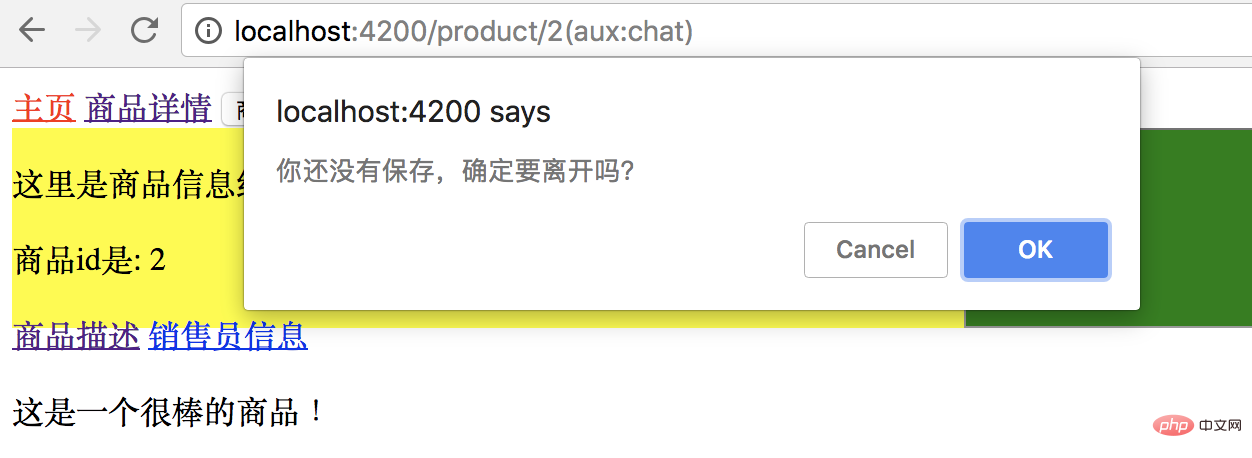
效果:
点ok离开当前页面,cancel留在当前页面。
四、Resolve守卫
http请求数据返回有延迟,导致模版无法立刻显示。
数据返回之前模版上所有需要用插值表达式显示某个controller的值的地方都是空的。用户体验不好。
resolve解决办法:在进入路由之前去服务器读数据,把需要的数据都读好以后,带着这些数据进到路由里,立刻就把数据显示出来。
实例:
在进入商品信息路由之前,准备好商品信息再进入路由。 拿不到信息,或者拿信息出问题了,直接跳到错误信息页面,或者弹出提示,就不再进入目标路由。
先在product.component.ts中声明商品信息类型。
export class Product{
  constructor(public id:number, public name:string){
  }
}
在guard目录下新建product.resolve.ts。ProductResolve类实现了Resolve接口。
Resolve也要声明一个范型,范型就是resolve要解析出来的数据的类型。
import { Resolve, ActivatedRouteSnapshot, RouterStateSnapshot, Router } from "@angular/router";

import { Injectable } from "@angular/core";
import { Observable } from "rxjs/Observable";
import { Product } from "../product/product.component";

@Injectable()
export class ProductResolve implements Resolve{

    constructor(private router: Router) {
    }

    resolve(route: ActivatedRouteSnapshot, state: RouterStateSnapshot): Observable | Promise | any {
        let productId: number = route.params["id"];
        if (productId == 2) { //正确id
            return new Product(1, "iPhone7");
        } else { //id不是1导航回首页
            this.router.navigate(["/home"]);
            return undefined;
        }
    }
}
路由配置:Provider里声明,product路由里配置。
resolve是一个对象,对象里参数的名字就是想传入的参数的名字product,用ProductResolve来解析生成。
import { NgModule } from '@angular/core';
import { Routes, RouterModule } from '@angular/router';
import { HomeComponent } from './home/home.component';
import { ProductComponent } from './product/product.component';
import { Code404Component } from './code404/code404.component';
import { ProductDescComponent } from './product-desc/product-desc.component';
import { SellerInfoComponent } from './seller-info/seller-info.component';
import { ChatComponent } from './chat/chat.component';
import { LoginGuard } from './guard/login.guard';
import { UnsaveGuard } from './guard/unsave.guard';
import { ProductResolve } from './guard/product.resolve';

const routes: Routes = [
  { path: '', redirectTo : 'home',pathMatch:'full' },
  { path: 'chat', component: ChatComponent, outlet: "aux"},//辅助路由
  { path: 'home', component: HomeComponent },
  { path: 'product/:id', component: ProductComponent, children:[
    { path: '', component : ProductDescComponent },
    { path: 'seller/:id', component : SellerInfoComponent }
  ] ,
    //  canActivate: [LoginGuard],
    //  canDeactivate: [UnsaveGuard],
    resolve:{ //resolve是一个对象
      product : ProductResolve   //想传入product,product由ProductResolve生成
    }},
  { path: '**', component: Code404Component }
];

@NgModule({
  imports: [RouterModule.forRoot(routes)],
  exports: [RouterModule],
  providers: [LoginGuard,UnsaveGuard,ProductResolve]
})
export class AppRoutingModule { }
修改一下product.component.ts 和模版,显示商品id和name。
import { Component, OnInit } from '@angular/core';
import { ActivatedRoute, Params } from '@angular/router';

@Component({
  selector: 'app-product',
  templateUrl: './product.component.html',
  styleUrls: ['./product.component.css']
})
export class ProductComponent implements OnInit {

  private productId: number;
  private productName: string;
  constructor(private routeInfo: ActivatedRoute) { }

  ngOnInit() {
    // this.routeInfo.params.subscribe((params: Params)=> this.productId=params["id"]);
    this.routeInfo.data.subscribe(
      (data:{product:Product})=>{
        this.productId=data.product.id;
        this.productName=data.product.name;
      }
    );
  }

}

export class Product{
  constructor(public id:number, public name:string){
  }
}效果:
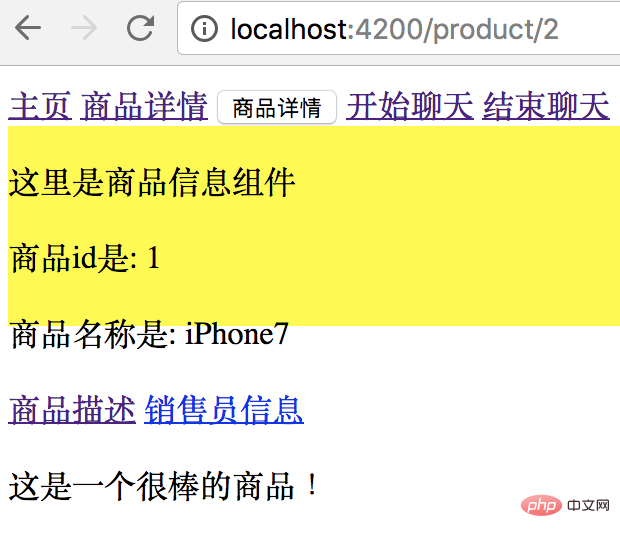
点商品详情链接,传入商品ID为2,在resolve守卫中是正确id,会返回一条商品数据。
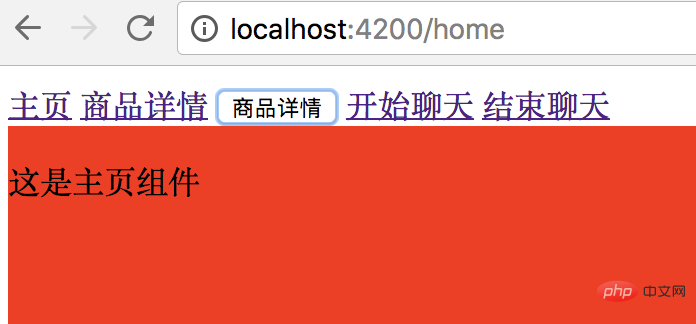
点商品详情按钮,传入商品ID是3,是错误id,会直接跳转到主页。
本文转载自:http://www.cnblogs.com/starof/p/9012193.html
更多编程相关知识,请访问:编程视频!!




