



css设置背景不动的方法:首先创建一个html示例文件;然后输入head标签和css样式标签代码;接着在style标签之间,输入定义网页背景图片的代码;最后设置“background-repeat:no-repeat”属性即可。

本文操作环境:windows7系统、HTML5&&CSS3版、Dell G3电脑。
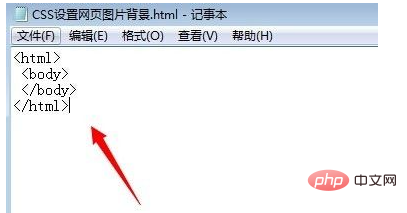
首先我们打开系统记事本程序,输入网页基本代码
<html>
 <body>
 </body>
</html>
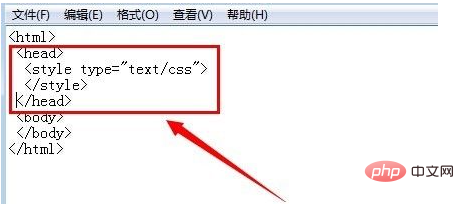
然后输入head标签和css样式标签代码
立即学习“前端免费学习笔记(深入)”;
<head>
  <style type="text/css">
  </style>
</head>
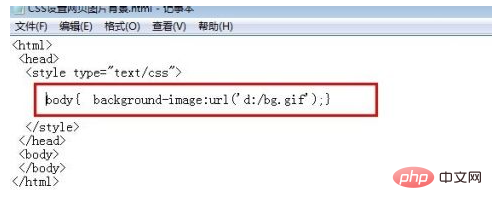
点击style标签之间,输入定义网页背景图片的代码
body
{
  background-image:url('d:/bg.gif');
}
然后在正文body标签下输入一些主体标签和内容
<body>
<p>图像不会随页面滚动。</p><div class="aritcle_card flexRow">
                                                        <div class="artcardd flexRow">
                                                                <a class="aritcle_card_img" href="/ai/868" title="Decktopus AI"><img
                                                                                src="https://img.php.cn/upload/ai_manual/000/000/000/175679992462994.png" alt="Decktopus AI"  onerror="this.onerror='';this.src='/static/lhimages/moren/morentu.png'" ></a>
                                                                <div class="aritcle_card_info flexColumn">
                                                                        <a href="/ai/868" title="Decktopus AI">Decktopus AI</a>
                                                                        <p>AI在线生成高质量演示文稿</p>
                                                                </div>
                                                                <a href="/ai/868" title="Decktopus AI" class="aritcle_card_btn flexRow flexcenter"><b></b><span>下载</span> </a>
                                                        </div>
                                                </div>
<p>图像不会随页面滚动。</p>
<p>图像不会随页面滚动。</p>
<p>图像不会随页面滚动。</p>
<p>图像不会随页面滚动。</p>
<p>图像不会随页面滚动。</p>
<p>图像不会随页面滚动。</p>
<p>图像不会随页面滚动。</p>
<p>图像不会随页面滚动。</p>
<p>图像不会随页面滚动。</p>
<p>图像不会随页面滚动。</p>
<p>图像不会随页面滚动。</p>
<p>图像不会随页面滚动。</p>
<p>图像不会随页面滚动。</p>
<p>图像不会随页面滚动。</p>
<p>图像不会随页面滚动。</p>
<p>图像不会随页面滚动。</p>
<p>图像不会随页面滚动。</p>
<p>图像不会随页面滚动。</p>
<p>图像不会随页面滚动。</p>
<p>图像不会随页面滚动。</p>
<p>图像不会随页面滚动。</p>
<p>图像不会随页面滚动。</p>
<p>图像不会随页面滚动。</p>
</body>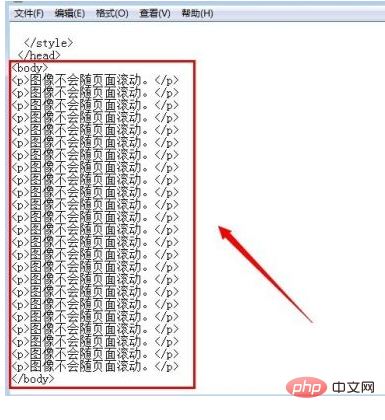
点击文件,另存为命令,将内容保存为html格式后,打开网页预览下。
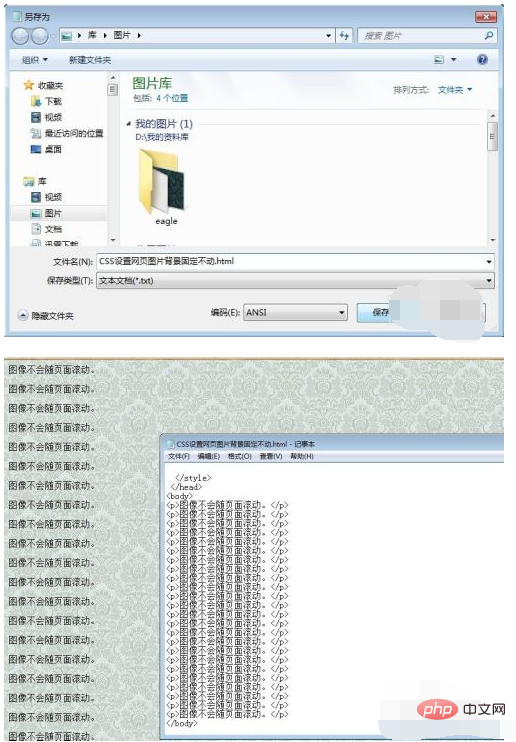
大家发现现在这种状态,我们滚动鼠标滚轮时候,网页内容和背景图片是同时滚动的,为便于查看,我们修改下代码,让图片不重复显示。
<style type="text/css">
body
{
background-image:url(d:/bg.gif);
background-repeat:no-repeat;
}
</style>
然后再预览效果。
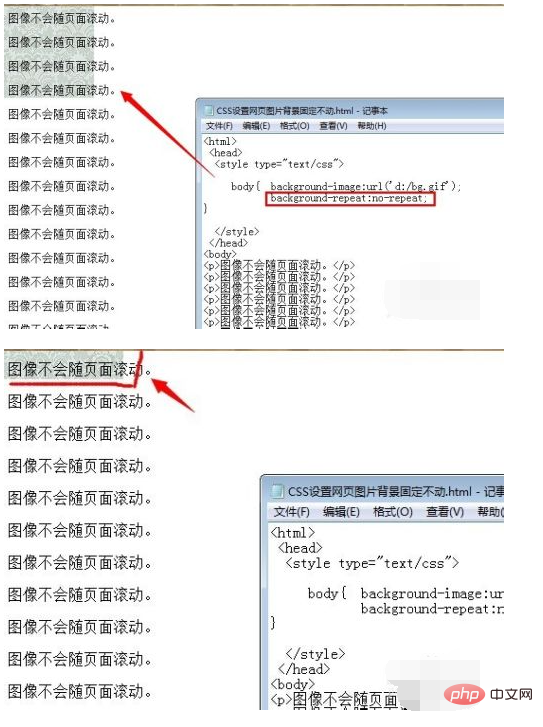
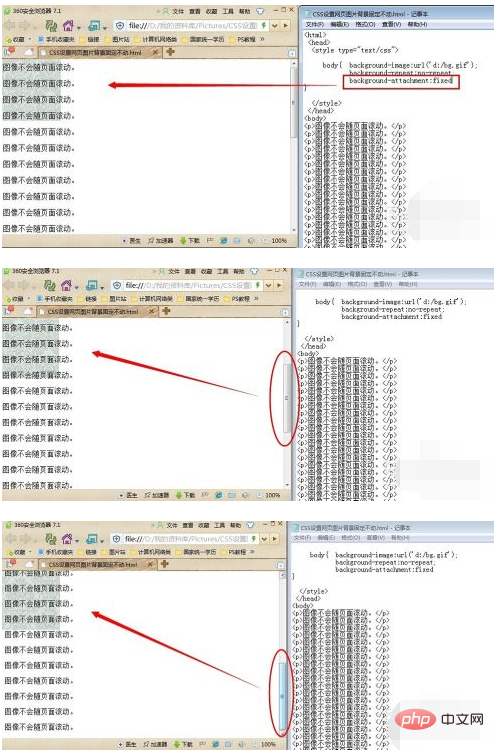
这样可以很明显的看出来背景图片的变化,为了固定背景图片,我们修改代码为
<style type="text/css">
body
{
background-image:url(d:/bg.gif);
background-repeat:no-repeat;
background-attachment:fixed
}
</style>
再来看下效果。
【推荐学习:css视频教程】




