



在jquery中,height()方法用于设置或返回被选元素的高度,可返回第一个匹配元素的高度,语法“$(selector).height()”;但可设置所有匹配元素的高度,语法“$(selector).height(value)”。

本教程操作环境:windows7系统、jquery1.10.2版本、Dell G3电脑。
height() 方法设置或返回被选元素的高度。
当该方法用于返回高度时, 则返回第一个匹配元素的高度。语法格式:
$(selector).height()
当该方法用于设置高度时,则设置所有匹配元素的高度。简单语法格式:
$(selector).height(value)
还可通过调用回调函数来设置高度
$(selector).height(function(index,currentheight))
index - 返回集合中元素的 index 位置。
currentheight - 返回被选元素的当前高度。

示例:
1、获取高度
<!DOCTYPE html>
<html>
	<head>
		<meta charset="utf-8">
		<script src="js/jquery-1.10.2.min.js">
		</script>
		<script>
			$(document).ready(function() {
				$("button").click(function() {
					alert("div的高度: " + $("div").height());
				});
			});
		</script>
	</head>
	<body>

		<div style="height:100px;width:300px;padding:10px;margin:3px;border:1px solid blue;background-color:lightblue;"></div><br>
		<button>显示div的高度</button>

	</body>
</html>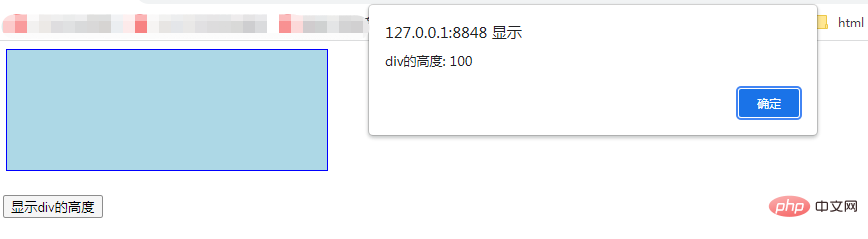
2、设置高度
<!DOCTYPE html>
<html>
	<head>
		<meta charset="utf-8">
		<script src="js/jquery-1.10.2.min.js">
		</script>
		<script>
			$(document).ready(function() {
				$("#btn1").click(function() {
					$("div").height(500);
				});
				$("#btn2").click(function() {
					$("div").height("10em");
				});
				$("#btn3").click(function() {
					$("div").height("200pt");
				});
			});
		</script>
	</head>
	<body>

		<button id="btn1">设置div高度为500px</button>
		<button id="btn2">设置div高度为10em</button>
		<button id="btn3">设置div高度为200pt</button>
		<p><b>注意:</b> 对于em, pt, etc要使用""</p>
		<div style="height:100px;border:1px solid blue;background-color:lightblue;"></div><br>

	</body>
</html>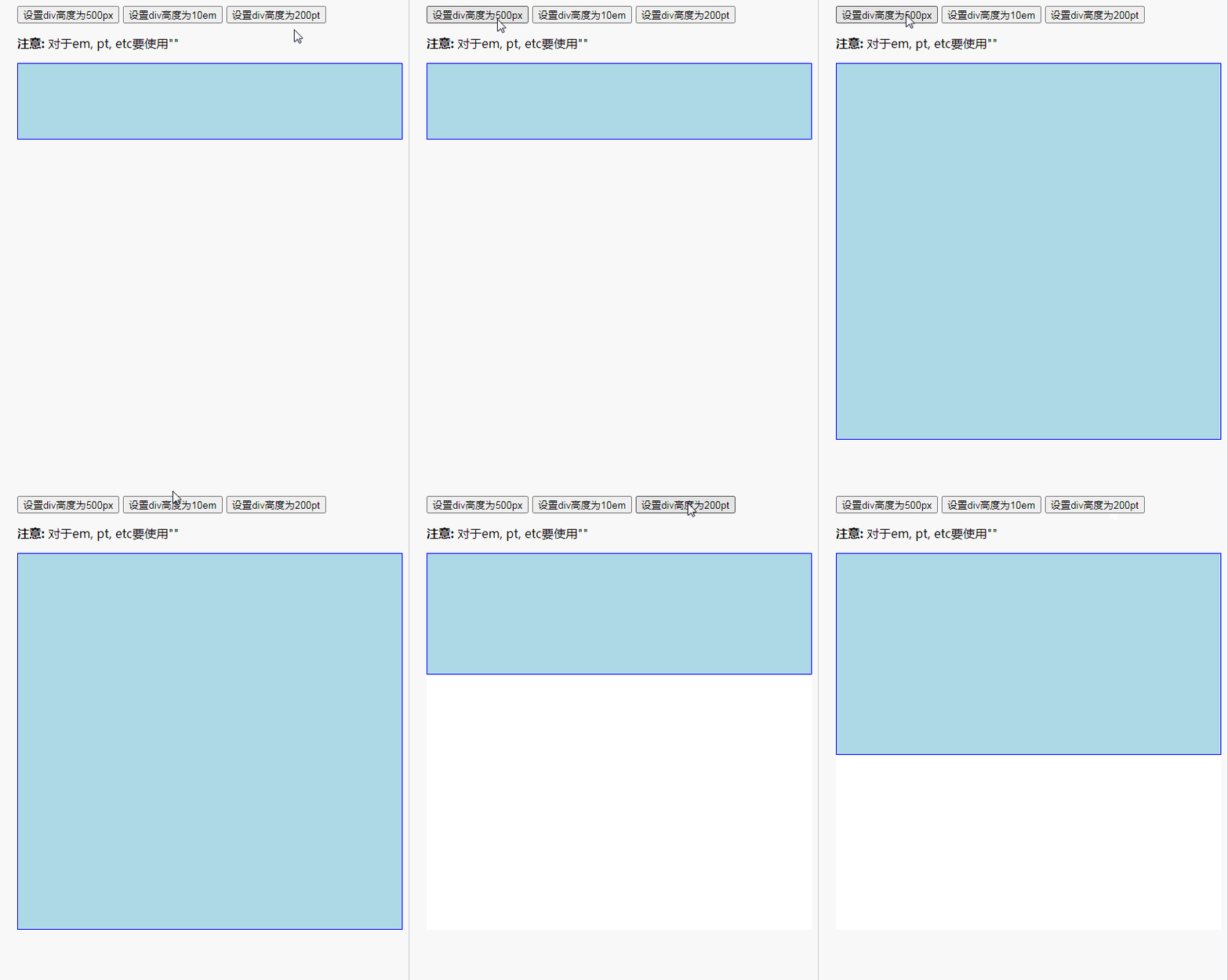
相关视频教程推荐:jQuery教程(视频)




