macOS系统PHP7增加Xdebug
apple在发布macos high sierra后,系统也终于自带了php v7.1,相比于之前,如果想使用php7,还得额外想办法( homebrew 或者 php-osx )而言着实方便了不少。
但是,系统自带的PHP只有基础的配置,如果想做PHP开发,Xdebug还是必须的,以下就总结一下如何在macOS High Sierra中为系统自带的PHP增加Xdebug模块。【推荐:PHP7教程】
基础环境( macOS 及 PHP 信息)
- macOS High Sierra: v10.13.3
- PHP: v7.1.7
安装Xdebug
Xdebug官网安装文档中有MAC推荐的方式,鉴于系统自带的是PHP是v7.1.7,所以在选择的时候,需要选择php71-xdebug这个安装包。
立即学习“PHP免费学习笔记(深入)”;
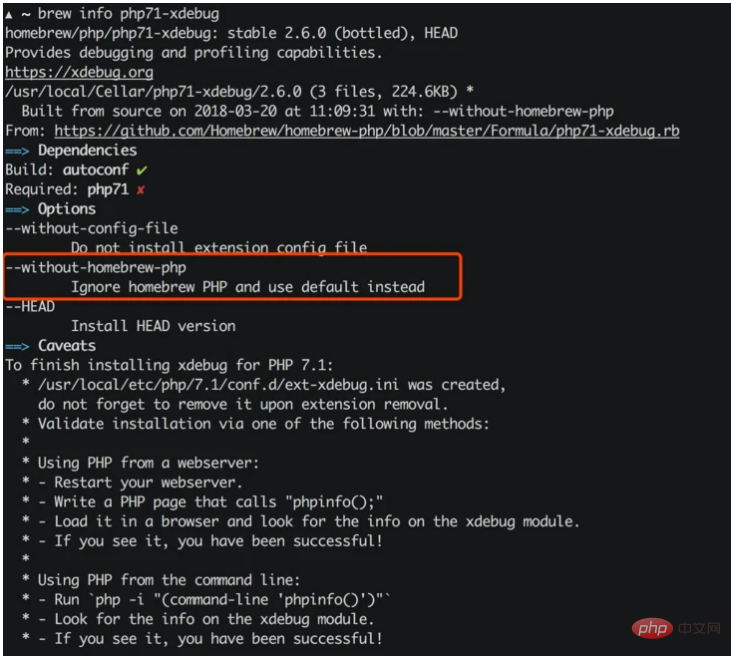
另外由于brew中的php71-xdebug依赖于php71的,所以建议加上--without-homebrew-php这个参数,这样的话brew就会忽略安装php71。
brew install php71-xdebug --without-homebrew-php
不过这个时候,或许你会碰到下面这样的报错:
phpize
grep: /usr/include/php/main/php.h: No such file or directory
grep: /usr/include/php/Zend/zend_modules.h: No such file or directory
grep: /usr/include/php/Zend/zend_extensions.h: No such file or directory
Configuring for:
PHP Api Version:
Zend Module Api No:
Zend Extension Api No:
提示缺失依赖,从而导致phpize无法正常工作,phpize是用来准备 PHP 扩展库的编译环境的,理论上系统自带的PHP应该是有phpize的,但是没有在/usr/include/php/*里面找到它需要的模块,并且检索/usr/include时发现这个目录根本不存在。
Google了一圈,解决问题,就需要在/usr/include中补全相关的内容,在OSX v10.10以前系统,需要手动做软链来解决:
sudo ln -s /Applications/Xcode.app/Contents/Developer/Platforms/MacOSX.platform/Developer/SDKs/MacOSX.sdk/usr/include /usr/include
但是v10.11以后的系统重写了安全策略,所以会遇到权限问题(sudo也不行):
ln: /usr/include: Operation not permitted
不过好在Apple为开发人员准备了Xcode,这是一个很强大的工具,但是体积也很大(下载安装有点慢),而一般我们只需要它提供的Command Line Tools就够了,上面的问题,其实只要安装Command Line Tools就可以解决:
xcode-select --install
接下来,跟着提示做,安装、同意协议...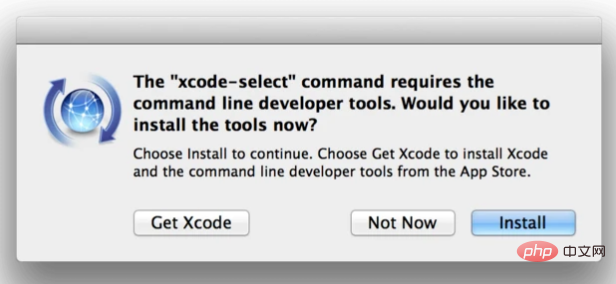
等待安装结束以后,再用 brew 来安装 php71-xdebug:

一套面向小企业用户的企业网站程序!功能简单,操作简单。实现了小企业网站的很多实用的功能,如文章新闻模块、图片展示、产品列表以及小型的下载功能,还同时增加了邮件订阅等相应模块。公告,友情链接等这些通用功能本程序也同样都集成了!同时本程序引入了模块功能,只要在系统默认模板上创建模块,可以在任何一个语言环境(或任意风格)的适当位置进行使用!
brew install php71-xdebug --without-homebrew-php
一切结束以后,brew会给出提示:
To finish installing xdebug for PHP 7.1:
  * /usr/local/etc/php/7.1/conf.d/ext-xdebug.ini was created,
    do not forget to remove it upon extension removal.
  * Validate installation via one of the following methods:
  *
  * Using PHP from a webserver:
  * - Restart your webserver.
  * - Write a PHP page that calls "phpinfo();"
  * - Load it in a browser and look for the info on the xdebug module.
  * - If you see it, you have been successful!
  *
  * Using PHP from the command line:
  * - Run `php -i "(command-line 'phpinfo()')"`
  * - Look for the info on the xdebug module.
  * - If you see it, you have been successful!
开启PHP的Xdebug
经过上面步骤,系统里面是有Xdebug了,但是在php.ini配置文件中不一定有,因此需要手动添加Xdebug的配置项:
[xdebug]
zend_extension="/usr/local/opt/php71-xdebug/xdebug.so"
xdebug.remote_enable = 1
xdebug.remote_autostart = 1
xdebug.remote_connect_back = 1
xdebug.remote_port = 9000
xdebug.scream = 0
xdebug.show_local_vars = 1
然后就是重启php-fpm:
# 关闭php-fpm
sudo killall php-fpm

# 启动php-fpm
sudo php-fpm
运行php -i "(command-line 'phpinfo()')" | grep xdebug后,你就可以看到关于Xdebug的配置内容了:
xdebug
...
xdebug.remote_autostart => On => On
xdebug.remote_connect_back => On => On
xdebug.remote_cookie_expire_time => 3600 => 3600
xdebug.remote_enable => On => On
xdebug.remote_handler => dbgp => dbgp
xdebug.remote_host => localhost => localhost
xdebug.remote_log => no value => no value
xdebug.remote_mode => req => req
xdebug.remote_port => 9000 => 9000
xdebug.remote_timeout => 200 => 200
xdebug.scream => Off => Off
...
Visual Studio Code - PHP Debug
VSCode是目前最流行的开发工具之一,虽然轻量,但是对标各类IDE毫不逊色,微软良心之作,通过安装不同的插件可以扩展它的能力,其中有一款 PHP Debug 的插件,可以作为Xdebug的桥梁,方便直接通过Xdebug调试PHP,官方的描述十分贴切:
PHP Debug Adapter for Visual Studio Code
官网的指导也写的相当不错:
Install XDebug
I highly recommend you make a simpletest.phpfile, put aphpinfo();statement in there, then copy the output and paste it into the XDebug installation wizard. It will analyze it and give you tailored installation instructions for your environment.
In short:
- On Windows: Download the appropiate precompiled DLL for your PHP version, architecture (64/32 Bit), thread safety (TS/NTS) and Visual Studio compiler version and place it in your PHP extension folder.
- On Linux: Either download the source code as a tarball or clone it with git, then compile it.
- Configure PHP to use XDebug by adding
zend_extension=path/to/xdebugto your php.ini.
The path of your php.ini is shown in yourphpinfo()output under "Loaded Configuration File".Enable remote debugging in your php.ini:
[XDebug]
xdebug.remote_enable = 1
xdebug.remote_autostart = 1
There are other ways to tell XDebug to connect to a remote debugger than
remote_autostart, like cookies, query parameters or browser extensions. I recommendremote_autostartbecause it "just works". There are also a variety of other options, like the port (by default 9000), please see the XDebug documentation on remote debugging for more information.- If you are doing web development, don't forget to restart your webserver to reload the settings
- Verify your installation by checking your
phpinfo()output for an XDebug section.
这里需要注意的是它推荐开启Xdebug配置项中的remote_autostart这一项。
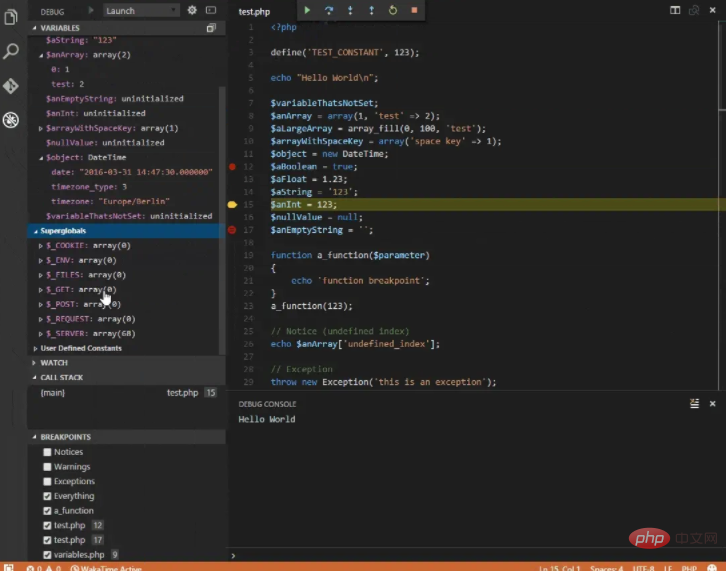
好了,经过上面的操作,你应该可以跟Demo里面一样在VSCode中调试PHP了。