



设置方法:1、用offset()设置元素相对于文档的偏移坐标,语法“元素对象.offset({top:偏移值,left:偏移值})”;2、用scrollTop()设置元素垂直滚动条位置;3、用scrollLeft()设置元素水平滚动条位置。
本教程操作环境:windows7系统、jquery1.10.2版本、Dell G3电脑。
jquery设置元素位置的多种方法
1、使用offset()
offset() 方法可设置被选元素相对于文档的偏移坐标。
$(selector).offset({top:value,left:value})规定以像素为单位的 top 和 left 坐标。
示例:
<!DOCTYPE html>
<html>
	<head>
		<meta charset="utf-8" />
		<script src="js/jquery-1.10.2.min.js"></script>
		<style>
			p {
				width:150px;
				background-color:pink;
				padding: 5px;
			}
		</style>
		<script>
			$(document).ready(function() {
				$("button").click(function() {
					$("p").offset({
						top: 200,
						left: 200
					});
				});
			});
		</script>
	</head>
	<body>

		<p>这是一个段落。</p>
		<button>设置P元素的偏移坐标</button>

	</body>
</html>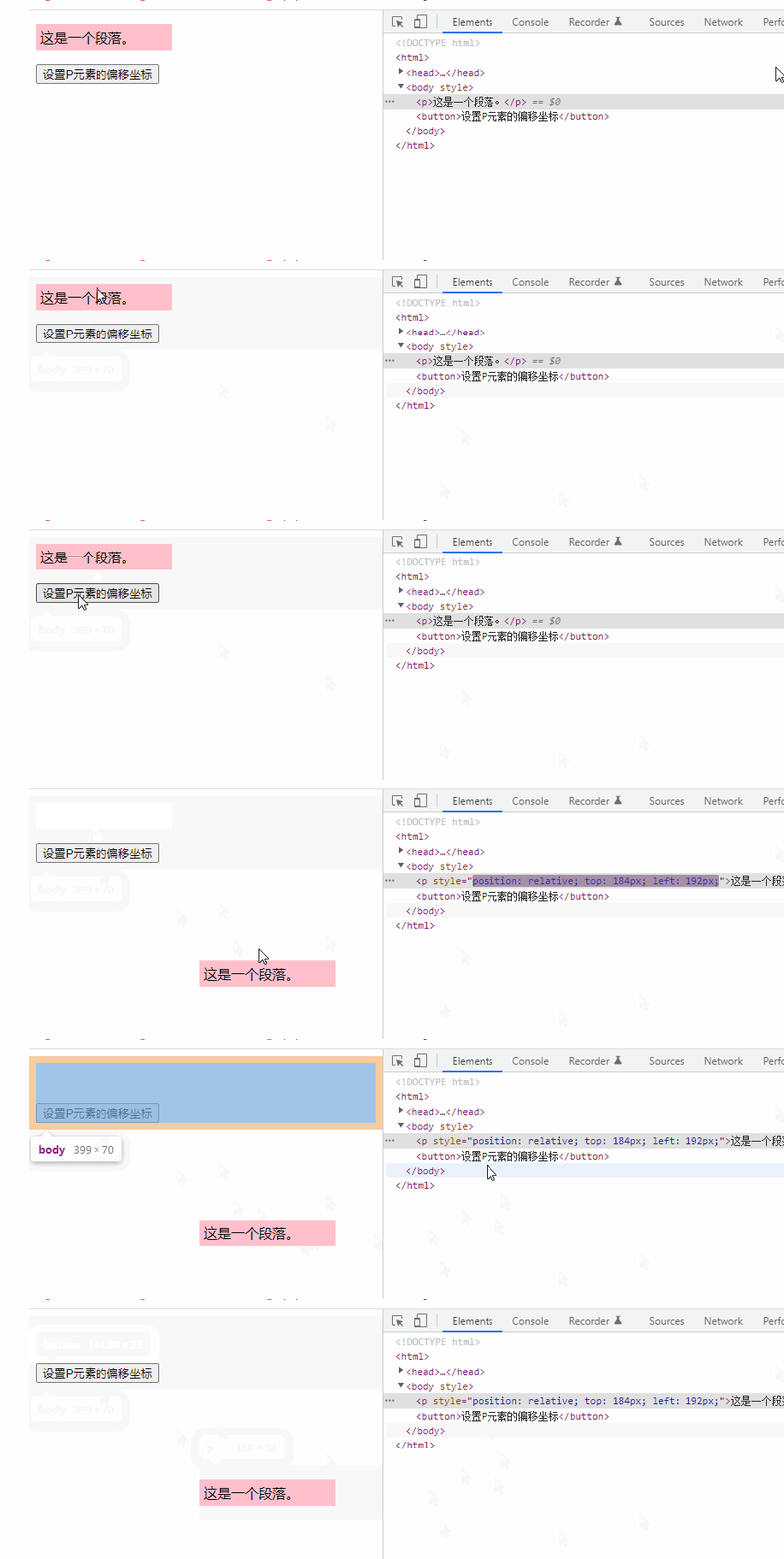
2、使用scrollTop()
scrollTop() 方法可设置被选元素的垂直滚动条位置。
$(selector).scrollTop(position)
提示:当滚动条位于最顶部时,位置是 0。

示例:
<!DOCTYPE html>
<html>

	<head>
		<meta charset="UTF-8">
		<script src="js/jquery-1.10.2.min.js"></script>
		<script>
			$(document).ready(function() {
				$("button").click(function() {
					$("div").scrollTop(100);
				});
			});
		</script>
	</head>
	<body>

		<div style="border:1px solid black;width:100px;height:150px;overflow:auto">
			This is some text. This is some text. This is some text. This is some text. This is some text. This is some text.
			This is some text. This is some text. This is some text.
		</div><br>
		<button>垂直滚动条的位置设置为100px</button>

	</body>
</html>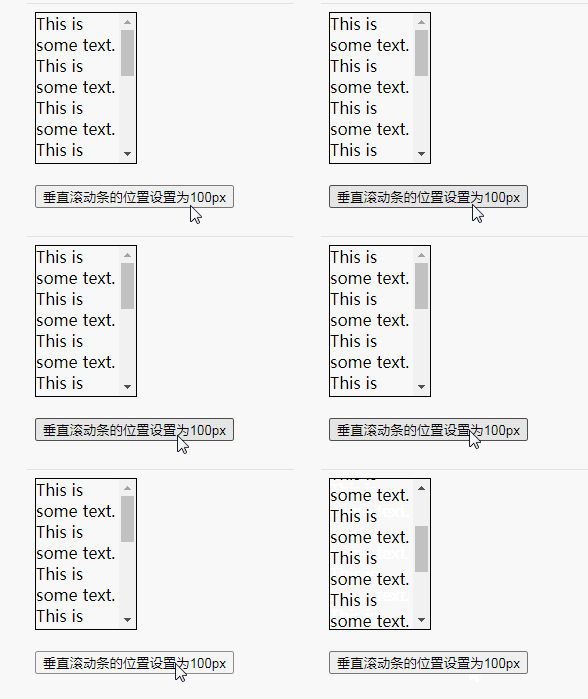
3、使用使用scrollLeft()
scrollLeft() 可以设置匹配元素相对滚动条左侧的偏移,即水平滚动条的位置。
$(selector).scrollLeft(position)
滚动条的水平位置指的是从其左侧滚动过的像素数。当滚动条位于最左侧时,位置是 0。
示例:
<!DOCTYPE html>
<html>

	<head>
		<meta charset="UTF-8">
		<script src="js/jquery-1.10.2.min.js"></script>
		<script>
			$(document).ready(function() {
				$("button").click(function() {
					$("div").scrollLeft(100);
				});
			});
		</script>
	</head>
	<body>

		<div style="border:1px solid black;width:100px;height:130px;overflow:auto">
			The longest word in the english dictionary is: pneumonoultramicroscopicsilicovolcanoconiosis.
		</div><br>
		<button>水平滚动条的位置设置为100 px</button>

	</body>
</html>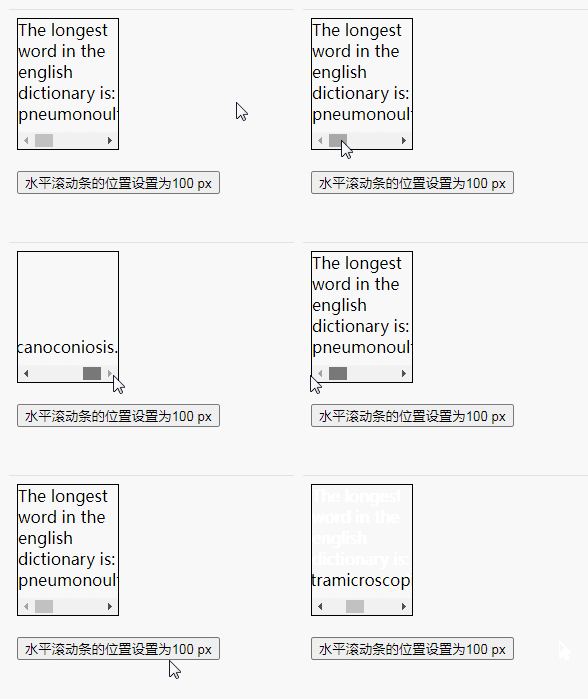
【推荐学习:jQuery视频教程、web前端视频】




