



react-natie删除提示的实现方法:1、通过“import React from 'react';”引入react;2、通过“ showConfirm=()=>{Alert.alert('','除',[{text:'',onPress:() => Alert.alert("") },{text:'',style:'cancel'}],{...}”方法实现删除确认框即可。

本教程操作环境:Windows10系统、react18.0.0版、Dell G3电脑。
react-natie 删除提示怎么实现?
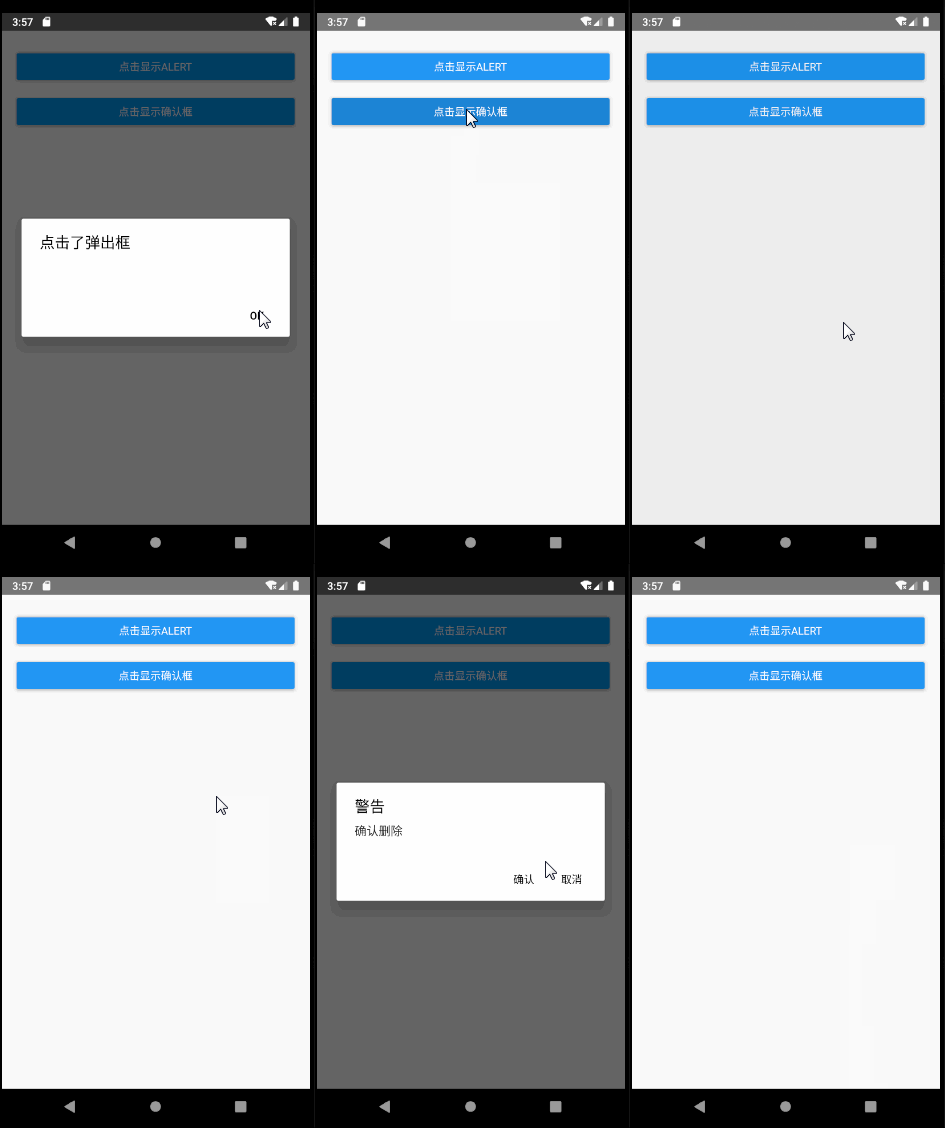
react native 弹框和删除确认框

import React from 'react';
import {
    Alert,Button,View,Text,TouchableOpacity,StyleSheet
} from 'react-native';
export default class App extends React.Component{
   showAlert=()=>{
       Alert.alert("点击了弹出框")
    };
    showConfirm=()=>{
        Alert.alert('警告','确认删除',[
            {text:'确认',onPress:() =>  Alert.alert("点击了确认") },
            {text:'取消',style:'cancel'}
        ],{cancelable:false});
    };
    render(){
        return (
          <View style={styles.container}>
              <View style={styles.buttonView}><Button  onPress={this.showAlert} title={"点击显示alert"} /></View>
              <View style={styles.buttonView}><Button  onPress={this.showConfirm} title={"点击显示确认框"} /></View>
           </View>
        )
    }
}
const styles=StyleSheet.create({
    container:{
        marginTop:20,
        marginHorizontal:10
    },
    buttonView:{
        margin: 10,
        height: 40
    }
});推荐学习:《react视频教程》




