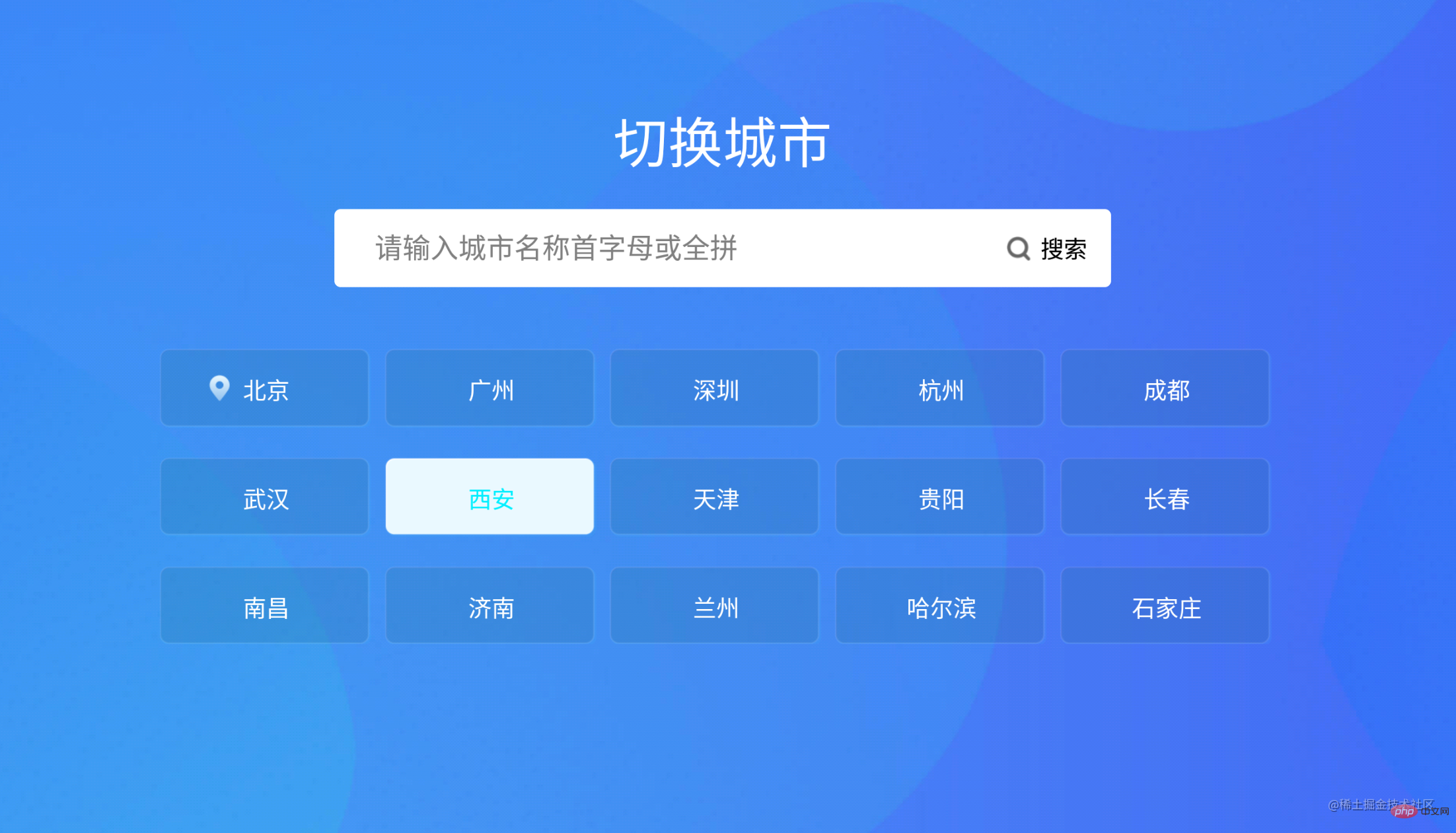
本篇文章给大家带来了关于vue布局的相关知识,其中主要给大家总结介绍vue是怎么利用flex布局来实现tv端城市列表效果的,非常全面详细,下面一起来看一下,希望对需要的朋友有所帮助。
Vue利用flex布局实现TV端城市列表
vue中城市列表和搜索很常见,这篇博客就来说说咋实现搜索和城市列表
1.实现搜索布局代码:
2.搜索布局css样式代码:
立即学习“前端免费学习笔记(深入)”;
.search-bar-root {
  display: flex;
  flex-direction: column;
  align-items: center;
  justify-content: center;
  margin-top: 140px;
}.index-root-search-title-css {
  flex-direction: column;
  align-items: center;
  justify-content: center;
  margin-bottom: 40px;
}.search-bar-root .search-bar {
  background-color: #ffffff;
  width: 1000px;
  height: 100px;
  display: flex;
  justify-content: center;
  border-radius: 8px;
}.search-input {
  width: 780px;
  border-radius: 8px;
  font-size: 36px;
  font-family: PingFangSC-Regular, PingFang SC;
  font-weight: 400;
  color: #000000;
  margin-left: 40px;
  text-indent: 40px;
}.index-root-search-image-view-css {
  position: absolute;
  width: 32px;
  height: 32px;
  top: 35px;
  bottom: 35px;
  right: 0;
  margin-right: 102px;
  text-align: center;
}.index-root-search-flex-view-css {
  display: flex;
  flex-wrap: wrap;
  flex-direction: row;
  width: 1450px;
  margin-left: 245px;
  margin-right: 245px;
  margin-top: 40px;
}.index-root-search-text-view-css {
  font-size: 30px;
  font-family: PingFangSC-Regular, PingFang SC;
  color: #000000;
  text-align: center;
  font-weight: 400;
  top: 0;
  bottom: 0;
  right: 0;
  position: absolute;
  margin-right: 30px;
}.index-root-search-title-text-view-css {
  font-size: 70px;
  font-family: PingFangSC-Regular, PingFang SC;
  color: #ffffff;
  text-align: center;
  opacity: 1.0;
}.search-city-button-view-css {
  width: 270px;
  height: 100px;
  background-color: rgba(0, 0, 0, .1);
  margin-right: 20px;
  margin-top: 40px;
  border-radius: 11px;
  border-width: 2px;
  border-color: rgba(255, 255, 255, 0.1);
  focus-background-color: #fff;
}.search-city-button-view-css .city-sel-box {
  border-width: 2px;
  border-color: #32C5FF;
}
3.城市列表布局代码:
4.城市列表css样式代码:
.index-root-search-flex-view-css { display: flex; flex-wrap: wrap; flex-direction: row; width: 1450px; margin-left: 245px; margin-right: 245px; margin-top: 40px; }.index-root-search-text-view-css { font-size: 30px; font-family: PingFangSC-Regular, PingFang SC; color: #000000; text-align: center; font-weight: 400; top: 0; bottom: 0; right: 0; position: absolute; margin-right: 30px; }.index-root-search-title-text-view-css { font-size: 70px; font-family: PingFangSC-Regular, PingFang SC; color: #ffffff; text-align: center; opacity: 1.0; }.search-city-button-view-css { width: 270px; height: 100px; background-color: rgba(0, 0, 0, .1); margin-right: 20px; margin-top: 40px; border-radius: 11px; border-width: 2px; border-color: rgba(255, 255, 255, 0.1); focus-background-color: #fff; }.search-city-button-view-css .city-sel-box { border-width: 2px; border-color: #32C5FF; }.icon-location-reactive { position: absolute; width: 26px; height: 34px; margin-left: 60px; margin-top: 30px; margin-bottom: 30px; }.icon-location { width: 26px; height: 34px; position: absolute; left: 0; top: 0; z-index: 9; }.search-city-hot-text-iew-css { width: 270px; height: 100px; background-color: rgba(50, 197, 255, 0.1); border-radius: 11px; border: 2px solid #32C5FF; font-size: 36px; font-family: PingFangSC-Regular, PingFang SC; text-align: center; color: white; }.search-city-empty { margin-top: 40px; width: 425px; display: flex; align-items: center; justify-content: center; flex-direction: column; margin-left: 535px; }.search-city-empty .icon-no-connect { width: 425px; height: 307px; }.search-city-empty .empty-txt { font-size: 32px; font-family: PingFangSC-Light, PingFang SC; font-weight: 300; color: #FFFFFF; margin-top: 60px; }5.城市列表获取焦点的事件:
主要是在div设置:focusable="true"和@focus="onFocus"
@@##@@ @@##@@6.设置焦点背景颜色和字体效果:
主要是设置:duplicateParentState="true"当文本获得焦点时颜色不受父布局影响,还可以设置焦点放大和带边框效果
:enableFocusBorder="true"//设置获得焦点时的边框 :focusScale="1.0"//设置焦点放大时的倍数焦点效果的样式::style="{focusColor: focusHotTextColor,fontSize: textFontSize,fontWeight: textFontWeight,}
{{item.cityName}}7.搜索框输入事件:
//输入内容之后请求城市列表接口刷新数据 endEditing(e) { console.log("--resultData--", this.citySearchResult) },8.搜索框获取焦点的事件:
onFocus(e) { this.focused = e.isFocused; this.$emit("onButtonFocused", e.isFocused); },9.默认弹出TV软键盘:
mounted() { this.hotCity = hotCity; this.showHot = true; this.pageLoading = true //弹出软键盘 this.$refs.searchInput.focus() //搜索框默认获取焦点 this.setHideLoading() },10.完整代码如下:
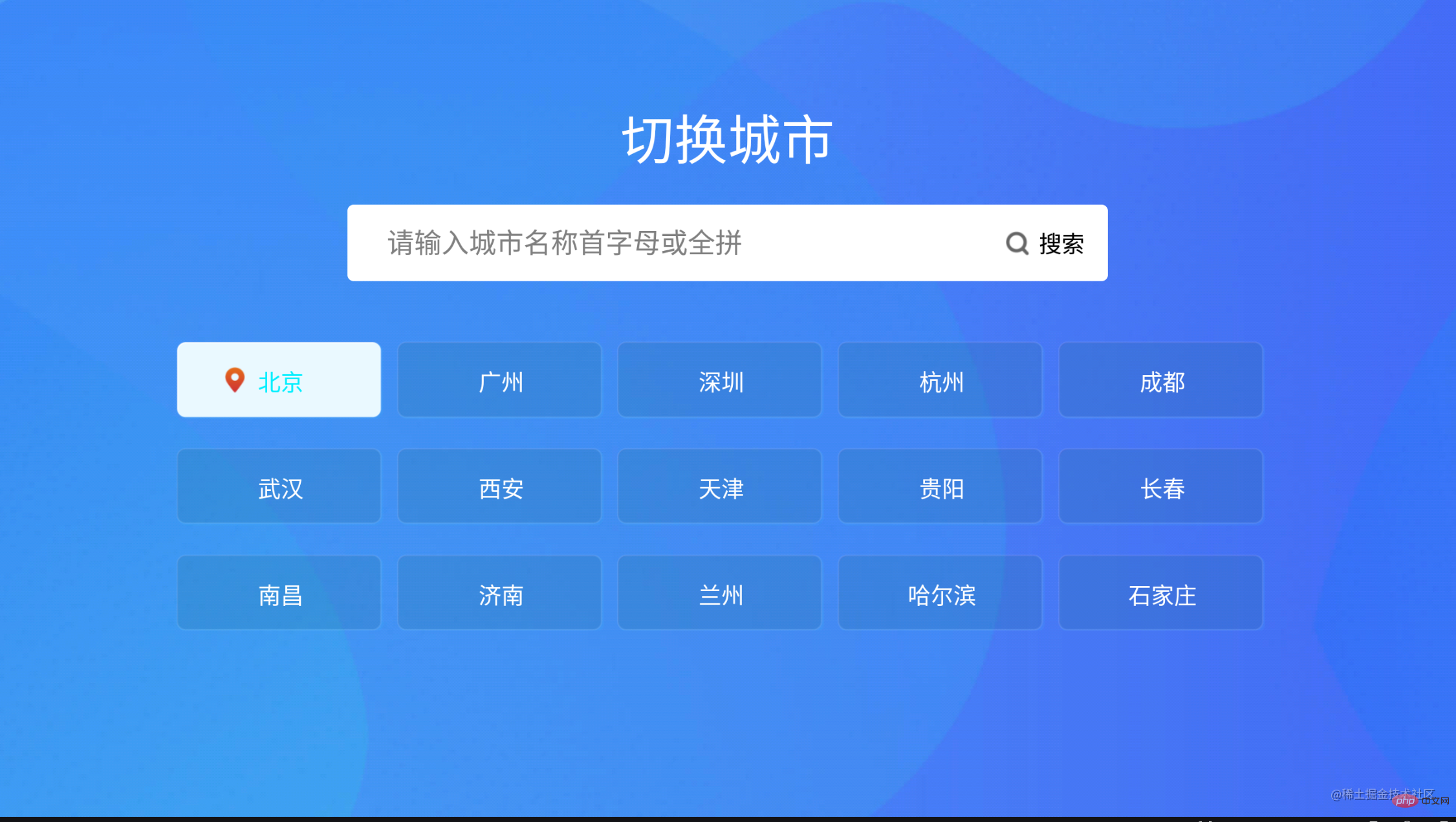
@@##@@11.实现的效果截图如下:
相关推荐:vuejs视频教程
相关文章
学习Vue.js的优质在线课程推荐
Vue的v-slot指令在具名插槽中如何使用?
Vue.js实现音乐播放器的代码示例
Vue的v-bind和v-on的语法糖分别是什么?
学习Vue.js的最佳实践博客有哪些
相关标签:
本站声明:本文内容由网友自发贡献,版权归原作者所有,本站不承担相应法律责任。如您发现有涉嫌抄袭侵权的内容,请联系admin@php.cn
更多热门AI工具