在css中,相对长度单位用于指定相对于另一个长度属性的长度。
| 序号 | 单位和描述 |
|---|---|
| 1 |
em 相对于元素的字体大小,即4em表示当前字体大小的4倍。 |
| 2 |
ex 相对于当前字体的x高度 |
| 3 |
ch 立即学习“前端免费学习笔记(深入)”; 相对于0的宽度 |
| 4 |
rem 相对于根元素的字体大小 |
| 5 |
vw 相对于视口宽度的1%* |
| 6 |
vh 相对于视口高度的1%* |
| 7 |
vmin 相对于视口*较小的尺寸的1% |
| 8 |
vmax 相对于视口*较大的尺寸的1% |
| 9 |
% 相对于父元素 |

示例
让我们看一个使用相对长度单位的示例:
演示
<!DOCTYPE html>
<html>
<head>
<style>
.demo {
   text-decoration: overline underline;
   text-decoration-color: blue;
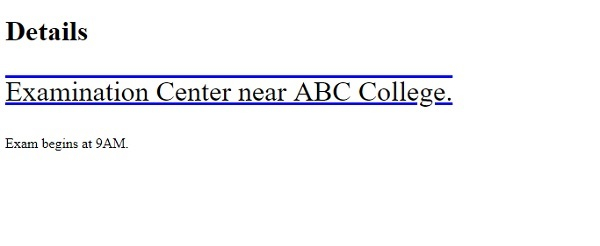
   font-size: 1.4em;
}
</style>
</head>
<body>
<h1>Details</h1>
<p class="demo">Examination Center near ABC College.</p>
<p class="demo2">Exam begins at 9AM.</p>
</body>
</html>
输出
示例
现在让我们看另一个例子 −
实时演示
<!DOCTYPE html>
<html>
<head>
<style>
.demo {
   text-decoration: overline underline;
   text-decoration-color: blue;
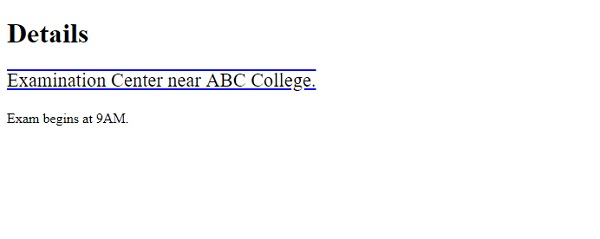
   font-size: 4ch;
}
</style>
</head>
<body>
<h1>Details</h1>
<p class="demo">Examination Center near ABC College.</p>
<p class="demo2">Exam begins at 9AM.</p>
</body>
</html>
输出