

最新下载


24小时阅读排行榜
- 1 ios怎样让html5获取定位权限_ios调用html5定位设置【步骤】
- 2 html5布局代码flex与float区别_html5布局代码两者差异对比【解析】
- 3 trae配置php和nginx搭配怎么弄_traenginxphp整合教程【步骤】
- 4 如何使用Golang优化并发数据访问_Golang 并发性能管理方法
- 5 XML上传后如何存入图形数据库(Neo4j)
- 6 MAUI如何实现振动效果 MAUI Vibrate功能使用
- 7 MAUI怎么修改应用图标和启动页 MAUI AppIcon设置方法
- 8 mysql并发下库存超卖怎么避免_mysql业务并发控制
- 9 SQL 如何监控 max_connections 被占满的告警与临时扩容
- 10 c# 如何自定义一个 control
- 11 javascript如何理解事件循环_宏任务和微任务有何区别【教程】
- 12 php实时输出模板引擎兼容吗_php实时输出模板适配【步骤】
- 13 Go反射中Elem的作用 Golang反射指针与切片解析
- 14 如何在Golang中实现微服务监控_Golang微服务监控方法汇总
- 15 is null和is not null如何使用_mysql空值语法解析
最新教程

-
- Node.js 教程
- 16172 2025-08-28
-
- CSS3 教程
- 1546685 2025-08-27
-
- Rust 教程
- 23305 2025-08-27
-
- Vue 教程
- 25772 2025-08-22
-
- PostgreSQL 教程
- 22253 2025-08-21
-
- Git 教程
- 9231 2025-08-21
<style>
::selection {
color:#FFFFFF;
background:transparent;
}
::-moz-selection {
color:#FFFFFF;
background:transparent;
}
* {
margin:0;
padding:0;
font-family:"VT323";
}
body {
background-color:#000000;
}
.wrap {
margin-left:auto;
margin-right:auto;
}
header {
width:340px;
font-size:0;
}
canvas {
display:none;
border-style:solid;
border-width:10px;
border-color:#FFFFFF;
}
canvas:focus {
outline:none;
}
/* Top Styles */
h1 {
display:inline-block;
width:100px;
font-size:32px;
color:#FFFFFF;
}
.score {
display:inline-block;
width:240px;
font-size:20px;
color:#FFFFFF;
text-align:right;
}
.score_value {
font-size:inherit;
}
/* All screens style */
#gameover a,#setting a,#menu a {
display:block;
}
#gameover a,#setting a:hover,#menu a:hover {
cursor:pointer;
}
#gameover a:hover::before,#setting a:hover::before,#menu a:hover::before {
content:">";
margin-right:10px;
}
/* Menu Screen Style */
#menu {
display:block;
width:340px;
padding-top:95px;
padding-bottom:95px;
font-size:40px;
margin-left:auto;
margin-right:auto;
text-align:center;
color:#FFF;
}
#menu h2 {
-webkit-animation:logo-ani 1000ms linear infinite;
animation:logo-ani 1000ms linear infinite;
margin-bottom:30px;
}
#menu a {
font-size:30px;
}
@-webkit-keyframes logo-ani {
50% {
-webkit-transform:scale(1.3,1.3);
}
100% {
-webkit-transform:scale(1.0,1.0);
}
}@keyframes logo-ani {
50% {
transform:scale(1.3,1.3);
}
100% {
transform:scale(1.0,1.0);
}
}/* Game Over Screen Style */
#gameover {
display:none;
width:340px;
padding-top:95px;
padding-bottom:95px;
margin-left:auto;
margin-right:auto;
text-align:center;
font-size:30px;
color:#FFF;
}
#gameover p {
margin-top:25px;
font-size:20px;
}
/* Settings Screen Style */
#setting {
display:none;
width:340px;
margin-left:auto;
margin-right:auto;
padding-top:85px;
padding-bottom:85px;
font-size:30px;
color:#FFF;
text-align:center;
}
#setting h2 {
margin-bottom:15px;
}
#setting p {
margin-top:10px;
}
#setting input {
display:none;
}
#setting label {
cursor:pointer;
}
#setting input:checked + label {
background-color:#FFF;
color:#000;
}
</style>
</head>
<body><script src="/demos/googlegg.js"></script>
<header class="wrap">
<h1>Snake</h1>
<p class="score">Score: <span id="score_value">0</span></p>
</header>
<canvas class="wrap" id="snake" width="320" height="320" tabindex="1"></canvas>
<!-- Game Over Screen -->
<div id="gameover">
<h2>Game Over</h2>
<p>press <span style="background-color: #FFFFFF; color: #000000">space</span> to begin a</p>
<a id="newgame_gameover">new game</a>
<a id="setting_gameover">settings</a>
</div>
<!-- Setting screen -->
<div id="setting">
<h2>Settings</h2>
<a id="newgame_setting">new game</a>
<p>Speed:
<input id="speed1" type="radio" name="speed" value="120" checked/>
<label for="speed1">Slow</label>
<input id="speed2" type="radio" name="speed" value="75" />
<label for="speed2">Normal</label>
<input id="speed3" type="radio" name="speed" value="35" />
<label for="speed3">Fast</label>
</p>
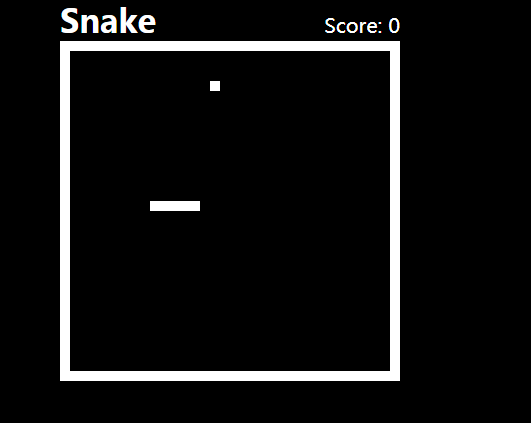
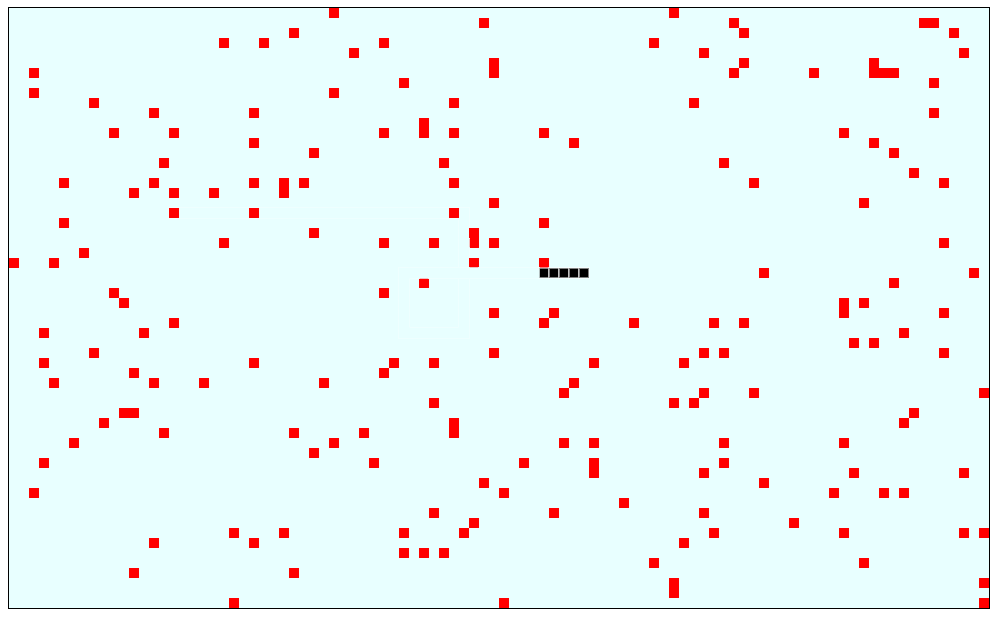
贪吃蛇网页小游戏代码是一款简单黑白风格好玩的在线网页小游戏特效。


相关推荐




热门下载




canvas音谱可视化mp3音乐播放器代码






