



介绍
rxjs 是一个功能强大的库,但众所周知,它的学习曲线很陡峭。
该库庞大的 api 界面,再加上向反应式编程的范式转变,可能会让新手不知所措。
我创建了 reactables api 来简化 rxjs 的使用并简化开发人员对反应式编程的介绍。
例子
我们将构建一个简单的控件来切换用户的通知设置。
它还会将更新的切换设置发送到模拟后端,然后向用户显示一条成功消息。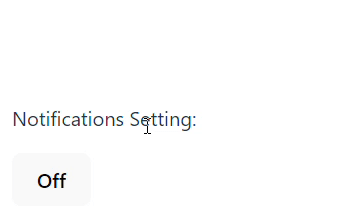
安装 rxjs 和 reactables
npm i rxjs @reactables/core
从基本的切换开始。
import { rxbuilder, reactable } from '@reactables/core';

export type togglestate = {
  notificationson: boolean;
};

export type toggleactions = {
  toggle: (payload: boolean) => void;
};

export const rxnotificationstoggle = (
  initialstate = {
    notificationson: false,
  } as togglestate
): reactable<togglestate, toggleactions> =>
  rxbuilder({
    initialstate,
    reducers: {
      toggle: (state) => ({
        notificationson: !state.notificationson,
      }),
    },
  });


const [state$, actions] = rxtogglenotifications();

state$.subscribe((state) => {
  console.log(state.notificationson);
});

actions.toggle();

/*
output

false
true

*/
rxbuilder 创建一个 reactable,它是一个包含两个项目的元组。
ui 可以订阅状态更改的 rxjs observable。
ui 可以调用以调用状态更改的操作方法的对象。
使用 reactable 时不需要主题。
我们可以用纯reducer函数来描述我们想要的行为。
reactables 在幕后使用主题和各种运算符来为开发人员管理状态。

添加api调用并闪烁成功消息
reactables 处理异步操作,其效果表示为 rxjs 运算符函数。它们可以用触发效果的操作/减速器来声明。
这使我们能够充分利用 rxjs 来处理异步逻辑。
让我们修改上面的切换示例以合并一些异步行为。为了保持简短,我们将放弃错误处理。
import { rxbuilder, reactable } from '@reactables/core';
import { of, concat } from 'rxjs';
import { debouncetime, switchmap, mergemap, delay } from 'rxjs/operators';

export type togglestate = {
  notificationson: boolean;
  showsuccessmessage: boolean;
};
export type toggleactions = {
  toggle: (payload: boolean) => void;
};

export const rxnotificationstoggle = (
  initialstate = {
    notificationson: false,
    showsuccessmessage: false,
  }
): reactable<togglestate, toggleactions> =>
  rxbuilder({
    initialstate,
    reducers: {
      toggle: {
        reducer: (_, action) => ({
          notificationson: action.payload as boolean,
          showsuccessmessage: false,
        }),
        effects: [
          (toggleactions$) =>
            toggleactions$.pipe(
              debouncetime(500),
              // switchmap to unsubscribe from previous api calls if a new toggle occurs
              switchmap(({ payload: notificationson }) =>
                of(notificationson)
                  .pipe(delay(500)) // mock api call
                  .pipe(
                    mergemap(() =>
                      concat(
                        // flashing the success message for 2 seconds
                        of({ type: 'updatesuccess' }),
                        of({ type: 'hidesuccessmessage' }).pipe(delay(2000))
                      )
                    )
                  )
              )
            ),
        ],
      },
      updatesuccess: (state) => ({
        ...state,
        showsuccessmessage: true,
      }),
      hidesuccessmessage: (state) => ({
        ...state,
        showsuccessmessage: false,
      }),
    },
  });
查看 stackblitz 上的完整示例:
反应 |有角度
让我们将 reactable 绑定到视图。下面是使用 @reactables/react 包中的 usereactable 钩子绑定到 react 组件的示例。
import { RxNotificationsToggle } from './RxNotificationsToggle';
import { useReactable } from '@reactables/react';

function App() {
  const [state, actions] = useReactable(RxNotificationsToggle);
  if (!state) return;

  const { notificationsOn, showSuccessMessage } = state;
  const { toggle } = actions;

  return (
    <div className="notification-settings">
      {showSuccessMessage && (
        <div className="success-message">
          Success! Notifications are {notificationsOn ? 'on' : 'off'}.
        </div>
      )}
      <p>Notifications Setting:</p>
      <button onClick={() => toggle(!notificationsOn)}>
        {notificationsOn ? 'On' : 'Off'}
      </button>
    </div>
  );
}

export default App;
就是这样!
结论
reactables 允许我们使用纯减速函数构建功能,而不是深入主题世界,从而帮助简化 rxjs。
然后,rxjs 被保留用于它最擅长的地方 - 组成我们的异步逻辑。
reactables 可以扩展并做更多事情!查看文档了解更多示例,包括如何使用它们管理表单!




