



c#编写的一个反向代理工具,可以缓存网页到本地
proxy.ashx 主文件
using System;
using System.Web;
using System.Net;
using System.Text;
using System.IO;
using System.Collections.Generic;
using System.Configuration;


/// <summary>
/// 把http headers 和 http 响应的内容 分别存储在 /proxy/header/ 和 /proxy/body/ 中
/// 分层次创建目录
/// </summary>
public class proxy : IHttpHandler
{

    HttpResponse Response;
    HttpRequest Request;
    HttpApplicationState Application;
    HttpServerUtility Server;

    static string proxyCacheFolder = ConfigurationManager.AppSettings["proxyCacheFolder"];
    static string proxyDomain = ConfigurationManager.AppSettings["proxyDomain"];
    static string proxyReferer = ConfigurationManager.AppSettings["proxyReferer"];
    bool proxyCacheDirectAccess = ConfigurationManager.AppSettings["proxyCacheDirectAccess"] == "true";
    int proxyCacheSeconds = int.Parse(ConfigurationManager.AppSettings["proxyCacheSeconds"]);


    public void ProcessRequest(HttpContext context)
    {
        Response = context.Response;
        Request = context.Request;
        Application = context.Application;
        Server = context.Server;

        string path = context.Request.RawUrl;
        bool delCache = path.IndexOf("?del") > 0;
        if (delCache)
        {
            path = path.Replace("?del", string.Empty);
            DeleteCacheFile(path);
            return;
        }


        bool allowCache = Request.QueryString["cache"] == "true";
        string seconds = Request.QueryString["seconds"] ?? string.Empty;
        if (!int.TryParse(seconds, out proxyCacheSeconds))
        {
            proxyCacheSeconds = 3600;
        }

        if (allowCache)
        {

            EchoData(path);
        }
        else
        {

            WebClient wc = new WebClient();
            wc.Headers.Set("Referer", proxyReferer);
            byte[] buffer = wc.DownloadData(proxyDomain + path);
            Response.ContentType = wc.ResponseHeaders["Content-Type"];
            foreach (string key in wc.ResponseHeaders.AllKeys)
            {

                Response.Headers.Set(key, wc.ResponseHeaders[key]);
            }
            wc.Dispose();
            Response.OutputStream.Write(buffer, 0, buffer.Length);
        }


    }


    /// <summary>
    /// 清理失效的缓存
    /// </summary>
    /// <param>
    void ClearTimeoutCache(DirectoryInfo d)
    {
        if (d.Exists)
        {
            FileInfo[] files = d.GetFiles();
            foreach (FileInfo file in files)
            {
                TimeSpan timeSpan = DateTime.Now - file.LastAccessTime;
                if (timeSpan.TotalSeconds > proxyCacheSeconds)
                {
                    file.Delete();
                }
            }
        }
    }

    string GetCacheFolderPath(string hash)
    {
        string s = string.Empty;
        for (int i = 0; i
    /// 读取缓存的header 并输出
    ///
    /// <param>
    void EchoCacheHeader(string cacheHeaderPath)
    {
        string[] headers = File.ReadAllLines(cacheHeaderPath);
        for (int i = 0; i
    /// 输出缓存
    ///
    /// <param>缓存header 的文件路径
    /// <param>缓存 body 的文件路径
    /// <param>是否进行判断文件过期
    /// <returns>是否输出成功</returns>
    bool EchoCacheFile(string cacheHeaderPath, string cacheBodyPath, bool ifTimeout)
    {
        FileInfo cacheBody = new FileInfo(cacheBodyPath);
        FileInfo cacheHeader = new FileInfo(cacheHeaderPath);

        ClearTimeoutCache(cacheBody.Directory);
        ClearTimeoutCache(cacheHeader.Directory);

        if (cacheBody.Exists && cacheHeader.Exists)
        {

            if (ifTimeout)
            {
                TimeSpan timeSpan = DateTime.Now - cacheBody.LastWriteTime;
                if (timeSpan.TotalSeconds  List = null;


        if (Application[ApplicationKey] == null)
        {
            Application.Lock();
            Application[ApplicationKey] = List = new List<string>(1000);
            Application.UnLock();
        }
        else
        {

            List = (List<string>)Application[ApplicationKey];

        }


        //判断是否已有另一个进程正在更新Cache File
        if (List.Contains(hash))
        {
            success = EchoCacheFile(cacheHeaderPath, cacheBodyPath, false);
            if (success)
            {
                return;
            }
            else
            {

                WebClient wc = new WebClient();
                wc.Headers.Set("Referer", proxyReferer);
                //主体内容
                byte[] data = wc.DownloadData(proxyDomain + path);

                //处理header
                Response.ContentType = wc.ResponseHeaders["Content-Type"];
                foreach (string key in wc.ResponseHeaders.AllKeys)
                {
                    Response.Headers.Set(key, wc.ResponseHeaders[key]);
                }
                wc.Dispose();
                Response.BinaryWrite(data);

            }
        }
        else
        {


            WebClient wc = new WebClient();
            wc.Headers.Set("Referer", proxyReferer);
            StringBuilder headersb = new StringBuilder();

            List.Add(hash);
            //主体内容
            byte[] data = wc.DownloadData(proxyDomain + path);


            //处理header

            Response.ContentType = wc.ResponseHeaders["Content-Type"];
            foreach (string key in wc.ResponseHeaders.AllKeys)
            {
                headersb.Append(key);
                headersb.Append(":");
                headersb.Append(wc.ResponseHeaders[key]);
                headersb.Append("\r\n");
                Response.Headers.Set(key, wc.ResponseHeaders[key]);
            }
            wc.Dispose();

            string headers = headersb.ToString().Trim();
            if (!Directory.Exists(absFolder + "/header/" + folder))
            {
                Directory.CreateDirectory(absFolder + "/header/" + folder);
            }

            StreamWriter sw = File.CreateText(absFolder + "/header/" + folder + hash);
            sw.Write(headers);
            sw.Close();
            sw.Dispose();


            //处理缓存内容
            if (!Directory.Exists(absFolder + "/body/" + folder))
            {
                Directory.CreateDirectory(absFolder + "/body/" + folder);
            }

            FileStream fs = File.Create(absFolder + "/body/" + folder + hash);
            fs.Write(data, 0, data.Length);
            fs.Close();
            fs.Dispose();

            List.Remove(hash);


            Response.BinaryWrite(data);
        }
    }


    string GetHashString(string path)
    {
        string md5 = GetMd5Str(path);
        return md5;
    }


    static string GetMd5Str(string ConvertString)
    {
        System.Security.Cryptography.MD5CryptoServiceProvider md5 = new System.Security.Cryptography.MD5CryptoServiceProvider();
        string t2 = BitConverter.ToString(md5.ComputeHash(UTF8Encoding.Default.GetBytes(ConvertString)), 4, 8);
        t2 = t2.Replace("-", "");

        return t2;
    }


    public bool IsReusable
    {
        get
        {
            return false;
        }
    }

}</string></string>
web.config
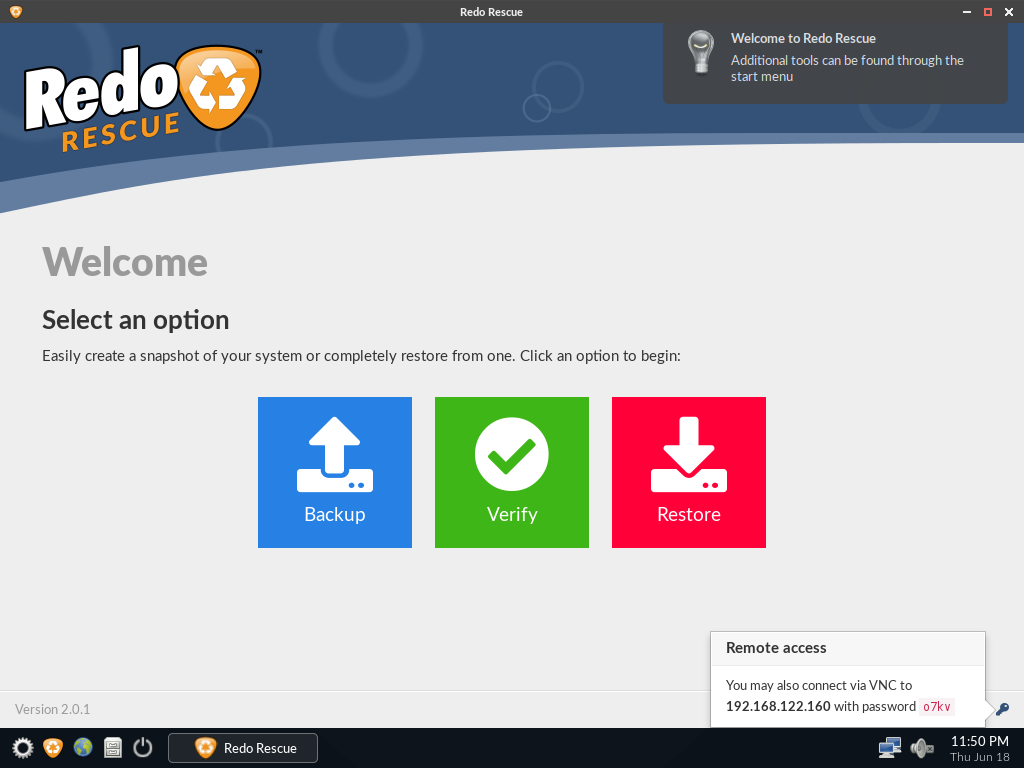
Redo Rescue: Backup and Recovery
下载
Redo Rescue备份和恢复可以在几分钟内备份和恢复整个系统,使用点-and-click界面,任何人都可以使用。裸机恢复到一个新的、空白的驱动器上,几分钟内即可启动和运行。支持保存和恢复到本地磁盘或共享网络驱动器。选择性地恢复分区并将其重新映射到目标驱动器上的不同位置。附带其他工具用于分区编辑、网页浏览等。从live CD/USB运行,无需安装。网站:http://redorescue.com论坛:https://sourceforge.net/p/redobackup/discussion/GitH
<?xml  version="1.0"?>
<configuration>
  <configsections>
    <section></section>
  </configsections>
  <rewriterconfig>
    <rules>


      <rewriterrule>
        <lookfor>~/.*$</lookfor>
        <sendto>
        <!--cache=true 设置此路径进行缓存-->

        </sendto>
      </rewriterrule>

      <rewriterrule>
        <lookfor>~/ajax/.*$</lookfor>
        <sendto>
        <!--cache=false 设置此路径不允许缓存-->

        </sendto>
      </rewriterrule>

    </rules>
  </rewriterconfig>

  <appsettings>

    <!--#反向代理设置 start-->

    <!--设置站点-->
    <add></add>

    <!--缓存文件夹-->
    <add></add>

    <!--缓存时长-->
    <add></add>

    <!--设置不再判断缓存文件是否超时,直接从缓存读取-->
    <add></add>

    <!--设置反向代理Referer-->
    <add></add>
    <!--#反向代理设置 end-->


  </appsettings>

  <system.webserver>
    <modules>
      <add></add>
    </modules>
  </system.webserver>

  <system.web>
    <compilation></compilation>
  </system.web>

</configuration>




