



本文为大家分享了asp.net core 如何集成kindeditor并实现图片上传功能的具体方法,供大家参考,具体内容如下
准备工作
1.visual studio 2015 update3开发环境
2.net core 1.0.1 及以上版本
目录
新建asp.net core web项目
下载kindeditor
增加图片上传控制器
配置kindeditor参数
代码下载
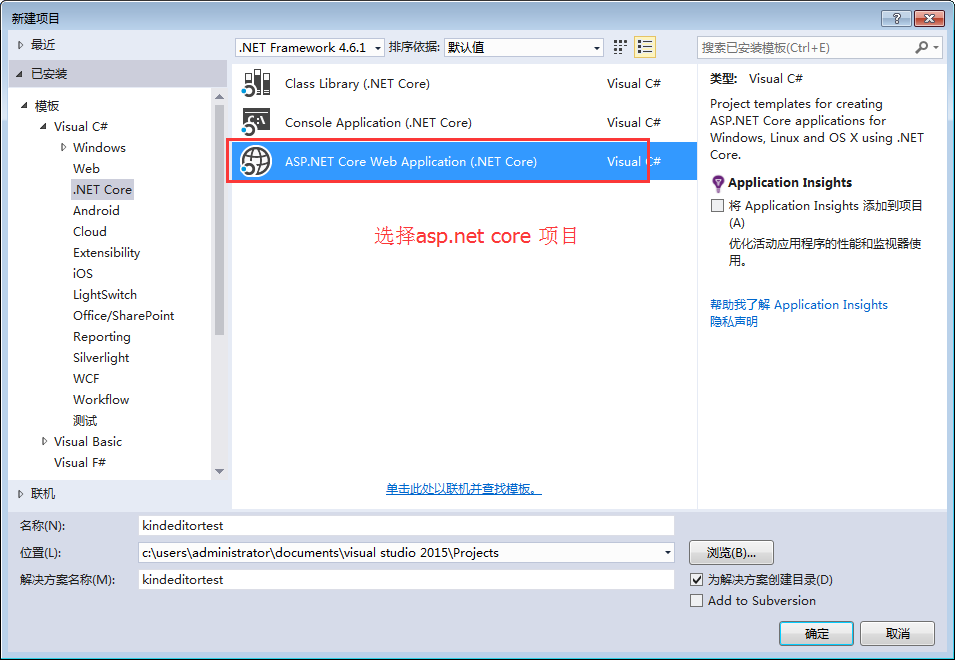
新建asp.net core web项目
新建一个asp.net core项目,这里命名为kindeditor
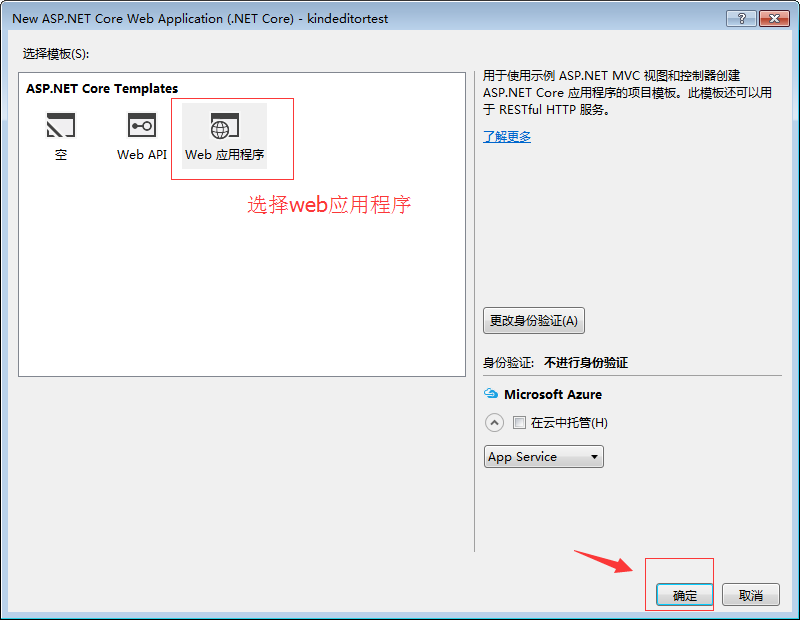
选中web应用程序
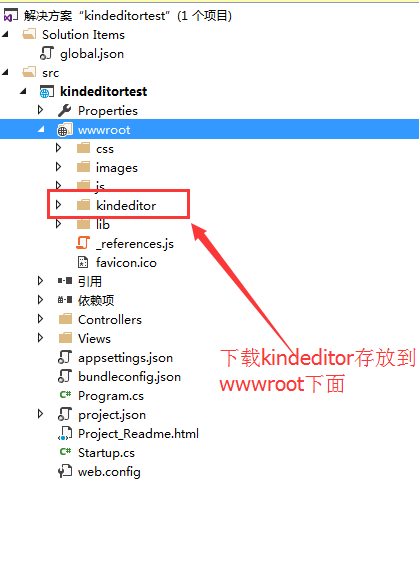
下载kindeditor
这里我们新建了一个系统自带的样本项目,去 kindeditor官网下载一个版本,解压后拷贝大wwwroot中

修改views/index.cshtml
@{
ViewData["Title"] = "Home Page";
}
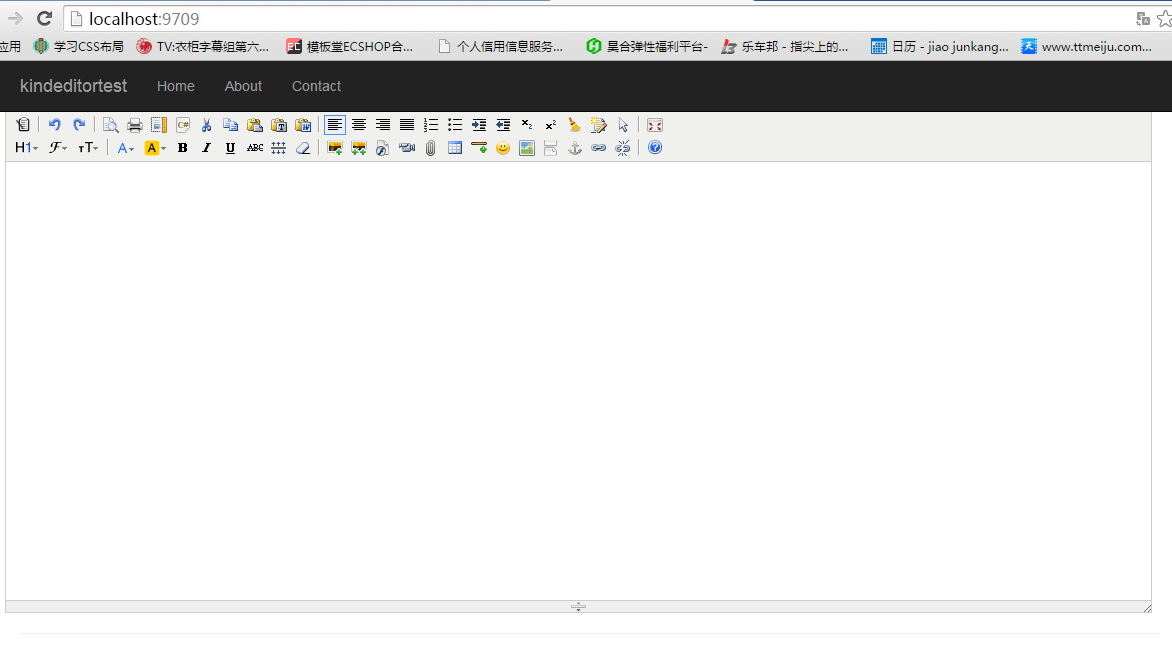
运行一下现在就可以看到kindeditor已经集成进来了。
增加图片上传控制器
注意返回是一个json对象,因此建了一个简单的对象返回。
using System;
using System.Collections.Generic;
using System.Linq;
using System.Threading.Tasks;
using Microsoft.AspNetCore.Mvc;
using Microsoft.AspNetCore.Http;
using Microsoft.Net.Http.Headers;
using Microsoft.AspNetCore.Hosting;
using System.IO;
namespace kindeditortest.Controllers
{
public class HomeController : Controller
{
private IHostingEnvironment hostingEnv;
public IActionResult Index()
{
return View();
}
public HomeController(IHostingEnvironment env)
{
this.hostingEnv = env;
}
///
/// Kindeditor图片上传
///
/// Kindeditor图片上传自带的命名,不可更改名称
/// 不可更改名称 这里没有用到dir
/// imgFile, string dir)
{
PicUploadResponse rspJson = new PicUploadResponse() { error = 0, url = "/upload/" };
long size = 0;
string tempname = "";
foreach (var file in imgFile)
{
var filename = ContentDispositionHeaderValue
.Parse(file.ContentDisposition)
.FileName
.Trim('"');
var extname = filename.Substring(filename.LastIndexOf("."), filename.Length - filename.LastIndexOf("."));
var filename1 = System.Guid.NewGuid().ToString() + extname;
tempname = filename1;
var path = hostingEnv.WebRootPath;
filename = hostingEnv.WebRootPath + $@"\upload\{filename1}";
size += file.Length;
using (FileStream fs = System.IO.File.Create(filename))
{
file.CopyTo(fs);
fs.Flush();
//这里是业务逻辑
}
}
rspJson.error = 0;
rspJson.url = $@"../../upload/" + tempname;
return Json(rspJson);
}
public IActionResult About()
{
ViewData["Message"] = "Your application description page.";
return View();
}
public IActionResult Contact()
{
ViewData["Message"] = "Your contact page.";
return View();
}
public IActionResult Error()
{
return View();
}
}
public class PicUploadResponse
{
public int error { get; set; }
public string url { get; set; }
}
}
配置kindeditor参数
运行效果
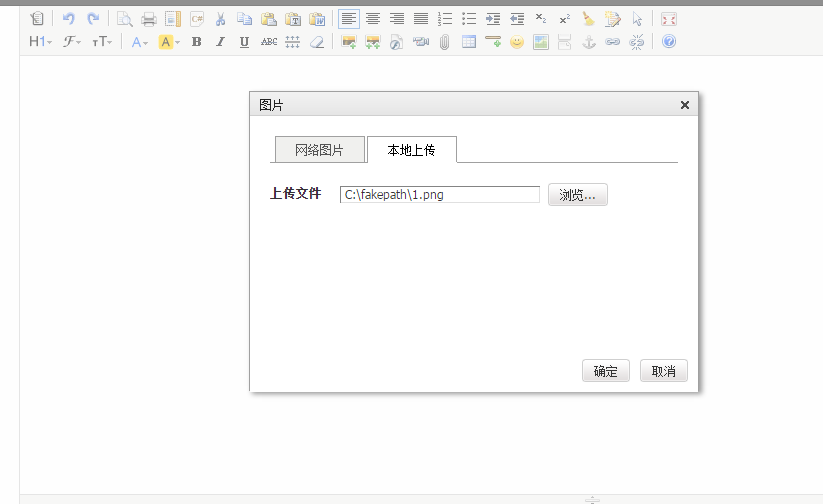
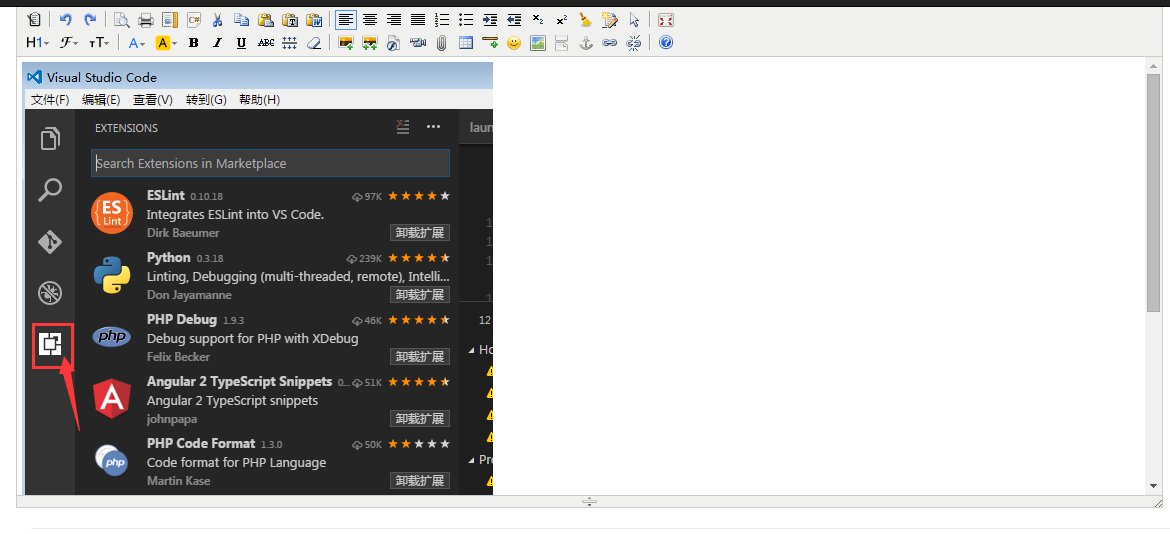
更多asp.net core集成kindeditor实现图片上传功能相关文章请关注PHP中文网!




