



在项目中经常会遇到设置元素水平垂直居中的需求。而且具体的场景也不同,所以将个人总结的方法做个汇总,希望对浏览者有用。
以下所举的例子都以一个html为准,这里规定好一些公用样式。
body {
    background-color: #efefef;
}
main {
    background-color: #fff;
    padding: 10px;
    margin:10px 0px;
}
main p {
    background-color: #aaf;
}
水平居中
1 相对块级父元素,可将子级设置成行内或者行内块元素,父元素设置text-align属性
举例如下:
.parent1 {
    text-align:center;
}
.child1 {
    display:inline|inline-block;
}
2 若父子都为块级元素,则给子元素宽度值之后,将margin:auto
.child2 { width:60%; margin:auto; } 我是孩子2,我要水平居中
3 如果是多个子元素水平居中,则有两种方法
3.1 将子级设置成行内或者行内块元素,父元素设置text-align属性
3.2 将父元素设置display:flex
.parent4 { display: flex; justify-content: center; } .child4 { margin:10px; } 我是孩子4,我要水平居中
我是孩子4,我要水平居中
我是孩子4,我要水平居中
垂直居中
1 除了设置固定的padding值使其看起来垂直居中之外,还可用line-height
将line-height和height的值设置为相同值,
.child5 { height:50px; line-height: 50px; } 我是孩子5,我要垂直居中
2 如果是多行的,可以像table那样,按照table cell 模式显示,配合vertical-align
.parent6 { display: table; } .child6 { display: table-cell; border:2px solid #000; vertical-align: middle; } 我是孩子6,我要垂直居中
我是孩子6,我要垂直居中
我是孩子6,我要垂直居中
3 通过绝对定位
/*如果知道子元素宽高*/ .parent7 { position: relative; height: 100px; } .child7 { position: absolute; top:50%; height:60px; margin-top:-30px; } /*如果不知道子元素宽高*/ .parent7 { position: relative; height: 100px; } .child7 { position: absolute; top:50%; transform: translateY(-50%); } 我是孩子7,我要垂直居中
4 使用flex
.parent8 { height: 200px; display: flex; flex-direction: column; justify-content: center; } 我是孩子8,我要垂直居中
水平和垂直都居中
1 使用绝对定位
/*如果不知道子元素宽高*/ .parent9 { position: relative; height: 150px; } .child9 { position: absolute; top:50%; left:50%; transform: translate(-50%,-50%); } /*如果知道子元素宽高*/ .parent9 { position: relative; height: 150px; } .child9 { position: absolute; top:50%; left:50%; height:60px; width:100px; margin-left:-50px; margin-top:-30px; } 我是孩子9,我要水平垂直居中
2 使用flex
.parent10 {
    height: 200px;
    display: flex;
    flex-direction: column;
    justify-content: center;
}
.child10 {
    margin: auto;
}
3 除此之外,还可以将上述的水平和垂直分别居中的方法,尝试着搭配。当然,应该还有其它方法,待发现。
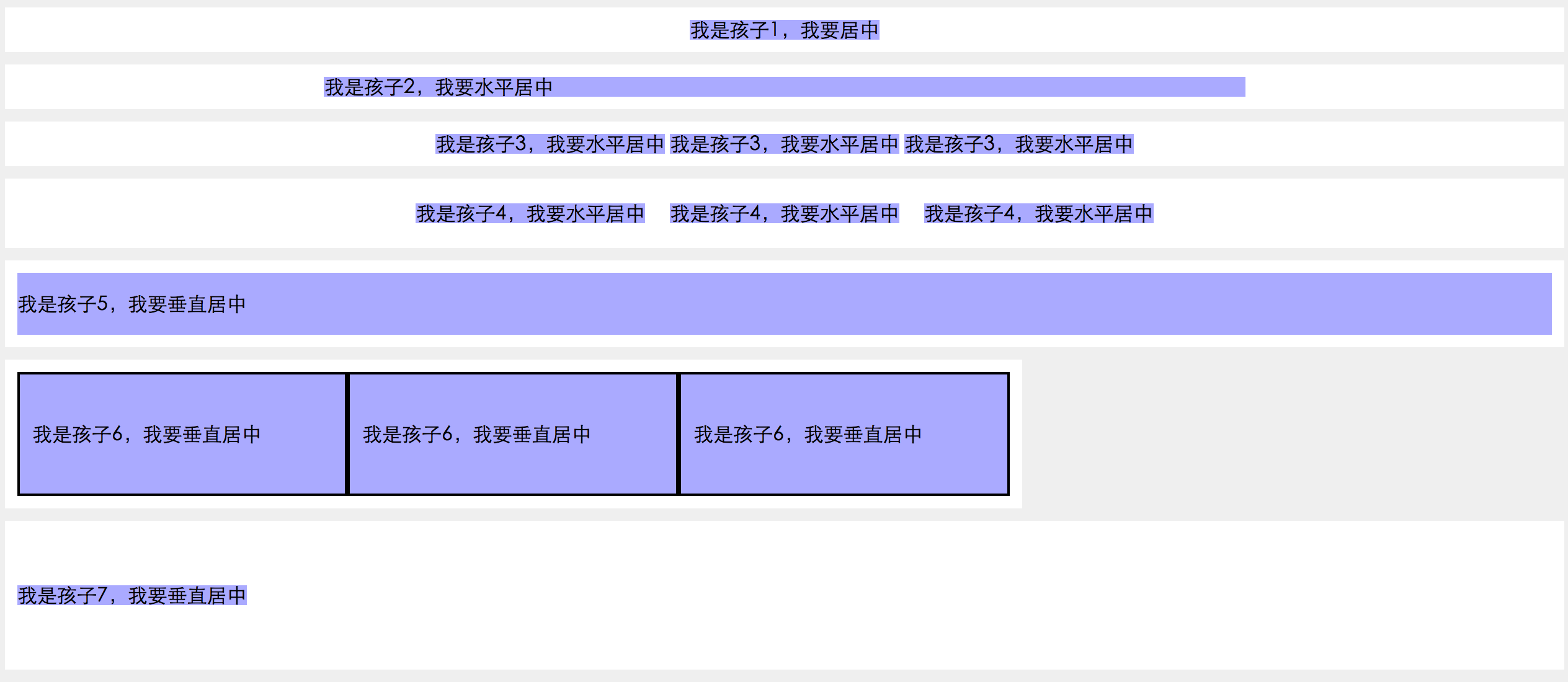
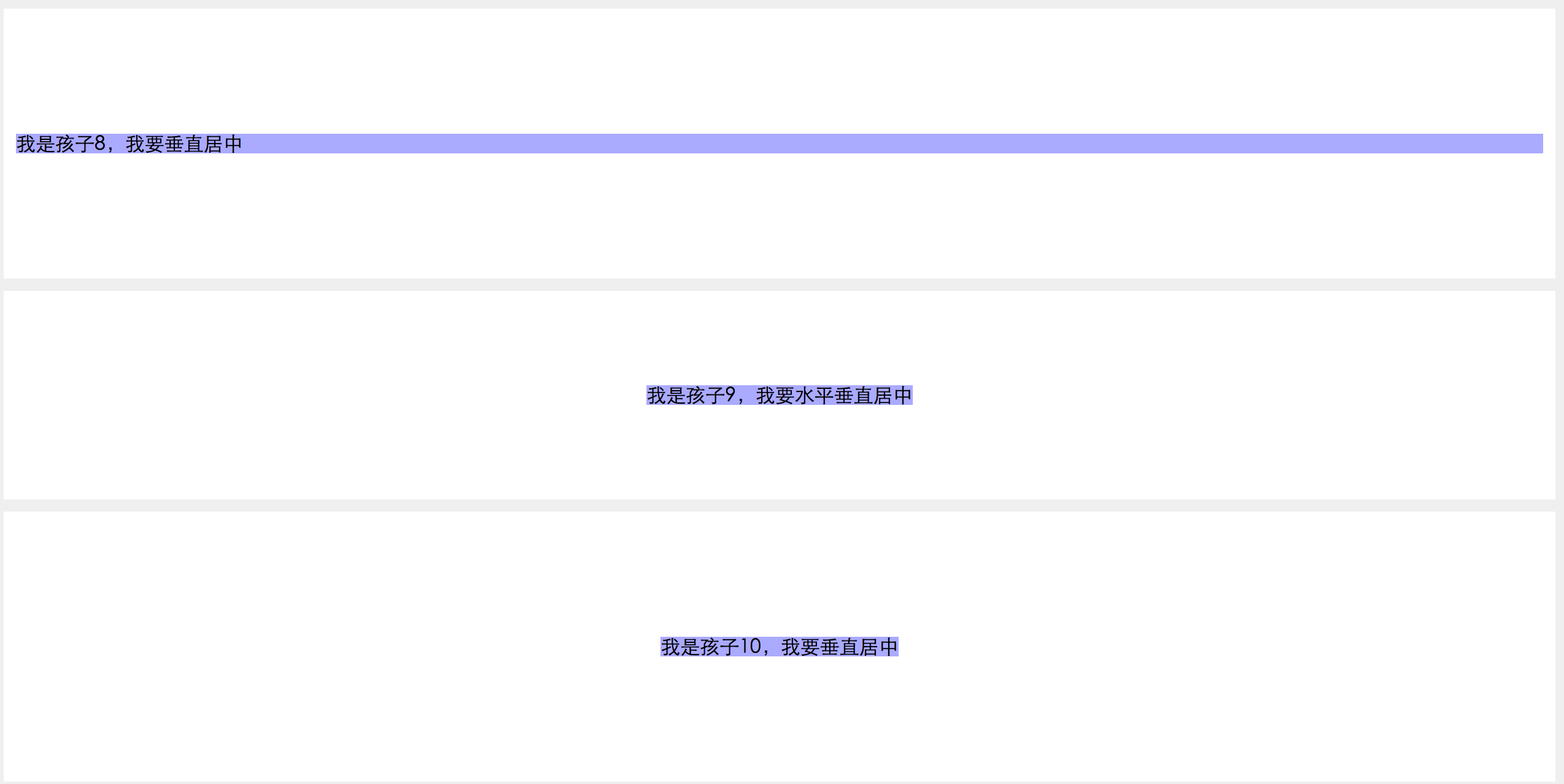
上述结果输出截图
纯js带弹性动画的手风琴图片相册特效
下载
这是一款使用纯javascript来制作的带弹性动画的手风琴图片相册特效。该手风琴图片相册在鼠标滑过时,相应的图片会水平展开,而图片的说明文字则会垂直滑动上来,形成一些视觉差的感觉。 使用方法 在页面中引入slider.js文件
更多css 水平垂直居中的方法总结相关文章请关注PHP中文网!
立即学习“前端免费学习笔记(深入)”;




