



前言
ICSharpCode.TextEditor 是一款非常不错的.NET代码编辑控件,内置了多种高亮语言支持,同时完美支持中文,非常赞!
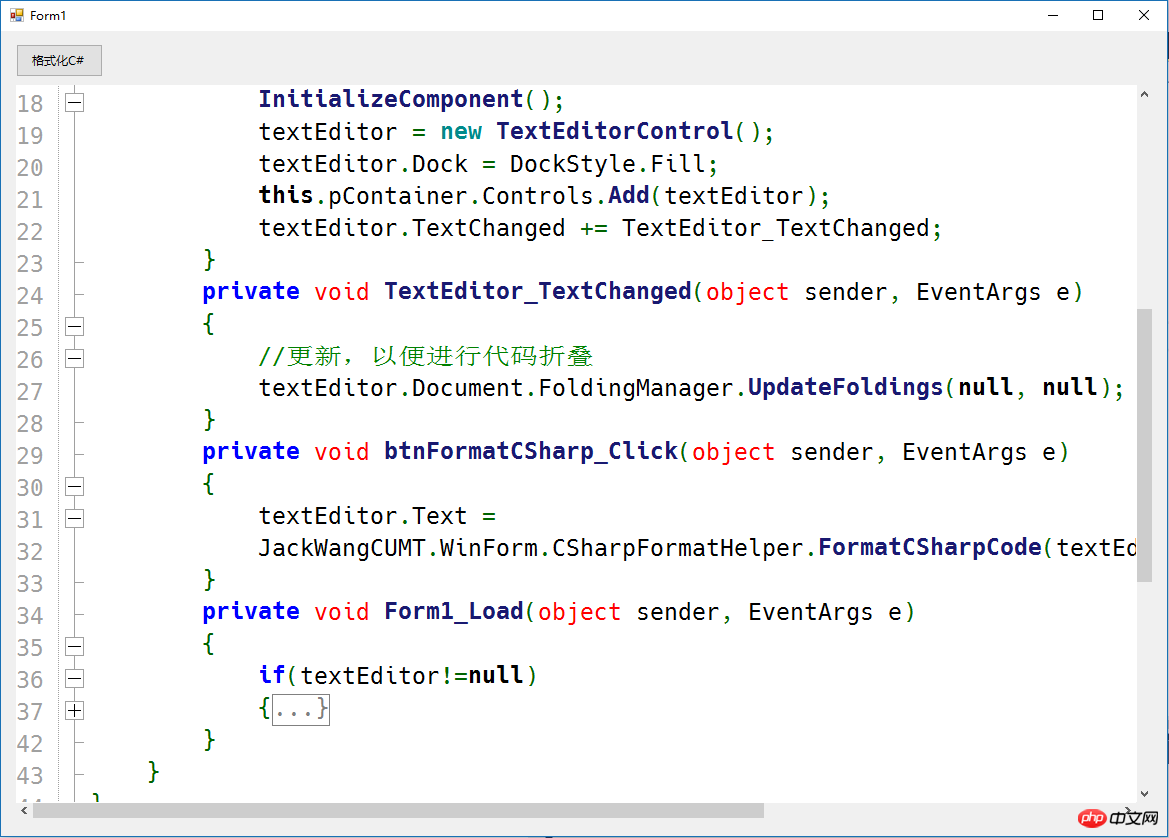
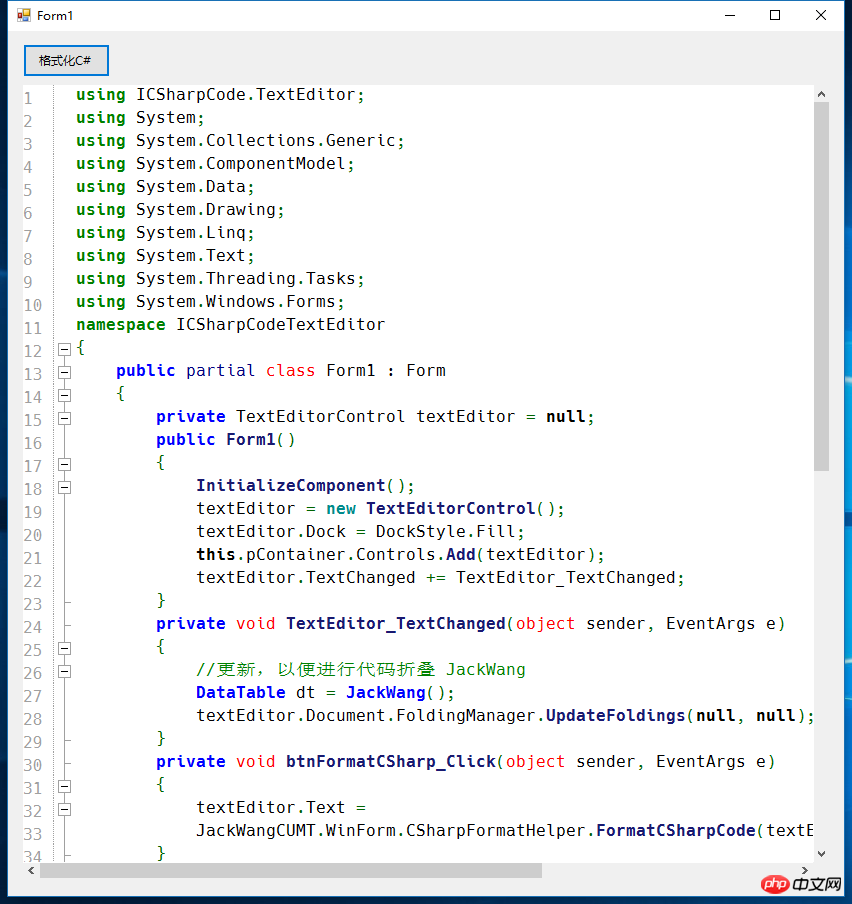
先来看一下运行效果:
一、项目结构
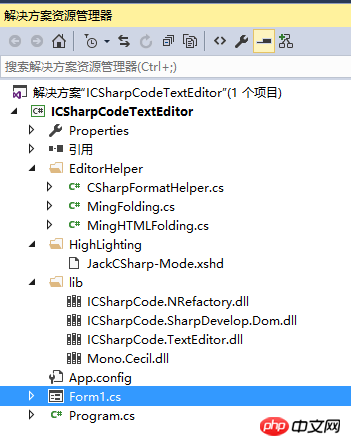
这里需要注意lib文件夹下导入的类库,这个Demo需要这些dll.
二、代码折叠
需要实现IFoldingStrategy中的 GenerateFoldMarkers 方法,代码如下:
using ICSharpCode.TextEditor.Document;
using System;
using System.Collections.Generic;
using System.Linq;
using System.Text;
using System.Threading.Tasks;

namespace JackWangCUMT.WinForm
{

 ///
 /// The class to generate the foldings, it implements ICSharpCode.TextEditor.Document.IFoldingStrategy
 ///
 public class MingFolding : IFoldingStrategy
 {
  ///
  /// Generates the foldings for our document.
  ///
  /// The current document.
  /// The filename of the document.
  /// Extra parse information, not used in this sample.
  /// A list of FoldMarkers.
  public List GenerateFoldMarkers(IDocument document, string fileName, object parseInformation)
  {
   List list = new List();
   //stack 先进先出
   var startLines = new Stack();
   // Create foldmarkers for the whole document, enumerate through every line.
   for (int i = 0; i < document.TotalNumberOfLines; i++)
   {
    // Get the text of current line.
    string text = document.GetText(document.GetLineSegment(i));

    if (text.Trim().StartsWith("#region")) // Look for method starts
    {
     startLines.Push(i);

    }
    if (text.Trim().StartsWith("#endregion")) // Look for method endings
    {
     int start = startLines.Pop();
     // Add a new FoldMarker to the list.
     // document = the current document
     // start = the start line for the FoldMarker
     // document.GetLineSegment(start).Length = the ending of the current line = the start column of our foldmarker.
     // i = The current line = end line of the FoldMarker.
     // 7 = The end column
     list.Add(new FoldMarker(document, start, document.GetLineSegment(start).Length, i, 57, FoldType.Region, "..."));
    }
    //支持嵌套 {}
    if (text.Trim().StartsWith("{")) // Look for method starts
    {
     startLines.Push(i);
    }
    if (text.Trim().StartsWith("}")) // Look for method endings
    {
     if (startLines.Count > 0)
     {
      int start = startLines.Pop();
      list.Add(new FoldMarker(document, start, document.GetLineSegment(start).Length, i, 57, FoldType.TypeBody, "...}"));
     }
    }


    // ///
    if (text.Trim().StartsWith("/// ")) // Look for method starts
    {
     startLines.Push(i);
    }
    if (text.Trim().StartsWith("/// ")) // Look for method endings
    {

     int start = startLines.Pop();
     //获取注释文本(包括空格)
     string display = document.GetText(document.GetLineSegment(start + 1).Offset, document.GetLineSegment(start + 1).Length);
     //remove ///
     display = display.Trim().TrimStart('/');
     list.Add(new FoldMarker(document, start, document.GetLineSegment(start).Length, i, 57, FoldType.TypeBody, display));
    }
   }

   return list;
  }
 }
}
三、高亮配置

拷贝CSharp-Mode.xshd为 JackCSharp-Mode.xshd ,将其中的名字修改为: SyntaxDefinition name = "JackC#" ,并添加高亮关键字,如下:
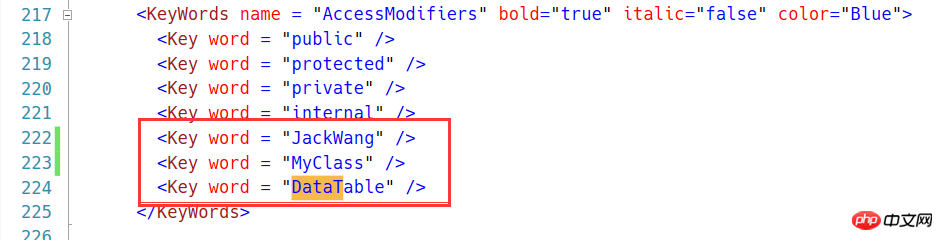
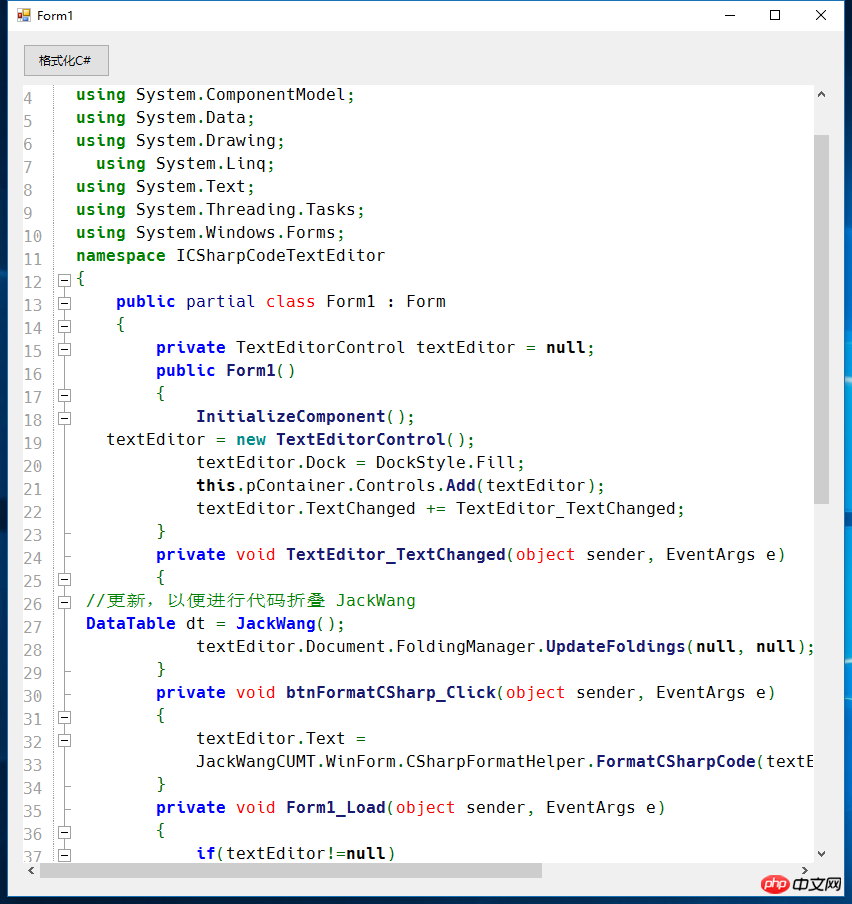
这样代码中出现的JackWang就会高亮。下面的代码片段将自定义高亮文件进行加载,并用SetHighlighting进行设置,这里一定注意目录下必须有xshd的配置文件,否则高亮将失效。
textEditor.Encoding = System.Text.Encoding.UTF8;
 textEditor.Font = new Font("Hack",12);
 textEditor.Document.FoldingManager.FoldingStrategy = new JackWangCUMT.WinForm.MingFolding();
 textEditor.Text = sampleCode;

 //自定义代码高亮
 string path = Application.StartupPath+ "\\HighLighting";
 FileSyntaxModeProvider fsmp;
 if (Directory.Exists(path))
 {
  fsmp = new FileSyntaxModeProvider(path);
  HighlightingManager.Manager.AddSyntaxModeFileProvider(fsmp);
  textEditor.SetHighlighting("JackC#");


 }
为了保持代码适时进行折叠,这里监听文本变化,如下所示:
   private void TextEditor_TextChanged(object sender, EventArgs e)
   {
    //更新,以便进行代码折叠
    textEditor.Document.FoldingManager.UpdateFoldings(null, null);
   }
最后说明的是,我们可以定义一个格式化代码的类,来格式化C#代码:
更多.NET中用ICSharpCode.TextEditor自定义折叠与高亮相关文章请关注PHP中文网!




