



1.什么时候需要场景对象?
场景对象有区别于上一篇介绍的地图对象,它们分别应用于不同类型的游戏。之前的地图对象应用于格子类的游戏,例如推箱子,坦克大战。而本节介绍的场景对象,则适用于拥有特定场景的游戏,例如超级玛丽,恐龙快打等。这类游戏通常在2d场景内控制一个玩家对象,随着玩家的移动,场景跟着移动。
2.场景示例:
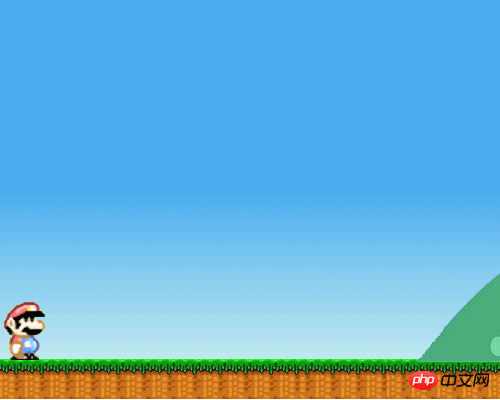
效果:(左右键控制超级玛丽的移动)
立即学习“前端免费学习笔记(深入)”;
代码:

3.代码实现:
要构造一个场景,首先需要一张足够宽的背景图片,当player向右移动时,使player始终处于背景中点,player的速度转换为背景向相反方向移动的速度。首先看初始化函数:
/**
         *初始化
        **/
        init:function(options){
            /**
             *默认对象
            **/
            var defaultObj={
                width:cg.width,
                height:cg.height,
                imgWidth:cg.width,
                imgHeight:cg.height,
                x:0,
                y:0

            }
            options=options||{};
            options=cg.core.extend(defaultObj,options);
            this.player=options.player;
            this.width=options.width;
            this.height=options.height;
            this.imgWidth=options.imgWidth;
            this.imgHeight=options.imgHeight;
            this.centerX=this.width/2;
            this.src=options.src;
            this.x=options.x;
            this.y=options.y;
            this.insideArr=[];
            this.isLoop=false;;
            this.isCenterPlayer=false;
            this.onEnd=options.onEnd;

        },
用户传入的参数除了xy以及尺寸外,另外还有三个参数,一个参数是设置是否把玩家对象置于中心,只移动背景而不移动玩家。如果要实现上面的背景移动效果,该参数要设置为true。另一个参数是设置是否循环。如果设置为循环,在背景移动到极点后,会重新回到初始位置。最后一个参数是onEnd,如果设置为非循环,那么背景移动到极点后,会触发该回调函数。
场景对象的重点在于update方法:
/**
*背景移动时的更新
**/
update:function(spritelist){//传入所有sprite的数组
if(this.isCenterPlayer){
if(this.player.x>this.centerX){
if(this.x 该方法首先判断player对象是否已经超过场景中心,如果已经超过,则计算超出的距离,并且把player固定在场景中心,超出的距离设置为背景向相反方向移动的距离与除了player外其他sprite向相反方向移动的距离,这样的话就只有背景移动和其他sprite对象移动,player固定。如果是循环的话,则在超出移动范围后重置背景和其他sprite的x坐标。如果非循环,则在移动结束后调用onEnd回调函数。另外如果需要限制player始终在显示区域内,还可以调用insideView方法。
附上场景对象所有代码:
/**
*
*场景
*
**/
cnGame.register("cnGame",function(cg){
/**
*使指定对象在可视区域view内
**/
var inside=function(sprite){
var dir=sprite.insideDir;
if(dir!="y"){
if(sprite.x<0){
sprite.x=0;
}
else if(sprite.x>this.width-sprite.width){
sprite.x=this.width-sprite.width;
}
}
if(dir!="x"){
if(sprite.y<0){
sprite.y=0;
}
else if(sprite.y>this.height-sprite.height){
sprite.y=this.height-sprite.height;
}
}
}
var view=function(options){
this.init(options);
}
view.prototype={
/**
*初始化
**/
init:function(options){
/**
*默认对象
**/
var defaultObj={
width:cg.width,
height:cg.height,
imgWidth:cg.width,
imgHeight:cg.height,
x:0,
y:0
}
options=options||{};
options=cg.core.extend(defaultObj,options);
this.player=options.player;
this.width=options.width;
this.height=options.height;
this.imgWidth=options.imgWidth;
this.imgHeight=options.imgHeight;
this.centerX=this.width/2;
this.src=options.src;
this.x=options.x;
this.y=options.y;
this.insideArr=[];
this.isLoop=false;;
this.isCenterPlayer=false;
this.onEnd=options.onEnd;
},
/**
*使player的位置保持在场景中点之前的移动背景
**/
centerPlayer:function(isLoop){
isLoop=isLoop||false;
this.isLoop=isLoop;
this.isCenterPlayer=true;
},
/**
*使对象的位置保持在场景内
**/
insideView:function(sprite,dir){//dir为限定哪个方向在view内,值为x或y,不传则两个方向皆限定
if(cg.core.isArray(sprite)){
for(var i=0,len=sprite.length;ithis.centerX){
if(this.x 




