




问题:
Centos7安装Apache Http服务器无法访问
解决方法:
1、安装Apache组件
[root@mycentos shell]# yum install httpd
2、安装成功后,检测有无httpd进程
(推荐教程:centos使用教程)
[root@mycentos shell]# ps -e |grep httpd
3、如没有,启用该服务
[root@mycentos shell]# systemctl restart httpd.service
4、使用浏览器访问本机IP地址,显示链接失败。

支付宝账户登录ecshop插件
下载
支付宝账户登录ecshop插件简介: 先向支付宝申请支付接口,拿到合作身份者ID和安全检验码这两个东西。 把login整个文件夹传到服务器上ecshop安装所在的目录,如果路径不对可以会导致使用失败。 需要修改的文件:alipay_config.php return_url.php可以修改第30行的邮箱域名为你的网站域名。 别的不用改,否则会导致无法使用。
应该是防火墙相关设置问题导致。
5、关闭并禁用防火墙
[root@mycentos shell]# systemctl stop firewalld.service #停止防火墙服务
[root@mycentos Desktop]# systemctl disable firewalld.service #禁用防火墙开机启动服务
Removed symlink /etc/systemd/system/dbus-org.fedoraproject.FirewallD1.service.
Removed symlink /etc/systemd/system/basic.target.wants/firewalld.service.
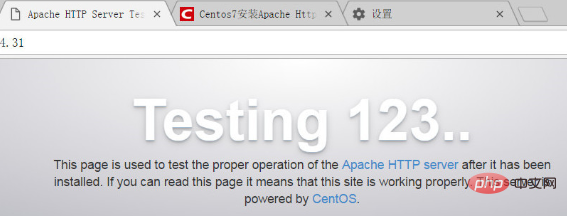
6、再次访问网站,能够成功登录
相关视频教程推荐:linux视频教程




