



解决方法:
首先,依次打开文件--->首选项--->设置
(学习视频推荐:java视频教程)
设置如下图:
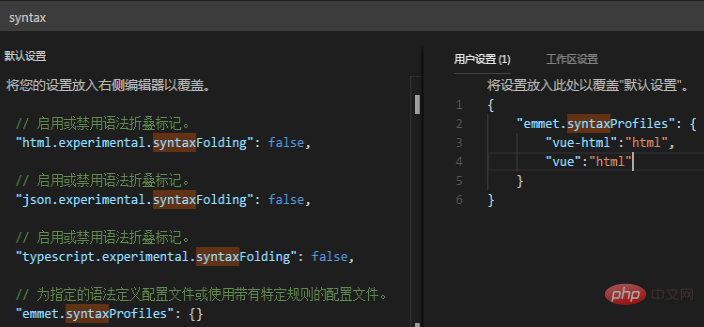
注意:不要写错了,全半角的问题。可以直接拷贝下面内容:

"emmet.syntaxProfiles": {
"vue-html":"html",
"vue":"html"
}
v1.15.1以后要这么写
"emmet.triggerExpansionOnTab": true,
"emmet.includeLanguages": {
"vue-html": "html",
"vue": "html"
}最后,重启vscode即可。
推荐教程:vscode教程




