



本篇文章带大家了解一下vscode中的代码片段,介绍一下代码块种类,以及自定义代码片段的方法,希望对大家有所帮助!

一、前言
较为全的指南:
《VS Code 代码片段完全入门指南》https://chinese.freecodecamp.org/news/definitive-guide-to-snippets-visual-studio-code/
一键生成代码块工具:https://snippet-generator.app/
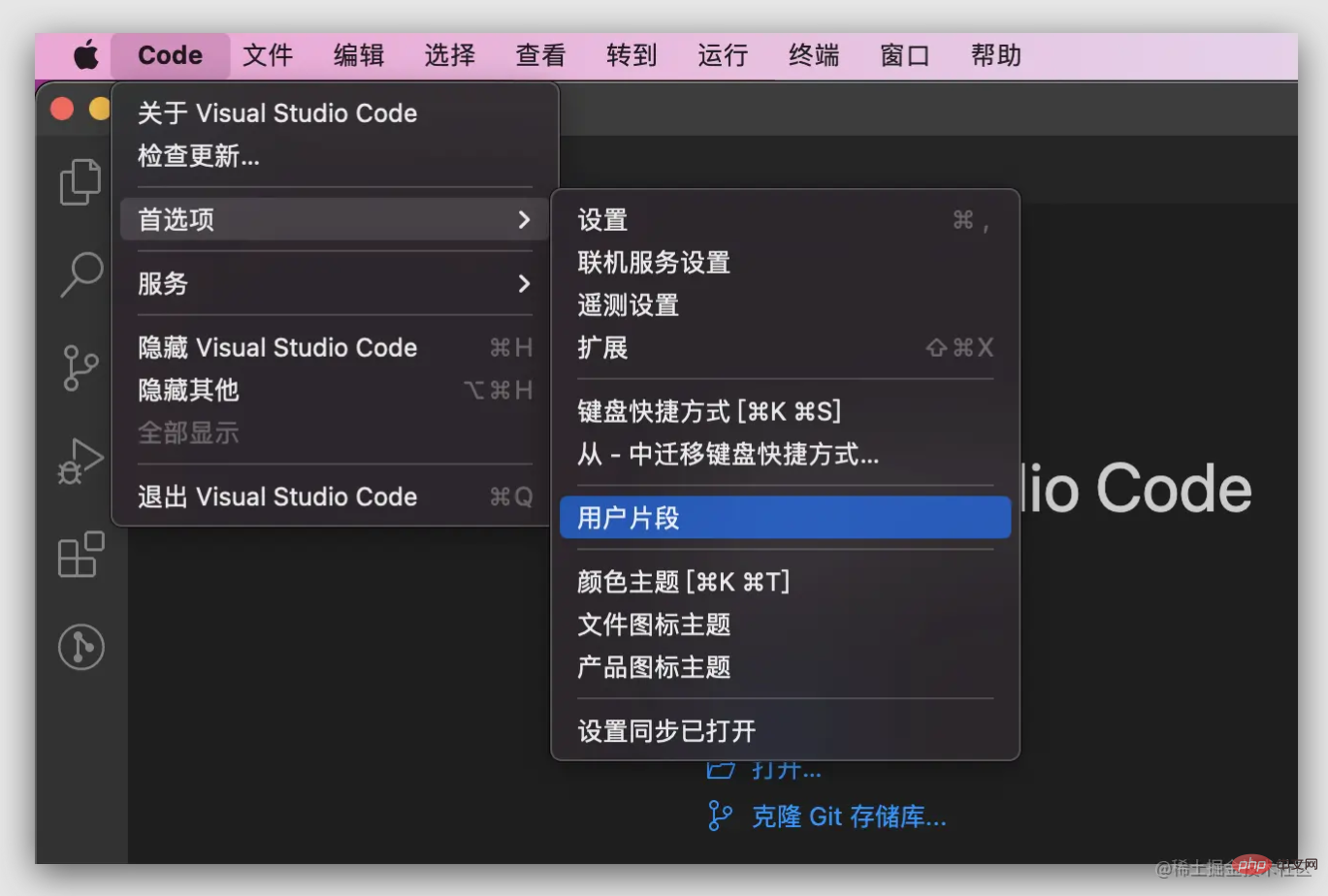
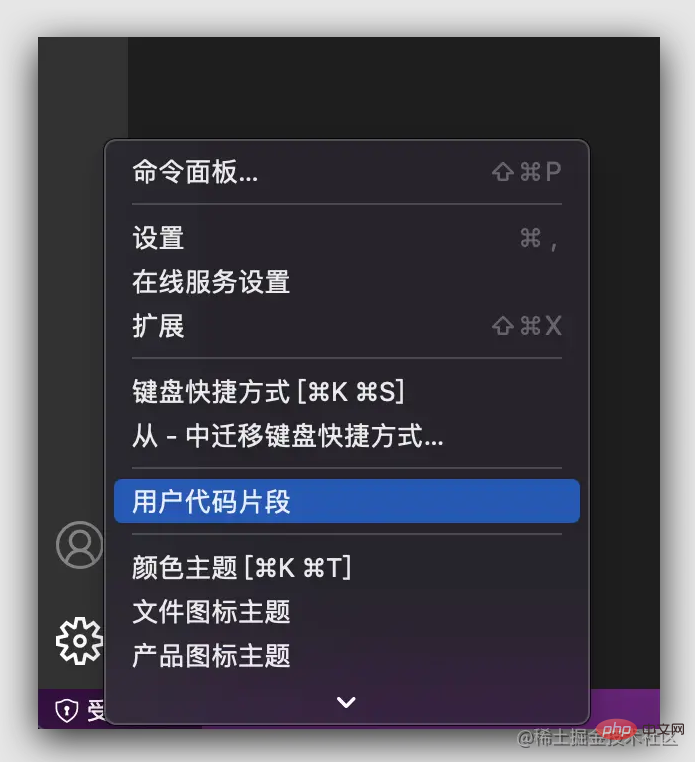
Windows系统: 文件 > 首选项 > 用户代码片段 Mac系统: Code > 首选项 > 用户片段
二、创建
代码块种类
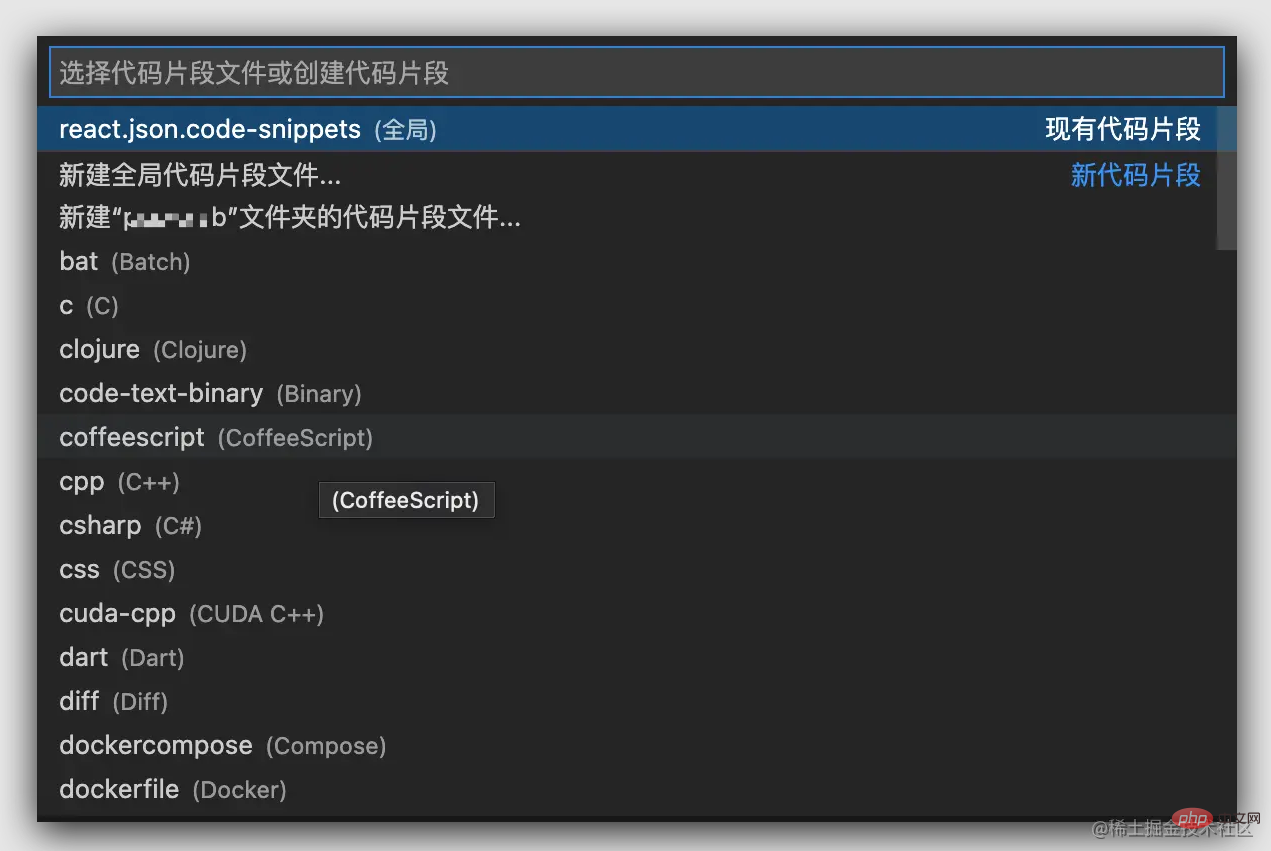
全局代码片段(每种语言环境下都能触发代码块):新建全局代码片段会在
snippets目录下生成.code-snippets为后缀的配置文件;【推荐学习:《vscode入门教程》】针对特定语言类型(只能在对应语言环境下才能触发):而新建对应语言的代码片段会生成
对应语言 + .json的配置文件;为某一工作区(项目)创建的代码块;
新建
输入 react 自动创建一个 react.code-snippets 文件,全局创建则在本机文档目录,项目创建则在项目目录内;

{
  // Place your 全局 snippets here. Each snippet is defined under a snippet name and has a scope, prefix, body and
  // description. Add comma separated ids of the languages where the snippet is applicable in the scope field. If scope
  // is left empty or omitted, the snippet gets applied to all languages. The prefix is what is
  // used to trigger the snippet and the body will be expanded and inserted. Possible variables are:
  // $1, $2 for tab stops, $0 for the final cursor position, and ${1:label}, ${2:another} for placeholders.
  // Placeholders with the same ids are connected.
  // Example:
  // "Print to console": {
  //  "scope": "javascript,typescript",
  //  "prefix": "log",
  //  "body": [
  //    "console.log('$1');",
  //    "$2"
  //  ],
  //  "description": "Log output to console"
  // }
}
创建了一个 dva 的模版:

{
  // Place your 全局 snippets here. Each snippet is defined under a snippet name and has a scope, prefix, body and
  // description. Add comma separated ids of the languages where the snippet is applicable in the scope field. If scope
  // is left empty or omitted, the snippet gets applied to all languages. The prefix is what is
  // used to trigger the snippet and the body will be expanded and inserted. Possible variables are:
  // $1, $2 for tab stops, $0 for the final cursor position, and ${1:label}, ${2:another} for placeholders.
  // Placeholders with the same ids are connected.
  // Example:
  // "Print to console": {
  //  "scope": "javascript,typescript",
  //  "prefix": "log",
  //  "body": [
  //    "console.log('$1');",
  //    "$2"
  //  ],
  //  "description": "Log output to console"
  // }

  // dva 基础布局结构
  "dva-basic": {
    "prefix": "lll_dva_basic",
    "body": [
      "import { Effect, Reducer, Subscription } from 'umi';",
      "",
      "export interface ${1:xxxxModelType} {",
      "  namespace: '${2:xxxx}';",
      "  state: ${3:IxxxxModelState};",
      "  effects: {",
      "    initDataEffect: Effect;",
      "  };",
      "  reducers: {",
      "    updateState: Reducer<${3:IxxxxModelState}>;",
      "  };",
      "  subscriptions: { setup: Subscription };",
      "}",
      "",
      "export interface ${3:IxxxxModelState} {",
      "  ${4:textData}: any;",
      "}",
      "",
      "const state: ${3:IxxxxModelState} = {",
      "  ${4:textData}: null,",
      "};",
      "",
      "const QualificationSetting: ${1:xxxxModelType} = {",
      "  namespace: '${2:xxxx}',",
      "  state: state,",
      "",
      "  effects: {",
      "    // 初始化数据",
      "    *initDataEffect({ payload }, { select, call, put }) {",
      "      try {",
      "      } catch (error) {}",
      "    },",
      "  },",
      "",
      "  reducers: {",
      "    updateState(state, { data }) {",
      "      return { ...state, ...data };",
      "    },",
      "  },",
      "",
      "  subscriptions: {",
      "    setup({ dispatch, history }) {",
      "      return history.listen(({ pathname }) => {",
      "        if (pathname === '/') {",
      "          // 初始化数据",
      "          dispatch({ type: 'initDataEffect' });",
      "        }",
      "      });",
      "    },",
      "  },",
      "};",
      "",
      "export default QualificationSetting;",
      ""
    ],
    "description": "dva-basic"
  }ƒ
}
字段解释
"dva-basic" 是代码片段的名字。如果没有
description,它就会出现在智能建议的列表里。prefix属性定义了代码片段的触发文本。它可以是一个字符串或者一个字符串数组(如果你想有多个触发文本)。前缀的子字符串同样可以触发,在我们的例子里,输入"h1"一样能匹配到我们的代码片段。body属性代表了要插入编辑器的内容。它是一个字符串数组,可能一行或者多行。在插入之前会被合并成一段。description属性提供了代码片段的更多描述。它是可选的。scope属性允许你指定特定的语言类型,你可以使用逗号来分割多种语言。它也是可选的。当然,对于特定于语言的代码片段文件来说是多余的。
Tab Stops (使用 tabs 切换,还有很多用法自行挖掘,比如可选项)
Tab stops由 **1。2代表了第二个位置,以此类推。$0`代表退出代码片段,以及最后光标停留的位置;
多个 tab 停留,使用相同序号即可;
三、后记
本文章是快速入门指南;
深入学习可参考前言中的较为完整的指南;
可使用前言中的快速生成工具,然后再完善;
更多关于VSCode的相关知识,请访问:vscode教程!!




