



轮廓只不过是沿着特定形状边界连接所有点的线。使用它,您可以 -
查找对象的形状。
计算对象的面积.
检测物体。
-
识别物体。
立即学习“Java免费学习笔记(深入)”;
您可以使用 drawContours() 方法绘制找到的图像轮廓,该方法接受以下参数 -
用于存储结果图像的空 Mat 对象。
包含找到的轮廓的列表对象。
一个整数值,指定要绘制的轮廓(-ve 值用于绘制所有轮廓)。
一个标量对象,用于指定轮廓的颜色.
指定轮廓粗细的整数值。

示例
import java.util.ArrayList;
import java.util.List;
import org.opencv.core.Core;
import org.opencv.core.Mat;
import org.opencv.core.MatOfPoint;
import org.opencv.core.Point;
import org.opencv.core.Scalar;
import org.opencv.highgui.HighGui;
import org.opencv.imgcodecs.Imgcodecs;
import org.opencv.imgproc.Imgproc;
public class DrawingContours {
   public static void main(String args[]) throws Exception {
      //Loading the OpenCV core library
      System.loadLibrary( Core.NATIVE_LIBRARY_NAME );
      String file ="D:\Images\shapes.jpg";
      Mat src = Imgcodecs.imread(file);
      //Converting the source image to binary
      Mat gray = new Mat(src.rows(), src.cols(), src.type());
      Imgproc.cvtColor(src, gray, Imgproc.COLOR_BGR2GRAY);
      Mat binary = new Mat(src.rows(), src.cols(), src.type(), new Scalar(0));
      Imgproc.threshold(gray, binary, 100, 255, Imgproc.THRESH_BINARY_INV);
      //Finding Contours
      List contours = new ArrayList<>();
      Mat hierarchey = new Mat();
      Imgproc.findContours(binary, contours, hierarchey, Imgproc.RETR_TREE,
      Imgproc.CHAIN_APPROX_SIMPLE);
      //Drawing the Contours
      Scalar color = new Scalar(0, 0, 255);
      Imgproc.drawContours(src, contours, -1, color, 2, Imgproc.LINE_8,
      hierarchey, 2, new Point() ) ;
      HighGui.imshow("Drawing Contours", src);
      HighGui.waitKey();
   }
}
输入图片
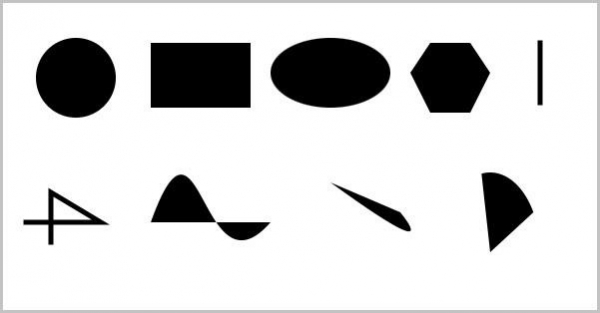
输出
执行时,上述程序生成以下窗口 -






