默认情况下 Eclipse 字符集为 GBK,但现在很多项目采用的是 UTF-8,这是我们就需要设置我们的 Eclipse 开发环境字符集为 UTF-8, 设置步骤如下:
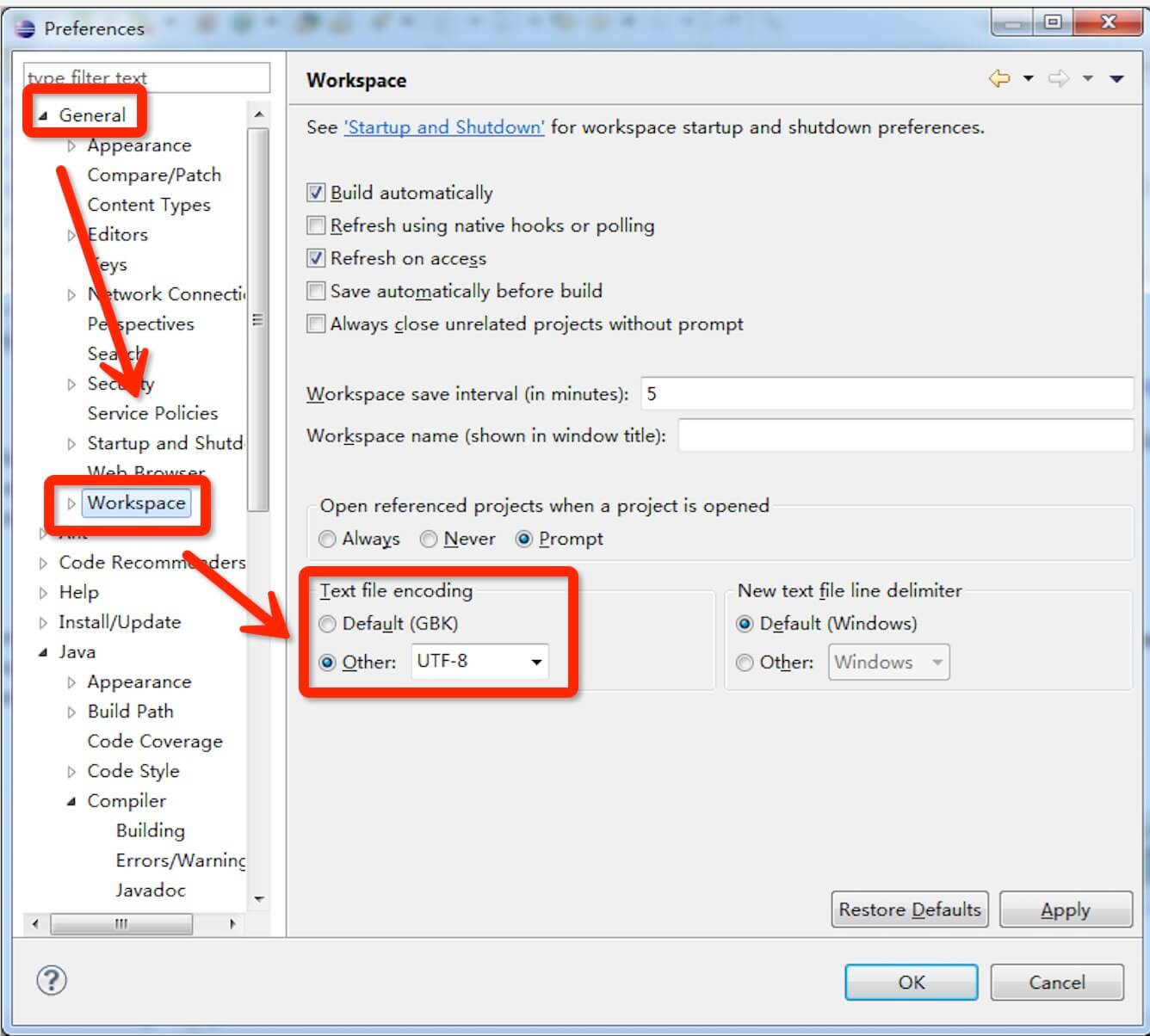
在菜单栏选择 Window -> Preferences -> General -> Workspace -> Text file encoding,在 Text file encoding 中点击 Other,选择 UTF-8,如图所示:

手册目录
Eclipse 教程
默认情况下 Eclipse 字符集为 GBK,但现在很多项目采用的是 UTF-8,这是我们就需要设置我们的 Eclipse 开发环境字符集为 UTF-8, 设置步骤如下:
在菜单栏选择 Window -> Preferences -> General -> Workspace -> Text file encoding,在 Text file encoding 中点击 Other,选择 UTF-8,如图所示:
相关视频
科技资讯


24小时阅读榜
1
2
3
4
5
6
7
8
9
10
精品课程

共5课时 | 17.4万人学习

共49课时 | 78.2万人学习

共29课时 | 62.5万人学习

共25课时 | 39.8万人学习

共43课时 | 73.8万人学习