

最新下载

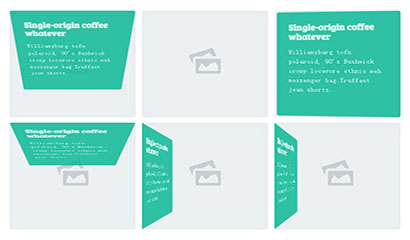
jQuery+CSS3实现3D缩略图悬停效果


24小时阅读排行榜
- 1 Laravel HTTP 客户端发送 POST 请求时参数为空的解决方案
- 2 如何正确将 API 数据分别渲染到 HTML 不同元素中
- 3 JavaScript 中箭头函数、普通方法与 bind 的内存与性能深度解析
- 4 CSS按钮触发动画:用JavaScript控制类切换实现交互式过渡效果
- 5 HTML中如何插入框架_HTML插入框架标签使用【框架嵌入】
- 6 SQL 游标 CURSOR 高级应用与性能优化方法
- 7 HTML中如何添加项目符号_HTML添加项目符号列表样式【列表标记】
- 8 php8.5废弃特性有哪些_php8.5不再支持的功能迁移指南
- 9 如何使用 Selenium 在 Python 中精准定位并点击页面中的按钮
- 10 如何彻底解决 Vue.js 应用在浏览器端的缓存问题
- 11 如何正确将 API 获取的名言与作者信息分别渲染到 HTML 元素中
- 12 php严格模式对函数参数有何影响_php函数严格模式作用【说明】
- 13 JavaScript 文件输入框 change 事件失效的排查与解决指南
- 14 Go 模板中因语法错误导致的 nil 指针解引用 panic 问题详解
- 15 解决 Twig 类未找到错误:正确加载 Composer 自动加载器是关键
最新教程

-
- Node.js 教程
- 17977 2025-08-28
-
- CSS3 教程
- 1552077 2025-08-27
-
- Rust 教程
- 25044 2025-08-27
-
- Vue 教程
- 26927 2025-08-22
-
- PostgreSQL 教程
- 23333 2025-08-21
-
- Git 教程
- 10195 2025-08-21
通过CSS3自定义checkbox样式来实现的一款CSS3立体感灯光开关按钮动画特效,切换开关可以改变页面背景颜色,从而模拟灯光的开启和关闭。
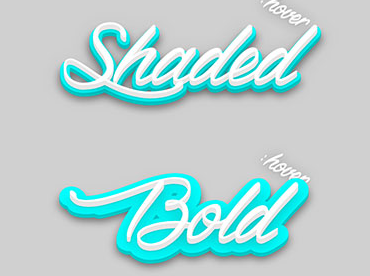
<defs>
<filter id="drop-stroke-shadow">
<fegaussianblur in="SourceAlpha" stddeviation="10"></fegaussianblur>
</filter>
<symbol id="stroke">
<text x="50%" y="67%" fill="none" stroke-width=".035em" stroke-linecap="round" stroke-linejoin="round" paint-order="stroke fill" text-anchor="middle">Shaded</text>
</symbol>
<symbol id="fill">
<text x="50%" y="60%" text-anchor="middle">Shaded</text>
</symbol>
</defs>
<g class="svg-text__shaded__stroke" stroke="#00cccc">
<use y="5%" xmlns:xlink="http://www.w3.org/1999/xlink" xlink:href="#stroke" opacity="0.5" filter="url(#drop-stroke-shadow)"></use>
<use y="3%" xmlns:xlink="http://www.w3.org/1999/xlink" xlink:href="#stroke"></use>
<use y="2%" xmlns:xlink="http://www.w3.org/1999/xlink" xlink:href="#stroke"></use>
<use y="1%" xmlns:xlink="http://www.w3.org/1999/xlink" xlink:href="#stroke"></use>
<use xmlns:xlink="http://www.w3.org/1999/xlink" xlink:href="#stroke" stroke="cyan"></use>
</g>
<g fill="#e6e6e6">
<use class="svg-text__shaded" y="7%" xmlns:xlink="http://www.w3.org/1999/xlink" xlink:href="#fill"></use>
<use y="6.5%" xmlns:xlink="http://www.w3.org/1999/xlink" xlink:href="#fill"></use>
<use y="6%" xmlns:xlink="http://www.w3.org/1999/xlink" xlink:href="#fill"></use>
<use y="5.5%" xmlns:xlink="http://www.w3.org/1999/xlink" xlink:href="#fill"></use>
<use y="5%" xmlns:xlink="http://www.w3.org/1999/xlink" xlink:href="#fill"></use>
<use y="4.5%" xmlns:xlink="http://www.w3.org/1999/xlink" xlink:href="#fill"></use>
<use y="4%" xmlns:xlink="http://www.w3.org/1999/xlink" xlink:href="#fill"></use>
<use y="3.5%" xmlns:xlink="http://www.w3.org/1999/xlink" xlink:href="#fill" fill="white"></use>
</g>


相关推荐






CSS3带阴影五彩文字特效下载


热门下载




canvas音谱可视化mp3音乐播放器代码






