



optimize todesk remote control image quality for a smoother experience! many users find the image quality during todesk remote control sessions less than ideal. this tutorial provides a simple solution to enhance your visual experience. let's get started!
Improving ToDesk Image Quality
- Launch ToDesk and tap "My" in the bottom right corner.

- Select "Display Mode".


- Choose "Prioritize Image Quality". This setting prioritizes visual clarity over speed.
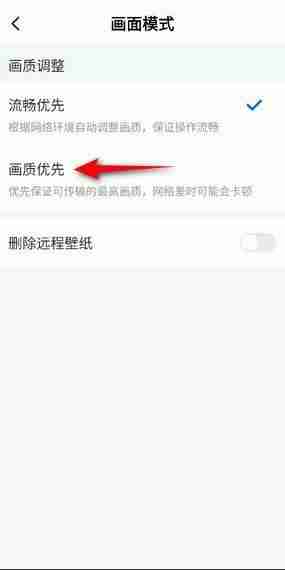
Now enjoy a significantly improved visual experience during your ToDesk remote control sessions!




